Yearbook designers
If you’re laying out pages, proofreading copy and adding photos, the workspace and text should be easy to see at your usual scaling setting.


For page layouts and proofreading, a clear resolution, a suitable screen size and an adjustable stand all matter. A more compact model may be more practical on a small desk. If you need to assess photos for print, colour mode, calibration and the printer’s output profile matter more than any single colour gamut figure. Before buying, also check the space available, your laptop’s ports and its charging requirements. More pixels or a wider colour gamut won’t guarantee a suitable window arrangement or a match with the final print.
If you’re laying out pages, proofreading copy and adding photos, the workspace and text should be easy to see at your usual scaling setting.
If you’re assessing images for the printed yearbook, you’ll also need to consider the colour workflow and the printer’s output profile.
If desk space is limited, the monitor, stand and cables need to fit the area available. Your laptop’s ports and charging requirements will also affect your choice.
A good fit if: you have limited desk space and mainly work on text, photo selection and individual yearbook pages. Dell lists the P2425D as having a 23.8-inch screen and QHD resolution.
Trade-off: A smaller display has less physical width, so check that your preferred scaling still makes text easy to read.
A good fit if: you combine layout work, photo placement and screen sharing, without needing an extended print colour gamut as your main priority. BenQ lists the PD2705Q as having a 27-inch screen, QHD resolution, 100% sRGB and a height-adjustable stand.
Trade-off: Colour coverage is a manufacturer’s specification and is no substitute for a proof prepared for print.
A good fit if: you assess yearbook photos for a known print process and genuinely include profiling and proofing in your workflow. ASUS lists the PA279CRV as having 4K resolution and 99% Adobe RGB; BenQ gives the same figures for the PD2732U.
Trade-off: A wider colour gamut is no substitute for the output profile or coordination with the printer. Also check that your computer supports the resolution and connection you want.
First, compare screen size and readable scaling with your layout. Then decide whether print colour management is needed for your actual workflow, and finally check the space available and laptop connection.
| Priority | What to check when buying | Who it matters most to |
|---|---|---|
| Layout space and readability | Compare the native resolution and visible screen size with your window arrangement at a comfortably readable scaling setting. | If I’m working on pages, photos and corrections at the same time, text needs to stay readable at my usual scaling setting. Around 36% of consumers put usable layout space first. |
| Colours for print | Check the output profile and proofing process with the printer; review the colour mode and calibration options. | If I’m assessing photos for a specific print process, I need a coordinated colour workflow, not just a large colour gamut figure. Around 29% of consumers prioritise assessing print colours. |
| Desk space and positioning | Measure the available desk width and depth; check the dimensions of the monitor and stand, plus any height or pivot adjustment. | If space is tight on my student-room desk, the monitor and stand need to fit the area available. Around 21% of consumers put suitable positioning first. |
| Laptop connection and power | Check the video output supported by your laptop port, the right cable and the charging power required against the monitor’s specifications. | If I want to connect my laptop with as little fuss as possible, the video signal and power supply need to be compatible. Around 14% of consumers prioritise a suitable laptop connection. |
Even a monitor with a wide colour gamut won’t automatically show the result of a specific print process. Adobe describes colour management and proofing for the relevant output conditions as part of the print workflow.
Before approving colours, check the output profile and proofing process with the printer.
Profiling and coordinating with the printer take time; you may also need a colour meter for calibration.
The 23.8-inch Dell P2425D and 27-inch Dell P2720D are both specified at 2560 × 1440 pixels. However, they differ in physical screen area, and the right text scaling depends on how you see and work.
Consider desk measurements, your usual window arrangement and text readability together.
A USB-C port on a monitor doesn’t guarantee that your laptop can output a video signal through it and charge sufficiently at the same time. The Power Delivery figures listed apply to specific models, not to your device’s requirements.
Check your laptop’s port, supported video mode, cable and charging requirements against the specifications for the specific monitor.
Depending on the connection and charging requirements, you may also need a suitable cable or a separate power supply.
The Pro models P2425D and P2425 are among the options to consider for limited workspace.
The PD2705Q and PD2732U meet different resolution and colour workflow requirements.
The ProArt PA279CRV is a 27-inch 4K option for layout and photo work with a wide colour gamut.
The ColorEdge CS2400S combines a 24-inch screen with a wide colour gamut and hardware calibration.
The 27UP850K-W is a 27-inch 4K option with an adjustable stand.
This selection features portable extra displays for laptop work in a limited workspace. They can provide a compact second-screen setup; before buying, compare the resolution, positioning and laptop connections with your layout requirements.
 No image available
Described as a portable extra display for laptop work; its size may be useful for layouts and text alongside your laptop.
The title lists an 18.5-inch screen, 1920 × 1080 pixels, a matte IPS display, up to 120 Hz, plus USB-C and Mini-HDMI. Check that your laptop supports the connection you need.
 No image available
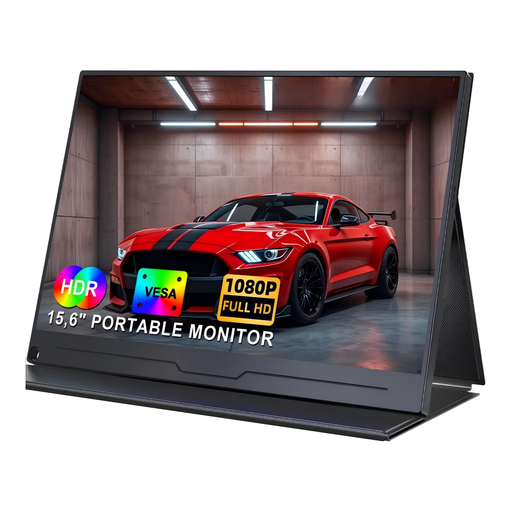
This portable 15.6-inch model is a compact option for a second screen when working on a laptop.
The title lists Full HD resolution at 1920 × 1080 pixels, IPS, USB-C, built-in speakers and VESA compatibility. Check that the ports are compatible with your laptop.
 No image available
The integrated adjustable stand may be useful when setting up a compact laptop workspace.
The listing specifies a 15.6-inch screen, Full HD, IPS and 100% sRGB; colour gamut coverage is a product specification, not an independent measurement. It also lists 300 nits, USB-C, Mini-HDMI and VESA compatibility.
 No image available
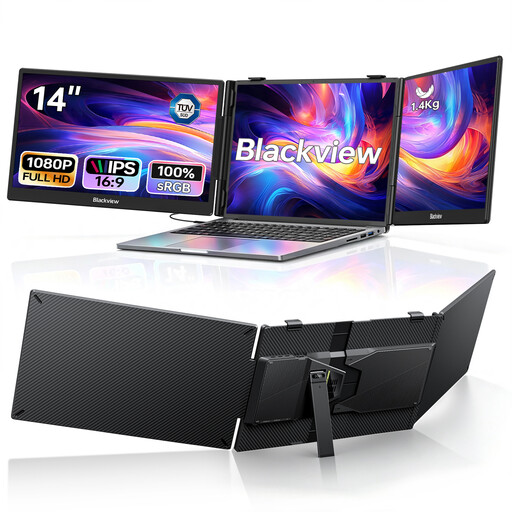
Described as two extra screens that extend your laptop workspace, they’ll need space alongside your laptop.
The title lists two 1080p IPS screens, USB-C and 100 W Power Delivery, plus compatibility with laptops from 13 to 17.3 inches. Check the dimensions and connection against your specific laptop.
 No image available
This portable second screen can offer flexible positioning in a laptop workspace.
The title lists a 15.6-inch screen, Full HD, IPS, USB-C and HDMI, plus a Smart Cover stand and VESA mounting option. Check your laptop’s ports before choosing.
No. Colour gamut coverage alone can’t guarantee a match with the print. To assess a specific print, you need a suitable colour workflow and a proof for the relevant output conditions. Check the output profile with the printer.
Only if your laptop’s port supports the required video signal, the cable is suitable and the charging power meets your laptop’s needs. BenQ lists 65 W with DisplayPort Alt Mode for the PD2705Q; ASUS lists 96 W for the PA279CRV. This doesn’t guarantee compatibility with an unspecified laptop model.
Set up your monitor for the intended colour workflow and use the output profile and a proof for the relevant print conditions. Adobe describes a colour meter as a calibration aid; check with the printer which process is planned for the yearbook.
The European Commission explains that electronic displays carry an energy label with ratings from A to G. For consumer goods, distinguish between your statutory rights against the seller and a voluntary guarantee. According to Verbraucherzentrale, online purchases generally come with a 14-day right to cancel; statutory rights relating to faulty or misdescribed goods also apply. Old monitors should be collected separately, for example at local council recycling centres.