
Lieferung heute & morgen

Qualitätsgarantie

Willkommens-Angebote freischalten: KOSTENLOSE Lieferung | Bis zu 80 % RABATT | Kostenlose 30-Tage-JoyPlus-Testphase
App herunterladen
When the yellow toner warning light comes on, it's rarely at a convenient time. The need is urgent, yet the toner cartridge market is overwhelming. A quick, uninformed decision can lead to unnecessary costs, poor print quality, or even printer errors. This guide will help you understand the essential criteria for making a sound choice.
As a Joybuy Product Recommendation Officer, I'll distill the key information for you and highlight what truly matters when selecting a yellow toner cartridge. We'll focus on the facts so you can make the right decision for your printer model and needs.
Before we dive into the technical details, let's look at the most common problems that arise when purchasing replacement toner:
To avoid the problems mentioned above, you should check three key aspects before buying. These will help you objectively evaluate the performance and suitability of a yellow toner cartridge.
The most critical requirement is that the yellow toner cartridge is compatible with your printer model. Your printer's model number (e.g., HP LaserJet M479fdw or Canon i-SENSYS LBP621Cw) is the key. Search specifically for toner for [Printer Model] or the exact cartridge designation (e.g., [Cartridge Model] toner).
There are two basic types of cartridges:
compatible HP yellow toner with a chip generally ensure smooth recognition by the printer.The page yield indicates how many pages you can print with one cartridge. For a reliable comparison, this value should be specified according to the ISO/IEC 19798 standard for colour laser printers. This standard defines a standard page with 5% colour coverage.
Additionally, there are often two variants:
The decision between original and compatible toner depends on your priorities.
Here are some recommendations tailored to different user profiles that take the above criteria into account.
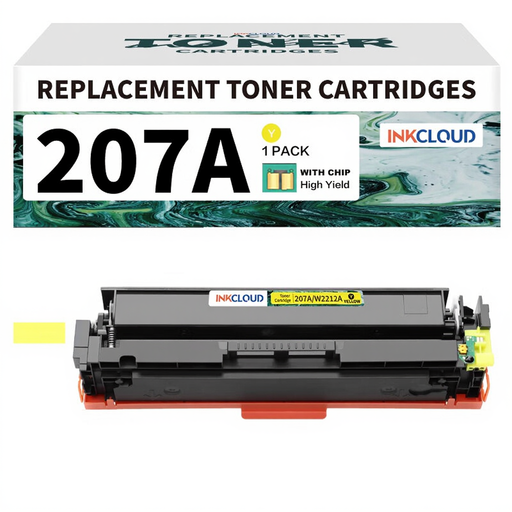
Why This Fits Their Persona: This cartridge is a cost-effective solution for popular HP printers often used in home offices or small office/home office (SOHO) environments. It allows users to keep printing costs low without compromising on functionality for everyday tasks.
The product is explicitly advertised as having a pre-installed, new chip. This minimises the risk of incompatibility error messages, one of the most common problems with compatible cartridges.
Significant price advantage over the original product. Designed for seamless communication with the specified HP printer models to monitor toner levels.
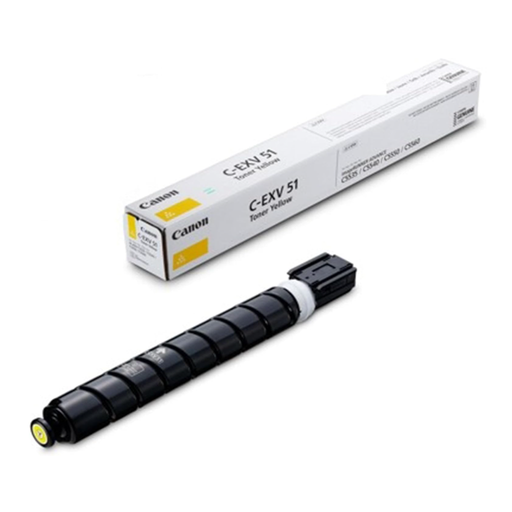
Why This Fits Their Persona: For businesses and departments that rely on professional Canon imageRUNNER ADVANCE systems, reliability and a low cost per page are critical. This cartridge is designed for continuous, high-volume use.
With a stated yield of up to 60,000 pages, this cartridge bypasses the problem of a short lifespan. The investment pays off through an extremely low cost per page and less frequent replacement.
Extremely high page yield for maximum efficiency. As an original Canon product, it ensures optimal coordination with the printer hardware and consistently high print quality.
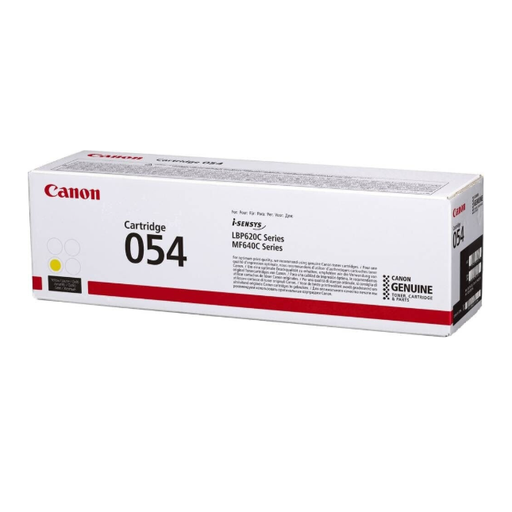
Why This Fits Their Persona: Ideal for users of Canon i-SENSYS printers who value guaranteed compatibility and reliable print quality for daily use, without needing an extremely high page yield. This is the standard choice for many small offices and discerning home users.
As an original equipment manufacturer (OEM) product, this cartridge avoids the risks of incompatibility and poor print quality. The stated page yield of up to 1,200 pages is a realistic figure for a standard cartridge.
Complete functional reliability and optimal calibration for Canon i-SENSYS series printers. Ensures consistent colour results and protects the printer's longevity.
We have compiled a complete, up-to-date list of products that fully meet these strict selection criteria.
1. Will any yellow toner fit my printer? No, each toner cartridge is designed for specific printer models or series. Always check the toner manufacturer's compatibility list and compare it with your printer's exact model name. Using the wrong cartridge can lead to malfunctions or damage.
2. What is the difference between standard and high-yield (XL/H) toner? Standard toner is designed for a normal printing volume. High-yield cartridges (often marked as XL or H) contain more toner powder and can print significantly more pages. Although they are more expensive to purchase, they typically lower the cost per printed page and are therefore more economical for frequent printers.
3. Can using compatible toner damage my printer? The concern that compatible cartridges might damage the printer is common. With products from reputable third-party manufacturers that perform quality control and use modern chips, the risk today is low. However, printer manufacturers do state that damage demonstrably caused by the use of third-party toner may not be covered by the device's warranty. Choosing an established supplier for compatible products is therefore advisable.