
Same-day & Next-day Delivery

Quality Guaranteed

Unlock Your Welcome Offers: FREE Delivery | Up to 80% OFF | Free 30-day JoyPlus trial
Download the APP
The idea of having digital information directly in your field of view is no longer science fiction. AI glasses can simplify daily life with navigation, live translations, or discreet notifications. However, the market is crowded and full of marketing claims that often fail to deliver. Before you buy a pair of smart glasses, it's crucial to understand the common pitfalls to avoid a bad investment.
This guide will help you separate the wheat from the chaff and make an informed decision based on objective criteria and your actual needs.
Many buyers are disappointed shortly after their purchase because their expensive gadget is impractical for daily use. This is often due to three common problems that are rarely mentioned in advertising.
To avoid falling into these traps, you should check three core technical aspects before buying. These will determine whether a pair of AI glasses will be a useful tool for you or just an expensive toy.
The display is the heart of any pair of smart glasses. There are two prevailing technologies, and their differences are relevant for real-world use:
Pay attention to how bright the display is and whether it adapts to different lighting conditions. A good display remains readable even in bright sunlight without obstructing your view of the surroundings.
The range of functions should match your usage profile. Ask yourself what you primarily want to use the glasses for:
Smart glasses will only become a constant companion if they are comfortable and have long-lasting battery life.
Based on the criteria above, we have identified a few models that represent a smart choice for specific user groups.
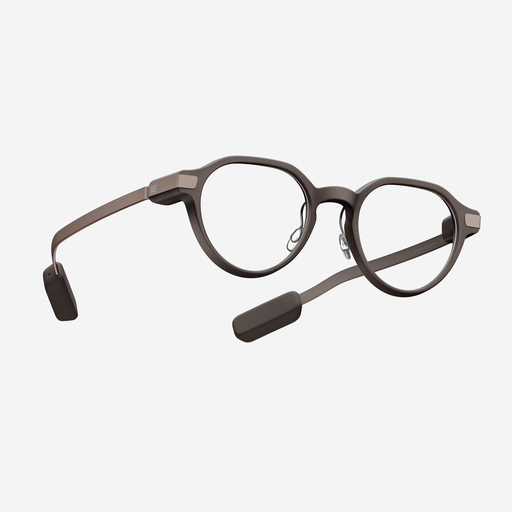
Why This Fits Their Persona: Ideal for users seeking discreet assistance in their professional lives. The lightweight design (36g) and lack of a camera ensure high social acceptance in meetings and the office. Features like live translation and a teleprompter boost productivity without being intrusive.
This model bypasses the "camera dilemma" by intentionally omitting a camera, which minimizes privacy concerns and social friction. It is perceived as a normal pair of glasses.
Long battery life of up to 2 days with normal use (according to the manufacturer) and a private Micro-LED display that is only visible to the wearer.
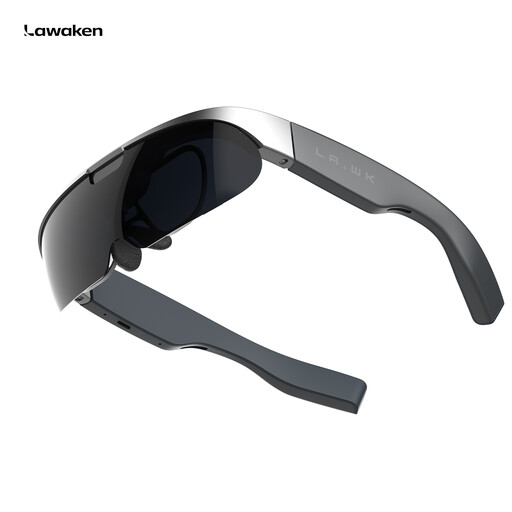
Why This Fits Their Persona: Designed for cyclists and outdoor athletes who want to keep performance data and navigation directly in their line of sight. The AR head-up display visualizes real-time data without taking their eyes off the road. Synchronization with sports peripherals makes it a comprehensive training partner.
This model delivers on the promise of AR glasses for a specific use case. Instead of vague gimmicks, it offers a concrete function: displaying navigation and sports data.
Bright waveguide display (30° FOV) for good visibility and an integrated 8MP camera for recording tours. The IPX4 rating protects against splashing water.
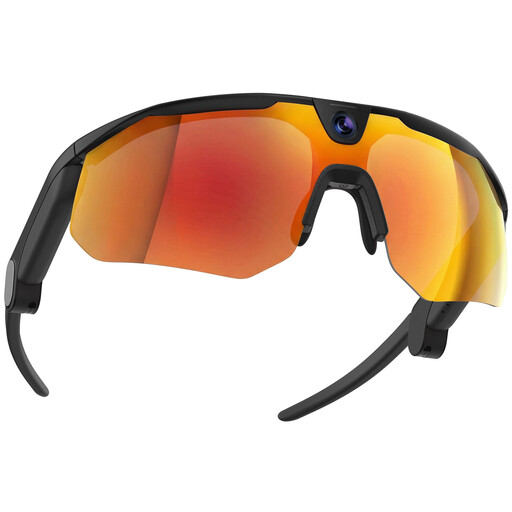
Why This Fits Their Persona: For users whose main goal is to record high-quality, first-person videos during sports activities. The combination of a 16MP camera with 3K resolution and electronic image stabilization (EIS) delivers smooth footage directly from a first-person perspective.
The sports goggle design makes the camera an expected feature rather than a socially awkward one. The battery life is designed for activity sessions, not all-day wear, which aligns with the expectations for an action camera.
High video quality (3K at 60 FPS according to the manufacturer), open-ear audio with wind noise reduction, and AI-powered video editing in the companion app.
We have compiled a complete, up-to-date list of products that fully meet these strict selection criteria and UK/EU safety regulations.
1. Can I use AI glasses with my prescription lenses? Some models are compatible with prescription lenses. Often, a special insert (RX insert) is included, which an optician can fit with the appropriate lenses. Other manufacturers offer to produce the lenses directly with your prescription strength. Check the product description for terms like "prescription lenses compatible" or "RX-ready."
2. How long does the battery of smart glasses really last with normal use? This depends heavily on the model and the intensity of use. Everyday smart glasses used primarily for notifications can last 8 hours or more. Sports glasses with continuous video recording and GPS tracking might only last 1-2 hours. Models with a charging case offer the flexibility to recharge the glasses multiple times on the go.
3. Is wearing AI glasses with a camera legally permissible in public? In Europe, the legal situation is complex. Filming people without their consent can violate their right to their own image and the General Data Protection Regulation (GDPR). When using glasses with a camera, always be transparent and respect the privacy of those around you. Use is generally prohibited in sensitive areas (e.g., changing rooms, doctor's offices). From a legal and social standpoint, smart glasses without a camera are the more straightforward choice for everyday use.