
Lieferung heute & morgen

Qualitätsgarantie

Willkommens-Angebote freischalten: KOSTENLOSE Lieferung | Bis zu 80 % RABATT | Kostenlose 30-Tage-JoyPlus-Testphase
App herunterladen
A height-adjustable desk should make it easier to switch between sitting and standing when working from home, studying or working in the office. In practice, however, everyday usability depends on more than just design or marketing claims. If you focus only on the price or an eye-catching extra feature, you can easily overlook important details relating to stability, dimensions and electrical equipment.
As a Joybuy Product Recommendation Officer, I therefore focus on clear product data and common purchasing pitfalls. These three points deserve particular attention before you buy:
An electric height-adjustable desk should not simply have a motor; it should also operate within a range suited to its intended use. For the models featured here, the stated height range is 72 to 120 cm. This covers typical sitting and standing positions for adults, as well as many study areas. The ideal setting depends on factors including your height, seating position and monitor placement.
Several specifications are relevant when it comes to stability:
The load rating should be understood as a static value. Monitor arms, speakers and other equipment should remain within this limit together with the desktop. Additional movement affects the construction when the desk is raised or lowered dynamically.
A 140 x 60 cm desk takes up comparatively little space, making it a good choice for smaller home offices, student accommodation or living areas. This size can be sufficient for a laptop, one monitor, stationery and a lamp.
A 160 x 70 cm desk offers more depth and width. This is useful if you plan to have two screens, a desktop PC or lots of documents on the desk. Before buying, check the door width, distance from the wall and the available space. There must also be enough clearance above and below the desk when adjusting its height.
A height-adjustable desk with a memory function can recall stored height positions at the touch of a button. This reduces the need for repeated manual adjustments. The feature is particularly useful if several people share the same desk or if you regularly switch between two positions.
A desk with a USB-C port can allow compatible devices to be charged directly from the control panel. Check that the stated charging output is suitable for your smartphone, tablet or accessories. A USB-C port does not automatically replace a full-capacity power supply for high-powered devices.
Several elements are useful for effective cable management: cable grommets in the desktop, a fabric or cable organiser, and sufficient slack in the cables. A cable must not be pulled tight when the desk is raised. You should also avoid placing the desk directly against a wall if the desktop could hit it when adjusted.
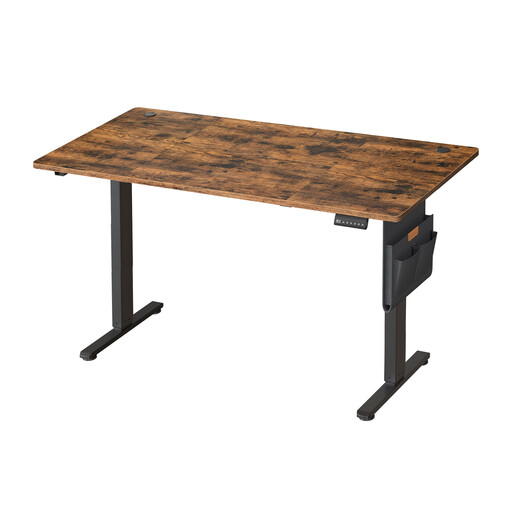
Why this product suits the profile: The 140 x 60 cm desktop takes up little space while offering essential features for studying and working.
The stated height adjustment range of 72 to 120 cm and maximum static load of 70 kg make key purchasing information transparent.
Memory function, USB-C port, two cable grommets, fabric organiser and adjustable feet.
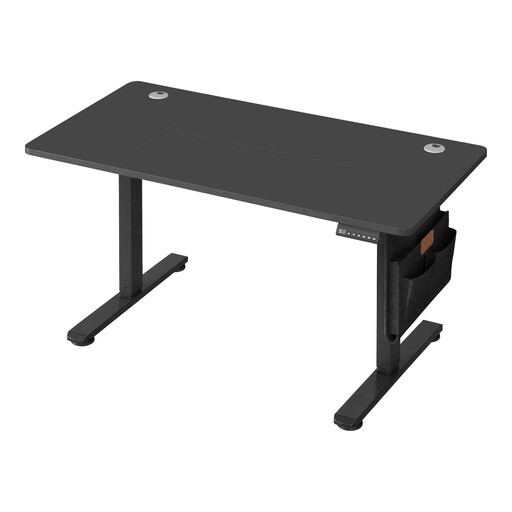
Why this product suits the profile: The black finish combines a compact footprint with features suited to a permanent home-office workstation.
The design specifies a steel frame, a 70 kg static load capacity and a locking function on the control panel, rather than relying solely on general claims about stability.
Height range of 72 to 120 cm, memory function, USB-C fast-charging function, plus cable grommets and an organiser.
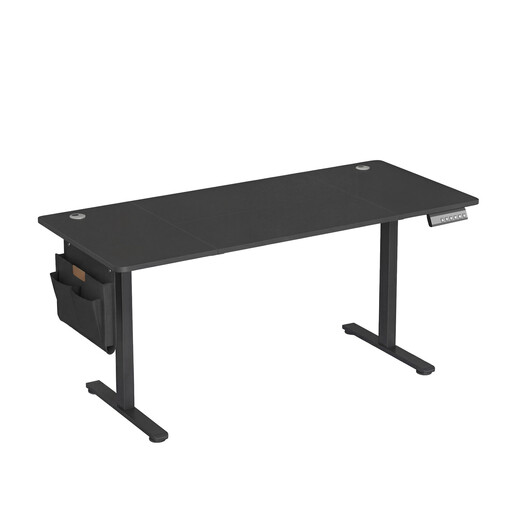
Why this product suits the profile: The larger workspace is suitable for multiple monitors, extensive documents or a permanently set-up sit-stand workstation.
The 70 cm depth creates more distance from the screen. The stated load limit helps you plan realistically for monitors and accessories.
160 x 70 cm workspace, steel frame, memory function, USB-C port and cable management with two grommets.
We have put together a complete, regularly updated list of products that fully meet these strict selection criteria and the safety regulations applicable in the EU.
Measure the intended location before assembling the desk. In addition to the desk width, consider the distance from the wall, the space needed for movement and the position of power sockets. The labelled parts supplied and clear instructions can make assembly easier. After assembly, check all screw connections and adjust the feet to suit the floor.
Electrical components must not come into contact with liquids. According to the product specifications, the models are intended for indoor use only. If the height adjustment is operated continuously for more than two minutes, the overheating protection may be activated. In this case, an 18-minute waiting period is required. When adjusting the desk, you should also set the integrated sensor correctly so that solid obstacles can be detected more effectively.
When sitting, your forearms should ideally rest horizontally on the desktop while your shoulders remain relaxed. When standing, position the desktop so that you can use the keyboard and mouse without raising your shoulders. The correct height is individual and depends on your height, chair and monitor position.
Its lifespan depends on factors including the motor, frame, load, assembly and frequency of use. Look for a specific load rating, a sufficient height range and overheating protection. Also avoid overloading the desk continuously and regularly check the cables for tension or damage.
Power consumption depends on how often and for how long the motor is operated. During actual height adjustment, the motor runs only briefly. An energy-saving function on the control panel can reduce standby consumption. For an accurate assessment, the relevant model’s technical specifications and your own usage habits are the decisive factors.