
Lieferung heute & morgen

Qualitätsgarantie

Willkommens-Angebote freischalten: KOSTENLOSE Lieferung | Bis zu 80 % RABATT | Kostenlose 30-Tage-JoyPlus-Testphase
App herunterladen
An LCD writing tablet promises creative fun without wasted paper or ink stains. It's a modern magic slate that delights children and gives parents peace of mind—ideal as a kids' travel toy or for engaging playtime at home. However, the market is flooded with models of widely varying quality. Before you choose a gift for boys and girls, you should know the typical weaknesses that can quickly turn a promising toy into a disappointment.
Many buyers are frustrated by three main problems:
This guide will help you avoid these pitfalls and find a model that is safe, durable, and practical for everyday use.
To make an informed decision, you should check three core aspects. These features distinguish a good reusable drawing tablet from inferior products.
A child's safety is the top priority. Therefore, look for products with a housing made of robust ABS plastic. This material is known for its impact resistance and durability. Equally important are rounded edges, which prevent injuries.
A crucial safety feature is the battery compartment. It must be securely screwed shut and inaccessible to children's hands. Also, check if the product is declared BPA-free and complies with European toy safety standards (e.g., REACH regulation). Such information is usually found in the manufacturer's product details.
A good LCD writing tablet requires no power to display what's drawn and has no backlight. It works like paper by reflecting ambient light. This is easy on the eyes, as no blue light is emitted. The lines should appear clear and high-contrast.
Two functions are central to its operation:
As an educational toy for ages 3 and up, the tablet should be light and easy to handle. A low weight (often under 200 grams) and a slim profile ensure that children can hold and carry it without difficulty. For use as a travel toy, an integrated and secure holder for the stylus is essential. This keeps everything in its place, whether in the car, at a restaurant, or in a waiting room.
Here are some recommendations tailored to different user profiles that meet the quality criteria mentioned above.
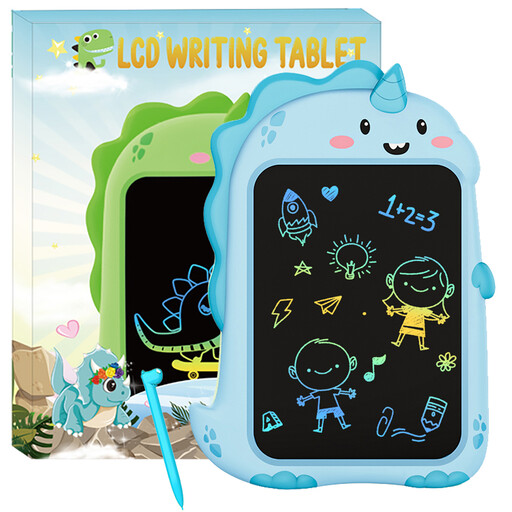
Why This Fits Their Persona: The appealing dinosaur design motivates toddlers to play creatively. Weighing only about 166 grams and featuring a sturdy shape, it's perfectly designed for little hands.
The ABS plastic housing has rounded edges, and the battery compartment is securely screwed shut to minimise safety risks for young children.
Lightweight and thematically engaging. According to the manufacturer, it complies with EU REACH regulations and toy safety standards.
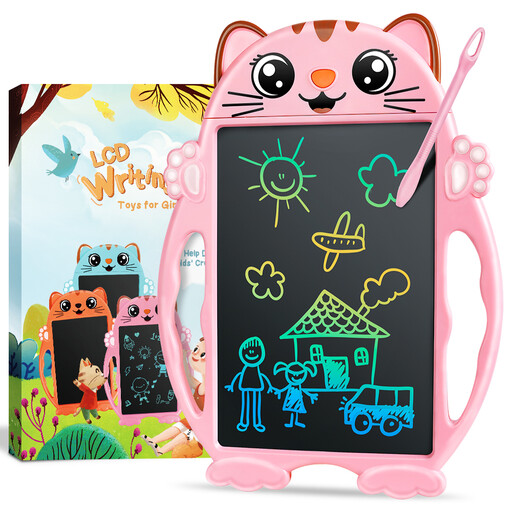
Why This Fits Their Persona: At just 178 grams and with a very slim design, this drawing pad fits effortlessly into any backpack or handbag. It's the ideal companion for creatively passing the time in the car or at a restaurant.
The stylus clicks firmly into the housing, significantly reducing the risk of losing it on the go. The durable material withstands the typical stresses of travel.
Extremely portable and ready to use instantly. The cute design appeals to children, and the simple operation with erase and lock buttons is intuitive.
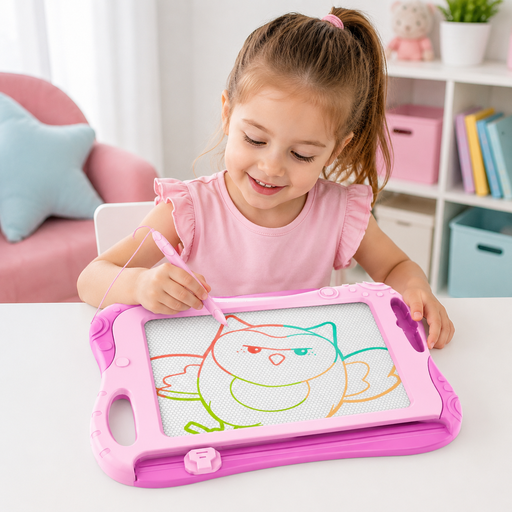
Why This Fits Their Persona: This model focuses on the core function: an easy-to-erase drawing surface. It offers a straightforward and affordable alternative to electronic versions and is well-suited as a first drawing toy.
Since it's a magnetic board, there are no electronics that can fail and no screen that can be too dim. The mechanism is simple and proven.
No batteries required. It's very easy to handle and intuitive for younger children to understand. Provides the basic functions for creative play.
We've compiled a complete, up-to-date list of products that fully meet these strict selection criteria and safety standards.
Most LCD writing tablets use a small coin-cell battery (typically CR2025 or CR2032) that only consumes power during the erasing process. Since the display itself uses no power, a single battery often lasts for many months or even over a year, depending on how frequently it's used. Replacing it is usually straightforward.
No, the screens on these tablets are not comparable to those on tablets or smartphones. They are not backlit and do not emit blue light. They function passively by reflecting ambient light, much like ink on paper. Therefore, they are considered easy on the eyes.
The simple and child-friendly models featured here generally do not have a digital save function. Their purpose is for spontaneous, repeatable drawing and writing. While there are higher-priced models on the market that allow syncing with an app, the simple erase function is usually sufficient for typical use as a children's toy and encourages creativity without distraction.