
Lieferung heute & morgen

Qualitätsgarantie

Willkommens-Angebote freischalten: KOSTENLOSE Lieferung | Bis zu 80 % RABATT | Kostenlose 30-Tage-JoyPlus-Testphase
App herunterladen
An LCD writing tablet for children can be a useful addition to the paper, pens and small bits and pieces you use every day. Children can draw, practise letters or jot down short notes, then clear the screen at the touch of a button. But parents, grandparents and relatives may wonder which LCD drawing tablet is really right for a child’s age, how they’ll use it and their budget.
A drawing board for children aged 3 and over should be easy to hold and have rounded edges. A larger board may offer more space for drawing, but can be harder for younger children to carry. So it’s not just the design and colour that matter: weight, dimensions and ease of grip are important too.
Claims such as “non-toxic” or “child-friendly” should be assessed against specific details. Check the materials used, look for information about BPA, lead and formaldehyde, and see whether the product meets the relevant requirements. For the CHEERFUN models featured here, the manufacturer specifies ABS plastic and refers to EU REACH compliance and toy safety standards. These are product claims and don’t replace checking the latest labelling and instructions for use.
A reusable drawing board is only practical if it’s easy to clear. The selected models can be cleared using a button or erase function. Before buying, also check whether a battery is included, which type is needed and whether the board has a travel lock. That way, you can avoid unnecessary extra costs or interruptions later on.
Depending on the model, the boards featured here are approximately 25.8 to 29.4 centimetres long and weigh around 0.166 to 0.215 kilograms. A lightweight board is handy for car journeys, waiting at a restaurant or carrying in a rucksack. For drawing at a table, though, a generous screen gives children enough room to write lines and letters without feeling cramped.
The CHEERFUN models are listed as having an ABS plastic casing. Rounded edges can reduce the risk of uncomfortable pressure marks or scratches on the skin. However, a scratch-proof drawing board isn’t a universally protected product category: don’t use sharp objects on the LCD screen. Use the supplied stylus where possible and follow the care instructions.
An electronic writing tablet is suitable for free drawing, simple writing practice and short reminders. It won’t replace paper for pictures you want to keep, or digital learning programmes with saving features. Its practical advantages are quick erasing and repeated use. For longer learning activities, parents should think of the board as a learning toy for children and a creative aid, rather than a complete writing system.
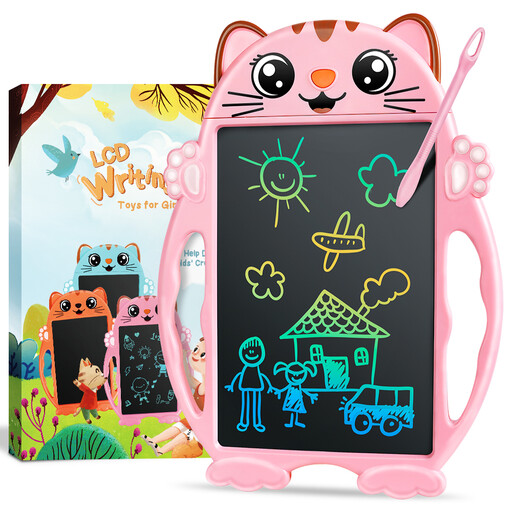
Why it suits this profile: This 8.5-inch model combines a manageable size with a weight of around 0.178 kilograms. According to the product description, it’s suitable for children aged 3 to 8.
The product description specifies rounded edges, one-button erasing and a lightweight ABS casing, rather than relying on vague creative-play claims.
8.5-inch screen, 0.178 kg weight, and can be used as a drawing board, notepad or travel toy.
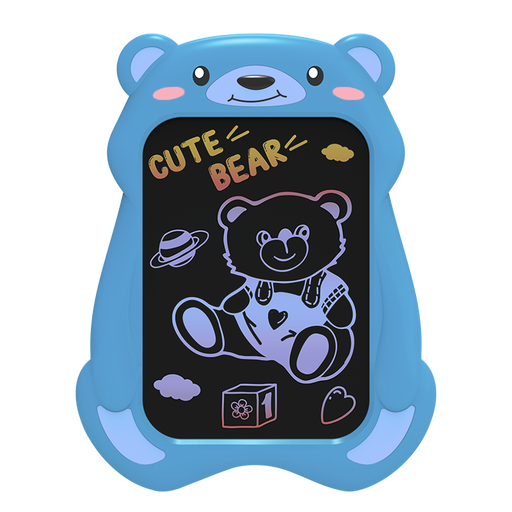
Why it suits this profile: This model combines a clearly specified screen size with a weight of around 0.1674 kilograms and an ABS plastic construction.
Details on the material, weight and dimensions make it easier to compare options and reduce the chance of choosing a board that looks appealing but has no technical specifications.
8.5-inch screen, rounded casing edges, and stated suitability for drawing, writing and use on the go.
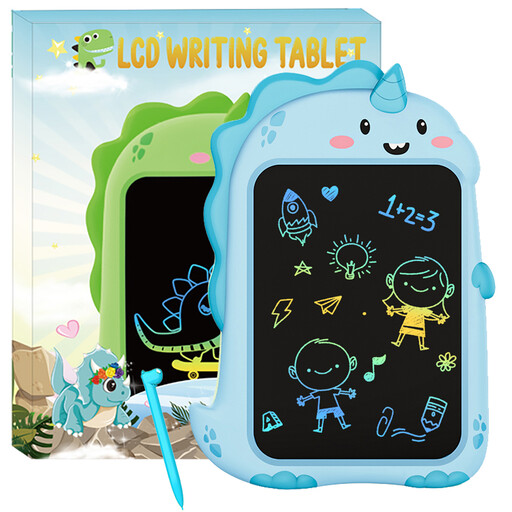
Why it suits this profile: Its sturdy, compact design and weight of around 0.1662 kilograms make it well suited to regular trips in the car, in a bag or to a restaurant.
Its low weight and stated moisture-resistant casing address common requirements for a travel toy for young children.
8.5-inch screen, around 0.1662 kg in weight, and one-button erasing according to the product description.
An LCD drawing board can make a great birthday gift or Christmas present for children, especially if the child enjoys drawing, is practising their first letters or needs something to keep them occupied on the go. The design – whether it’s a dog, cat, bear or dinosaur – may matter more than the colour. Adults should supervise children aged 3 to 8 and make sure they don’t use sharp objects as a stylus.
We’ve put together a complete, regularly updated list of products that meet these strict selection criteria and fully comply with the safety regulations in force in the EU.
Use the supplied stylus or a suitable blunt writing tool to apply pressure to the LCD screen. Depending on the model, a high-contrast line will appear. Press the erase button to clear the screen. The board normally doesn’t need paper refills.
Its lifespan depends on the battery, LCD screen, casing and how it’s handled. Keep the board dry, avoid strong impacts and don’t press sharp objects against the screen. Check the product information for details of battery life and replacement.
Paper and pens aren’t needed during normal use. However, you may need to buy replacement batteries. It’s worth checking the battery type, what’s included and whether you can replace the power source yourself before you buy.