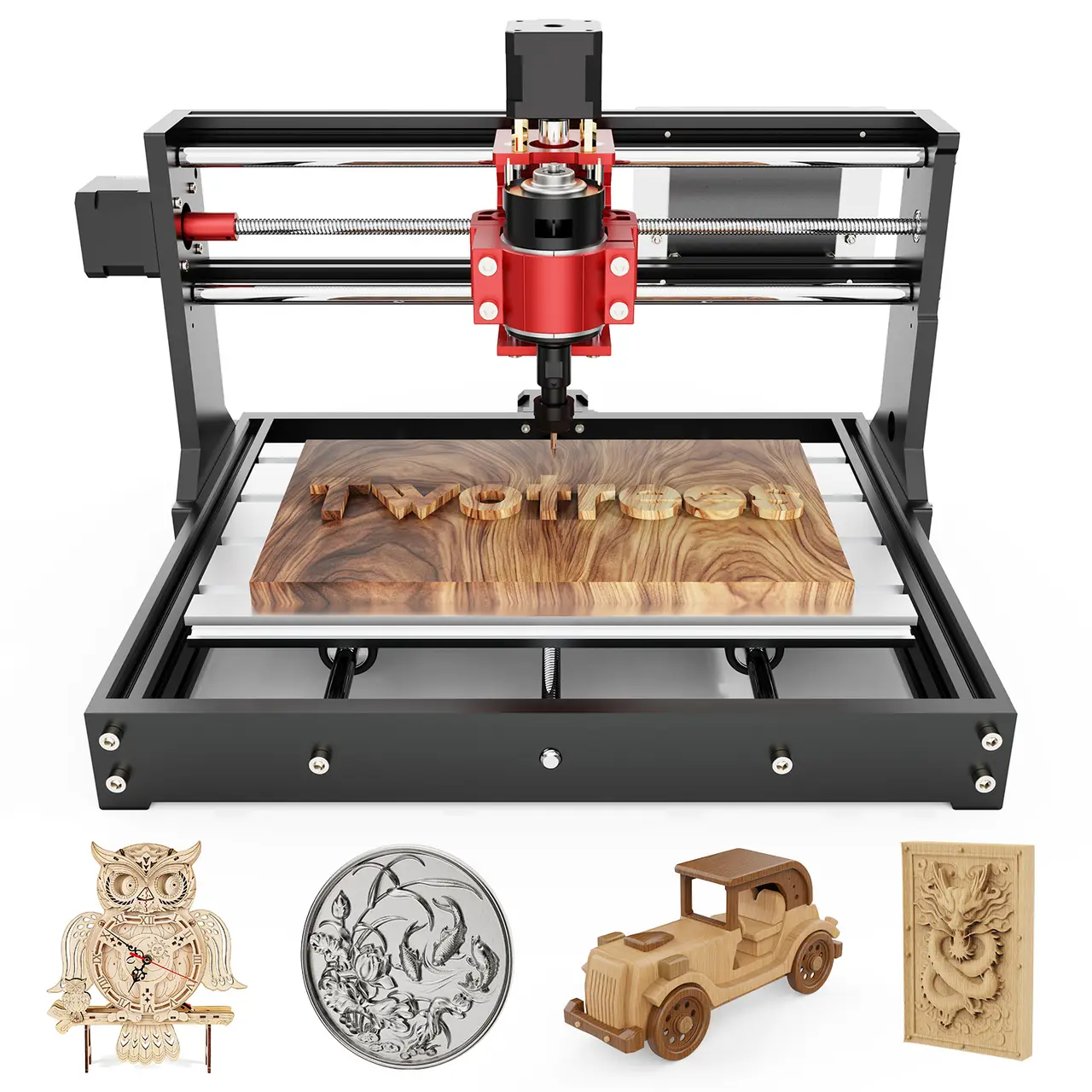
Bring digital designs to life with the Twotrees TTC 3018 Pro, a compact CNC router and engraver for hands-on making. Its 300 × 180 × 40 mm working area, metal Z-axis and stated 0.1 mm machining accuracy support detailed projects in wood, plastic, acrylic, brass and aluminium. With GRBL control, USB and 2.4 GHz Wi-Fi connectivity, it suits hobbyists, learners and makers exploring prototyping, engraving or small-scale machining; it also works with CAM software such as Fusion360, Artcam, EASEL and Carveco Maker.
How to Choose the Right 42b10752b5083d5e.jpg!q70.webp
When choosing a desktop CNC router for a German workshop or hobby space, compare the machine’s working area, compatible materials and control setup with the projects you plan to make. Also check the stated limits carefully: cutting depth and accuracy can vary significantly between materials and machines.
Key Features to Consider
These practical criteria can help you assess whether a CNC router suits your workspace, materials and experience level.
- Working area and material capacity: Check the X, Y and Z dimensions against the largest pieces you expect to machine, and leave room around the unit for setup. Review the manufacturer’s material guidance and cutting-depth limits; capabilities for wood, plastic or acrylic may differ from those for brass or aluminium.
- Accuracy and construction: Compare the stated machining accuracy with the detail your projects require, and look for a stable frame and rigid axes to help reduce vibration. A metal Z-axis can support steadier tool movement, while the spindle speed and collet type should suit the cutters you intend to use.
- Controls, software and safe operation: Confirm that the controller and CAM software are compatible with your computer and preferred workflow; GRBL support, USB or Wi-Fi connectivity and software compatibility are useful details to verify before buying. Check what tools are included, whether replacement parts are readily available, and plan for suitable dust extraction, eye protection and secure workpiece clamping.
Make Your Next Idea Take Shape with CNC Precision
A Versatile CNC Platform for Creative Projects
Bring digital designs into the workshop with the Twotrees TTC 3018 Pro, a compact CNC router and engraver made for hobby projects, prototyping and learning CNC machining. Its GRBL controller, NEMA 17 stepper motors and metal Z-axis work together to support controlled, consistent movement as you shape your ideas. Explore projects in wood, plastic, acrylic, brass and aluminium, with the flexibility to move between engraving and cutting tasks. An included ER11 collet and tool kit help make it practical to get started and develop new making skills.
Flexible Software and Convenient Connectivity
Fit the router into a creative workflow that suits your project, with USB connectivity and support for 2.4 GHz Wi-Fi. The TTC 3018 Pro works with a selection of familiar CAM programmes, including Artcam, Fusion360, EASEL and Carveco Maker, giving makers useful options for preparing designs and guiding machining tasks. Whether you are exploring CNC for the first time, refining a prototype or creating personalised pieces, this broad software compatibility makes it easier to connect design work with hands-on making. Choose a workflow that feels right for your tools, experience and ideas.
Explore Materials with Controlled Machining
Take on a varied range of creative work with a spindle operating across a stated speed range of 7,000–9,000 rpm. The router is designed for projects in wood, plastic, acrylic, brass and aluminium, opening up possibilities from decorative engraving to prototype components. Its stated machining accuracy of 0.1 mm supports detailed work, while listed cutting-depth capabilities are tailored to non-metal materials and metals. This combination of material flexibility, a metal Z-axis and a practical tool kit gives hobbyists and learners a capable base for experimenting, building and bringing new designs to life.
Compact CNC Router And Engraver: Who It Suits
Hobbyists Making Custom Pieces
When you want to make your own pieces for a hobby project, use
the router to shape wood, plastic or acrylic. The included
ER11 collet and tool kit give you useful essentials for
getting started, so you can turn your ideas into finished
custom pieces.
Newcomers Learning CNC Machining
If you’re learning CNC machining, connect by USB or 2.4 GHz
Wi-Fi and use compatible CAM software such as Artcam or
Fusion360 to turn a design into a routed or engraved piece.
Having a choice of connection and software helps you practise
the CNC workflow on your own projects, building practical
machining skills.
Small-Scale Prototype Makers
When you need to test a small component before moving ahead
with a design, use the router’s machining accuracy to make
trial parts in materials such as wood, plastic or acrylic. Its
compatibility with software such as EASEL and Carveco Maker
lets you work from a CAM design, giving you a practical way to
assess and refine a prototype.
Makers Engraving Brass And Aluminium
When a project calls for detail on brass or aluminium, use the
router for shallow metal cuts rather than deep stock removal.
Its support for these metals gives you a way to add fine marks
to a part and achieve a more finished result.
Frequently Asked Questions
Is the Twotrees TTC 3018 Pro suitable for children to use?
The TTC 3018 Pro is intended for adults, and anyone under 14 should not operate it independently. Milling produces chips and dust, so wear safety glasses and keep hands and clothing clear of moving parts. Switch off the power and wait for the spindle to stop completely before changing a cutting tool.
What materials and sizes can the Twotrees TTC 3018 Pro machine?
The TTC 3018 Pro has a 300 × 180 × 40 mm working area and machines wood, plastic, acrylic, brass and aluminium. Its stated cutting depth is 0.1–20 mm for non-metal materials and 0.1–0.2 mm for metals. A stated machining accuracy of 0.1 mm supports detailed hobby projects and small prototypes.
Does the Twotrees TTC 3018 Pro work with Fusion 360, and how does it connect?
Yes, the TTC 3018 Pro supports Fusion 360, along with Artcam, EASEL and Carveco Maker. Its GRBL controller connects by USB or integrated 2.4 GHz Wi-Fi, and it accepts .nc and .Gcode files. This gives you a choice of CAM software and connection method for preparing and sending CNC jobs.
Don't just buy, Joybuy
Discover more of your favourite brands on Joybuy with great offers.