
Lieferung heute & morgen

Qualitätsgarantie

Willkommens-Angebote freischalten: KOSTENLOSE Lieferung | Bis zu 80 % RABATT | Kostenlose 30-Tage-JoyPlus-Testphase
App herunterladen
A gaming desk should offer more than a black tabletop with striking lighting. For PC gaming, streaming, working from home or studying, the key factors are the right working height, sufficient surface area, safe cable management and a stable construction. Many disappointing purchases are not caused by missing features, but by unclear specifications and impractical details.
A gaming desk with LED lighting can look appealing. However, RGB lighting is no substitute for good room lighting or well-planned cable management. Before buying, make sure you know:
For a model with integrated lighting, you should also check the power supply, connectors and safety information. Moisture and damaged cables must be avoided.
A 120 cm gaming desk may be sufficient for a single monitor, keyboard and mouse. With two monitors, speakers and additional accessories, however, the available space can quickly become limited. A 130 cm gaming desk provides somewhat more flexibility, while a 140 cm gaming desk is often better suited to larger setups with a monitor shelf.
In addition to width, the following factors are important:
A gaming desk with power sockets or USB ports can shorten charging routes. Nevertheless, users should observe the maximum load capacity of the integrated power supply. A PC, monitor, speakers and other devices should not be connected to a multi-outlet power system without first checking its specifications.
Pay attention to:
USB ports are primarily intended for charging or compatible devices. They do not automatically replace a fully featured USB hub with data transfer.
For pupils, students and budget-conscious buyers, a straight 120 cm PC desk may be sufficient. If you plan to use the desk for gaming as well as homework, office work or streaming, mark the required footprint on the floor with masking tape beforehand.
A black gaming desk often complements existing monitors and PC cases. However, its surface can make dust, fingerprints and scratches more visible. A textured or coated desktop should therefore be cleaned with a soft, slightly damp cloth. Aggressive cleaning products may damage the surface.
Many models combine a metal frame with a desktop made from engineered wood or chipboard. The material description alone does not indicate how much weight the desk can support. You should therefore check the specifications for:
A monitor shelf is useful if it raises the screen and creates additional space underneath. However, it should be sufficiently wide and strong enough to support the weight of your monitor. No general conclusions about posture or health effects can be drawn from this feature alone.
A gaming desk with shelving can accommodate books, controllers, headphones or speakers. With a gaming desk featuring a monitor shelf, check before buying whether the shelf is permanently integrated, height-adjustable or removable.
The following features may also be useful:
Additional components do, however, increase assembly time. In smaller rooms, it is also important that shelves do not obstruct doors, windows or radiators.
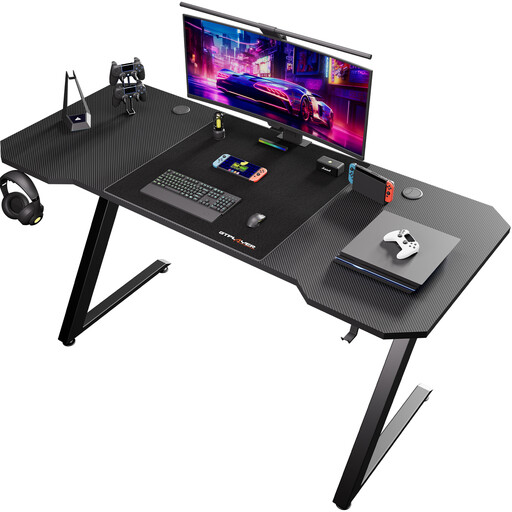
Why this product suits the profile: The compact surface is suitable for a basic PC setup and takes up comparatively little space in smaller rooms.
The clearly stated 120 x 60 cm dimensions make room planning easier. Integrated power supply and LED functions are not assumed.
According to the product specifications, it features a carbon-fibre surface and headphone hook.
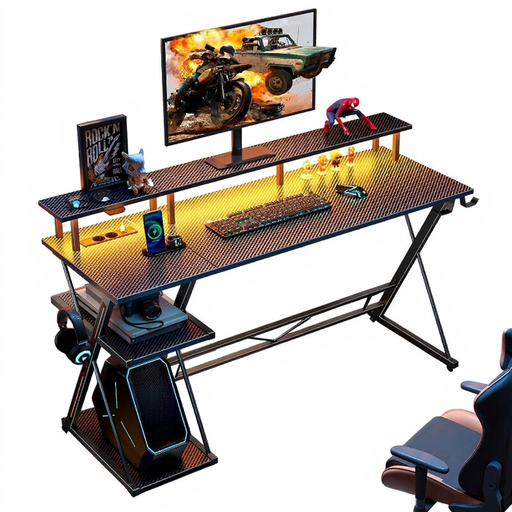
Why this product suits the profile: The 140 cm surface, monitor shelf and integrated charging unit appeal to users who want to combine gaming and home working at one desk.
The equipment is specifically described as including two AC sockets and two USB ports. This reduces uncertainty compared with vague descriptions such as “charging station”.
According to the product description, it features a metal frame, thick chipboard, a CPU stand for towers up to 47 cm high and app-controlled RGB lighting.
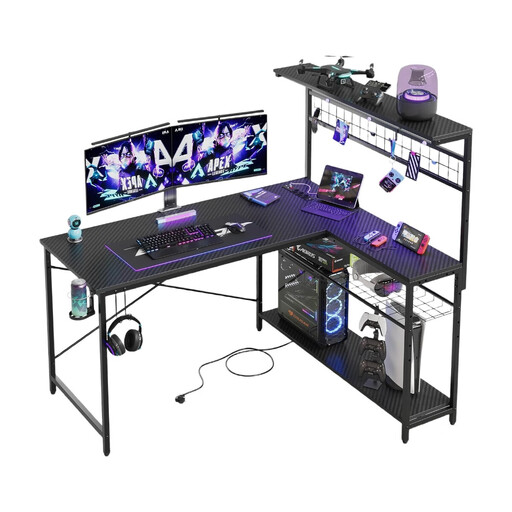
Why this product suits the profile: The reversible L-shaped design makes use of corners and provides separate storage areas for equipment, documents and accessories.
The layout is described as reversible. This allows the arrangement to be adapted to different room layouts instead of requiring a fixed corner orientation.
According to the product specifications, it offers four storage levels, three power sockets, two USB ports, RGB lighting, hooks and a cup holder.
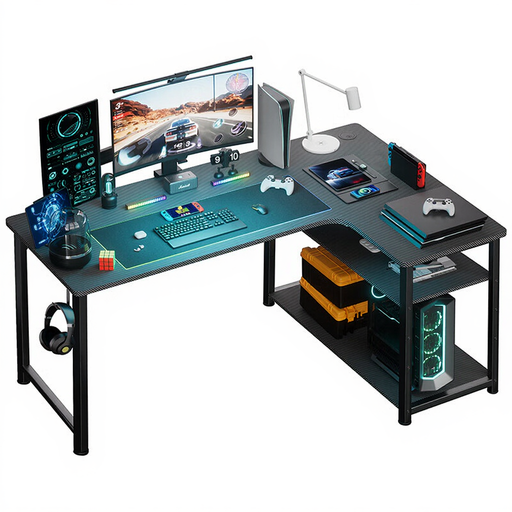
Why this product suits the profile: The corner design combines workspace and storage and can be used for gaming, studying and office tasks.
Two adjustable shelves and the explicitly stated power supply make storage and connections easier to plan.
According to the product description, it features a steel and engineered-wood construction, one power socket, two USB charging ports and two adjustable shelves.
We have compiled a complete, regularly updated list of products that fully meet these strict selection criteria and the safety regulations applicable in the EU.
A 120 cm gaming desk may be sufficient for a single-monitor setup. With two monitors, speakers and additional accessories, 130 or 140 cm is often more practical. The required depth depends on the monitor stand, viewing distance and keyboard. Measure the available floor space before buying.
LED lighting can be used every day as long as it is connected in accordance with the instructions. It should not serve as the sole source of workspace lighting. Power supplies and cables must be undamaged and protected from moisture. Disconnect the desk from the mains before cleaning it.
Service life depends, among other things, on the materials, load, moisture, assembly and care. A securely fastened metal frame, correctly installed desktop and compliance with the stated load limits can help extend the product’s useful life. Without a binding manufacturer specification, it would not be responsible to state a precise service life.