
Lieferung heute & morgen

Qualitätsgarantie

Willkommens-Angebote freischalten: KOSTENLOSE Lieferung | Bis zu 80 % RABATT | Kostenlose 30-Tage-JoyPlus-Testphase
App herunterladen
An LCD writing tablet, often called a drawing pad or a modern magic slate for kids, promises creative fun without wasted paper or ink stains. But the vast selection can easily lead to a poor purchase. Many models look identical at first glance but have critical flaws that can quickly ruin the fun. Before you make a decision, you should know the three most common pitfalls, which often only become apparent after you buy.
This guide will show you which technical features and quality criteria to look for to find a durable and functional electronic drawing tablet that truly brings joy as an educational toy for children aged 3 and up.
To avoid the problems mentioned above, you should check three core areas before buying. These parameters determine whether an LCD writing tablet will be a useful tool or a short-lived annoyance.
The durability of an LCD writing tablet depends directly on the materials used. Look for products with a casing made of ABS plastic. This material is known for its impact resistance and sturdiness, holding up better to the rough-and-tumble of a child's daily life. Additionally, the device's edges should be rounded to prevent injuries. For products sold in the EU, the CE marking is an important indicator that the manufacturer complies with applicable safety standards.
The screen is the core of any tablet. These are pressure-sensitive liquid crystal displays that have no backlight. This is easy on the eyes, as no blue light is emitted. However, the visibility of the lines heavily depends on the quality of the panel and the ambient light. A good drawing tablet produces clear, bright lines (often in rainbow colours) that stand out distinctly from the dark background. The pressure sensitivity should allow the child to create lines of varying thickness by pressing the stylus harder or softer.
Beyond the basic drawing fun, small details determine everyday usability, especially when the tablet is used as a travel toy:
Based on the criteria above, we have identified several models suitable for different user profiles and occasions.
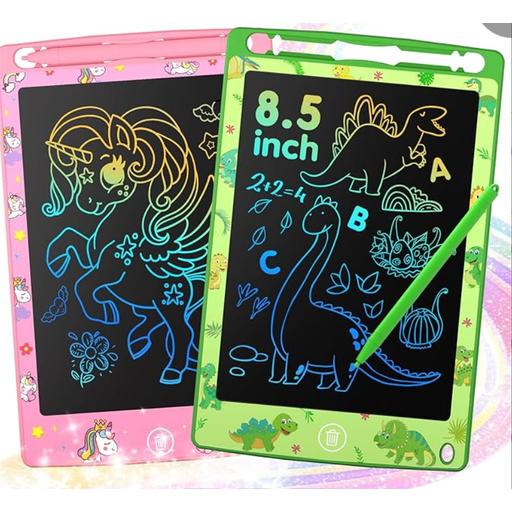
Why This Fits Their Persona: This set offers excellent value for money and is ideal for families with multiple children or for playdates. It solves the problem of sharing and encourages collaborative, creative play.
Despite the set's budget-friendly price, the manufacturer states it uses sturdy ABS plastic. Both tablets feature the essential erase and lock functions.
Two devices in the package (Pink & Green) at an attractive price. Both are lightweight and portable, making them a great travel toy.
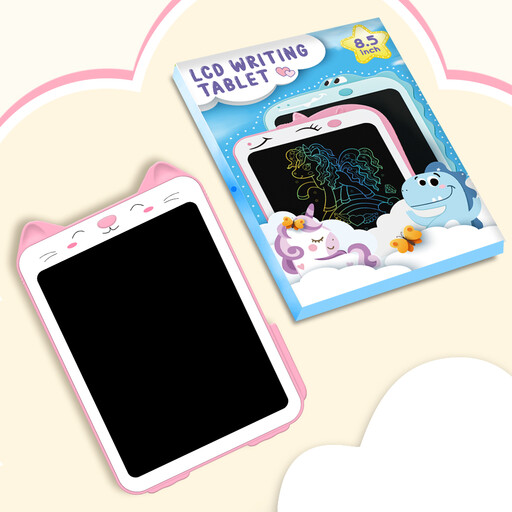
Why This Fits Their Persona: For buyers looking for a specific gift for a girl, this model combines functionality with an appealing design. The cat shape adds motivation and makes the tablet a special companion.
The playful design doesn't compromise on functionality. It features a clear, pressure-sensitive display, a one-click erase button, and the crucial lock function.
The appealing cat-shaped design encourages acceptance and use by the child. It's lightweight and portable, ideal for home and on the go.
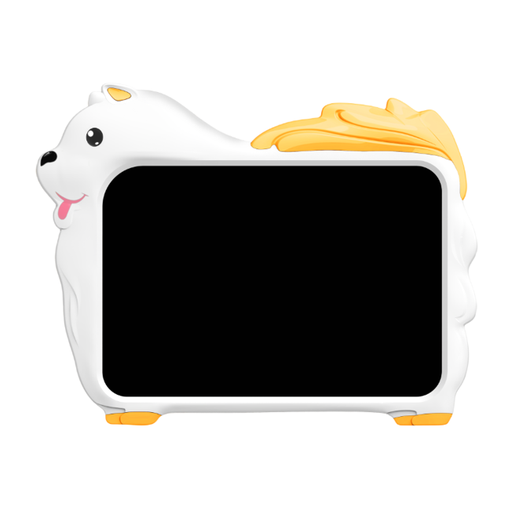
Why This Fits Their Persona: For families who travel a lot, this model's 10-inch screen offers more drawing space. Its sturdy build makes it a reliable companion on long car rides or flights.
This model addresses the pitfall of poor build quality. According to the manufacturer, it is made of high-strength, moisture-resistant material with good shock resistance.
The larger 10-inch screen provides more room for creativity. The lightweight yet resilient design is optimised for mobile use.
We have compiled a complete, up-to-date list of products that fully meet these strict selection criteria and German safety regulations.
1. How long does the battery in an LCD writing tablet last? The coin-cell battery (usually a CR2025 or CR2032) is only needed for the brief moment of erasing. Therefore, it lasts a very long time, often for several months or even over a year with normal use. Replacement is generally straightforward but usually requires a small screwdriver to keep the battery compartment child-safe.
2. Is the screen of an electronic drawing tablet harmful to children's eyes? No, the screens of LCD writing tablets are not harmful. Unlike tablets or smartphones, they have no backlight and do not emit blue light. They work by reflecting ambient light, similar to reading on paper. This makes them an eye-friendly alternative for extended creative sessions.
3. Can you save drawings on a kids' magic slate? Standard LCD writing tablets do not have a digital save function. The drawing remains visible as long as the erase button is not pressed (or while the lock function is activated). Once erased, the image is permanently gone. If you want to save a drawing, the easiest method is to take a photo of the masterpiece with a smartphone.