
Lieferung heute & morgen

Qualitätsgarantie

Willkommens-Angebote freischalten: KOSTENLOSE Lieferung | Bis zu 80 % RABATT | Kostenlose 30-Tage-JoyPlus-Testphase
App herunterladen
A suitable inkcloud 510XL/511XL Black Cartridge for Canon Pixma can help reduce ongoing printing costs in your home office, studies or small business. However, it's not just the "XL" label that matters. The model number, what's included in the pack, and the cartridge type all need to match your printer. Overlook these details, and you could end up ordering a cartridge that your printer won't recognise or that simply doesn't fit.
This buying guide highlights the key information you need before purchasing, and which compatible options suit different printing needs.
The labels Canon PG-510 compatible cartridge and Canon CL-511 compatible cartridge refer to different colours:
So check whether you need a single black cartridge or a set containing both black and colour cartridges.
XL primarily indicates a higher ink fill volume or a larger capacity class. The actual page yield depends on factors such as font size, colour coverage, print mode and maintenance cycles. For lots of text pages, an XL Canon ink cartridge can mean fewer replacements; but you should only rely on a stated page yield if it's been calculated using a recognised standard.
A printer can look very similar to another Canon Pixma model yet use a completely different cartridge series. For the Canon Pixma MP495 cartridge, the Canon Pixma iP2700 cartridge or the Canon MX410 cartridge, you should always compare the full list of compatible models on the product page with the label on your current cartridge.
According to the product information, the inkcloud 510XL/511XL black cartridges are listed as compatible with the following Canon Pixma models:
This list is a useful starting point, but it doesn't replace checking your printer manual or the product page. Also pay attention to whether the variant is listed as 1 Black, 1 Colour or a combination of black and colour.
For text documents, job applications, invoices and study notes, a compatible black ink cartridge is often all you need. If you also print colour graphics or the occasional photo, you'll need a matching colour cartridge. A combo pack can be convenient from an organisational point of view, but it isn't automatically better value if you rarely use the colour cartridge.
A remanufactured black printer cartridge is typically based on a reused cartridge shell that has been refilled and prepared for further use. This can reduce material usage and plastic waste compared to a brand-new cartridge. However, quality and yield depend on the specific supplier, the refill process and the condition of the shell.
When buying, look out for:
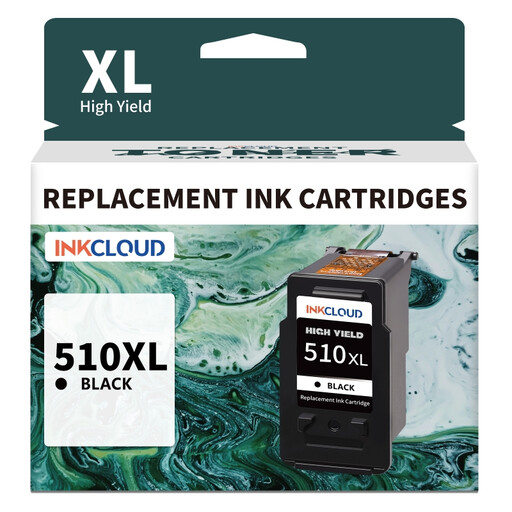
Why this choice works: This single black cartridge is ideal for users who mainly print documents and are looking for an affordable Canon printer cartridge replacement for PG-510.
The product name clearly indicates a single black cartridge. Still, check your exact printer model and what's included before ordering.
Black ink for documents; remanufactured construction; compatibility with several Pixma series according to product information.
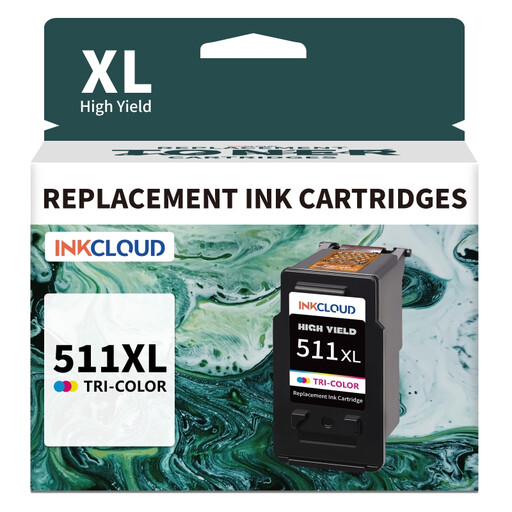
Why this choice works: For students and home office users who need a compatible cartridge for regular text printing and want a clearly described replacement option.
It's clearly listed as a single black or single colour variant. Double-check the specific colour label before purchasing.
Listed for Canon Pixma printers in the MP495, iP2700 and MX410 series; XL version for fewer replacements.
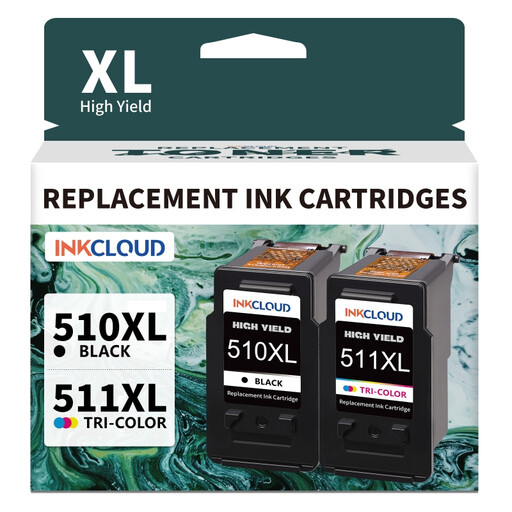
Why this choice works: This set is aimed at households and small offices that need black text prints alongside the occasional colour document.
The pack contents clearly state one black and one colour cartridge. This helps avoid the common confusion between a single cartridge and a combo pack.
One black and one colour replacement in a single offer; remanufactured construction; listed for several Canon Pixma models.
If you see a warning about the ink level indicator, the printer may still be able to use the cartridge. Follow the on-screen instructions. If streaks or gaps appear, a cleaning cycle via the printer software may be needed. Bear in mind that frequent cleaning cycles use up extra ink.
We've put together a current selection of Canon printers and compatible consumables so you can compare compatibility, type and intended use with ease.
According to the product data provided, this cartridge is listed as compatible with the Canon Pixma MP495, among other models. However, always compare the model number of your current cartridge with the compatibility list on the specific product page before ordering.
Without a stated page yield, it's impossible to give a fixed lifespan. It depends on page length, coverage, print quality and cleaning cycles. For mostly black text, an XL version may need fewer replacements than a standard one.
Compatible cartridges are designed for supported printer models, but your printer may still show a warning or an unavailable ink level indicator. The key factors are the correct cartridge code and proper installation. If error messages persist, check the cartridge contacts, make sure it's seated correctly, and review the supplier's instructions.