
Lieferung heute & morgen

Qualitätsgarantie

Willkommens-Angebote freischalten: KOSTENLOSE Lieferung | Bis zu 80 % RABATT | Kostenlose 30-Tage-JoyPlus-Testphase
App herunterladen
Anyone looking to buy Inkcloud compatible printer cartridges and toner is usually seeking a cost-effective alternative to original products. This can be a sensible choice for households, students, home-office users and small businesses. However, price is not the only factor that matters. An unsuitable cartridge, an incompatible chip or an inaccurate estimate of page yield can lead to error messages, unnecessary repurchases and higher printing costs.
A cartridge for the HP 912 series will not automatically fit every HP OfficeJet device. Regional variants or different cartridge compartments may also exist within the same model family. Before buying, you should therefore compare the printer model and cartridge number.
Examples:
Always compare the compatibility list on the product page with the type plate or printer menu.
XL printer cartridges generally contain more ink or toner than standard versions from the same series. However, the actual number of pages depends on coverage, colour usage, paper, print mode and cleaning cycles. Predominantly black text printing places different demands on a colour cartridge than full-page graphics.
For a fair cost comparison, page yields based on ISO/IEC 24711 for ink cartridges and ISO/IEC 19752 for many black-and-white toners can be helpful, provided the supplier explicitly states these figures. If no such information is provided, the yield should be treated as a guide rather than a guaranteed number of pages.
Many modern printer cartridges with a chip send information about the ink level or cartridge recognition to the device. A chip can make installation easier, but it does not replace checking the printer model. Recognition behaviour may change after a firmware update. That is why information about the chip version, returns and customer service are important purchasing criteria.
Ink cartridges are designed for inkjet printers. They are typically suitable for text, colour documents and occasional photo printing. Toner cartridges are used in laser printers and work with fine toner powder. A toner cartridge must not be confused with an ink cartridge, even if the model numbers appear similar.
For example, HP offers compatible HP toner for series such as HP 207A, HP 117A and HP 203X. For Canon, compatible Canon printer cartridges and toner are available for ranges including 510XL, 511XL, 047 and CRG 054H. Brother printers are also supported by products such as compatible Brother toner from the TN-3600XL series.
With colour printers, not only the series number but also the colour must match. A product labelled “Cyan” is not intended as a replacement for magenta or yellow. For multipacks, you should also check whether they contain a complete set or only individual colours.
Remanufactured printer cartridges are often based on a reused original casing that has been cleaned, refilled and fitted with the required components. This can reduce material usage and purchase costs. Newly manufactured compatible cartridges, on the other hand, use an alternative casing. Both options require precise model matching.
Before placing your order, you should also check the packaging, protective strips, storage instructions and disposal recommendations. Ink cartridges should not be left open for extended periods; toner cartridges are generally stored horizontally and in a dry place, in accordance with the manufacturer’s instructions.
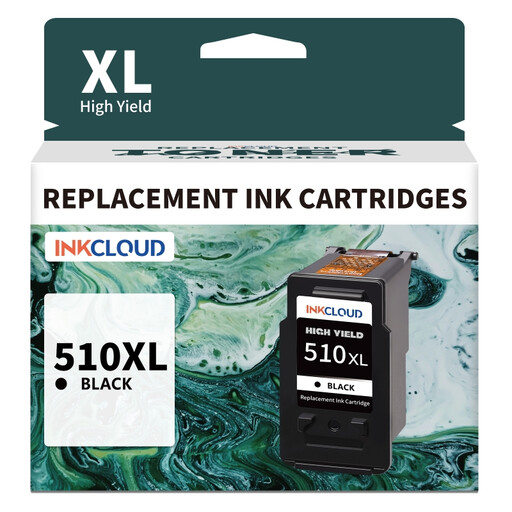
Why this product suits this profile: This cartridge is designed for selected Canon Pixma models such as the MP495, iP2700 and MX410, and is aimed at everyday black-and-white document printing at home or in a small office.
The product description lists the supported Canon Pixma models and identifies the cartridge as remanufactured. This lets you check before buying whether it is compatible with your existing device.
Remanufactured design, straightforward replacement installation and suitability for document printing.
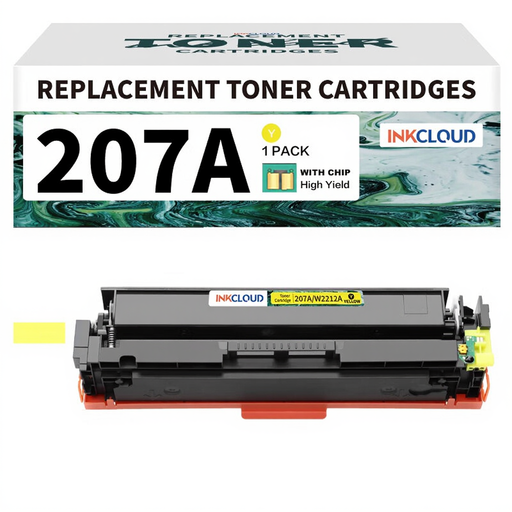
Why this product suits this profile: This toner is listed for HP LaserJet models such as the M283fdw, M255dw and M255nw, and is supplied with a pre-installed chip.
The specific 207A designation and integrated chip reduce the risk of ordering a cartridge without suitable printer recognition. However, you should still check the printer model beforehand.
Colour laser toner in yellow, chip included and designed for compatible HP LaserJet devices.
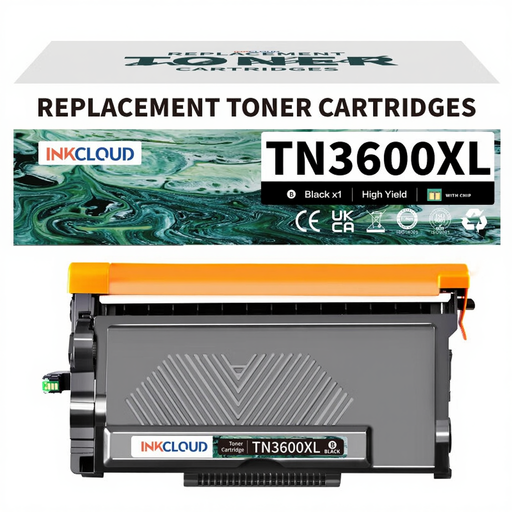
Why this product suits this profile: This XL toner cartridge is listed for selected Brother L-series models and is aimed at printers handling documents regularly.
The stated TN-3600XL series, chip and model list make the technical compatibility clear. You should check the exact Brother designation before ordering.
XL design, black laser toner and pre-installed chip for the listed Brother printers.
We have put together a complete, regularly updated list of products that fully meet these strict selection criteria and the safety regulations applicable in the EU.
Before inserting the cartridge, switch off the printer or activate the replacement mode specified by the manufacturer. Remove protective strips and transport locks immediately before installation. Do not touch the chip, nozzles or imaging drum.
After installation, automatic recognition, alignment or a cleaning page may be required. For toner: do not open or shake the cartridge, and do not inhale toner dust. With ink, avoid contact with skin and eyes. Empty cartridges should be disposed of in accordance with local requirements or handed in at suitable collection points.
Several factors determine your actual printing costs:
For frequent black-and-white printing in the office, an XL toner such as HP 203X toner, HP 117A toner or Brother TN-3600XL can be an economical choice. For occasional colour documents, HP 912XL, HP 953XL or a Canon 510XL cartridge may be suitable, depending on the printer model.
First, find the exact model number on the printer casing, in the printer menu or in the user manual. Then compare it with the compatibility list and the cartridge number for the Inkcloud cartridge. The “XL” designation alone is not enough to make the right choice.
Their service life depends on the fill level, print coverage, print mode and cleaning cycles. Under identical conditions, an XL version may print more pages than a standard version. The only binding figure is the page yield stated in the relevant offer, where provided.
That depends on the print volume and the specific printer model. Individual ink cartridges may be sufficient for occasional documents. For regular document printing, toner cartridges or XL printer cartridges are often more practical. Before buying, you should consider compatibility, chip specification, page yield, contents and return conditions together.