
Lieferung heute & morgen

Qualitätsgarantie

Willkommens-Angebote freischalten: KOSTENLOSE Lieferung | Bis zu 80 % RABATT | Kostenlose 30-Tage-JoyPlus-Testphase
App herunterladen
An LCD writing tablet for children can be a practical alternative to paper, felt-tip pens and traditional drawing boards when you’re out and about, in a waiting room or at home. Children can use the included stylus to create drawings, practise letters and write notes, then clear the screen at the press of a button. This saves on consumables and helps reduce visible marks on furniture or clothing.
Despite being easy to use, there are a few common pitfalls to watch out for when buying one. Not every digital drawing tablet for children is suitable for every age, situation or household.
The specification “8.5 inches” does not necessarily describe the entire outer surface. The frame, buttons and casing reduce the available drawing area. For short notes and spontaneous drawings, a compact LCD drawing tablet is often sufficient. For tracing, collaborative creativity or larger letters, a 10- or 15-inch surface may be more suitable.
When buying products for children, parents should not rely solely on terms such as “non-toxic” or “child-friendly”. Important factors include:
According to the manufacturer, the CHEERFUN models use ABS plastic, which is said to be free from BPA, lead and formaldehyde. The manufacturer also refers to compliance with EU REACH requirements and toy safety testing. Always compare this information with the details provided on the relevant product page and packaging.
A reusable writing tablet is only practical if its contents can be erased easily. On the models featured here, this is done using an erase button. On versions with a lock switch, you may need to set it to “Unlock” before erasing. Conversely, a lock function can prevent drawings from being removed accidentally while you’re travelling.
For children aged 3 to 8, a children’s drawing tablet for ages 3-8 should sit comfortably in the hand and not be unnecessarily heavy. Depending on the version, the CHEERFUN models weigh approximately 0.167 to 0.26 kg. Compact devices measuring around 25 to 27 cm in length fit into many rucksacks and are suitable as travel toys for children.
A larger surface provides more room, but naturally requires more storage space. According to the product information, the 15-inch model measures 30.4 × 23.7 × 0.85 cm and weighs approximately 0.26 kg. The 10-inch version measures 31 × 18.1 × 1.1 cm and weighs approximately 0.2 kg.
A digital drawing tablet for children should work without complicated setup. Look for:
A doodle board for children is usually not a tablet with apps, internet access or saved drawings. On many LCD models, the content is not stored permanently after it has been erased. If you want to keep drawings, take a photo of them before clearing the screen.
Smooth, rounded edges make the tablet easier to hold on a child’s lap. According to the manufacturer, the CHEERFUN writing tablets mentioned are made from ABS plastic and are moisture-resistant. However, this does not mean they are completely waterproof. Keep liquids away from the casing, particularly the battery compartment.
Extra care is needed with children under three. Button batteries can cause serious injuries if swallowed. Keep new and used batteries out of the reach of young children. The battery compartment should be closed and, where provided, secured with the retaining screw.
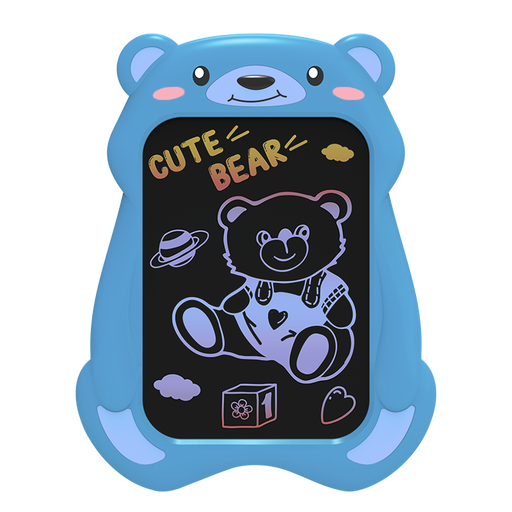
Why this product suits this profile: According to the product information, the compact tablet measures 25.8 × 20.3 × 1 cm and weighs approximately 0.1674 kg. This makes it suitable for first drawings, short notes and use on the go.
The clear one-button erase function and low weight avoid unnecessarily complicated operation and bulky, difficult-to-carry casings.
8.5-inch screen, weight of around 167 g and ABS casing according to the manufacturer.
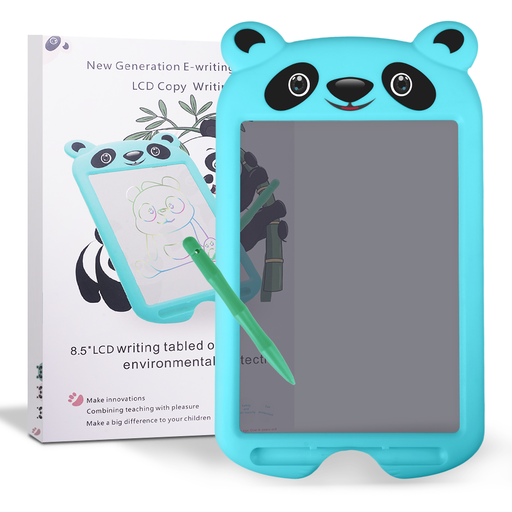
Why this product suits this profile: The 10-inch surface provides more room for tracing, writing practice and larger designs than a compact 8.5-inch tablet.
The stated screen size helps avoid choosing a drawing area that is too small for learning and tracing activities.
10-inch screen, weight of approximately 0.2 kg and manufacturer-stated suitability for tracing.
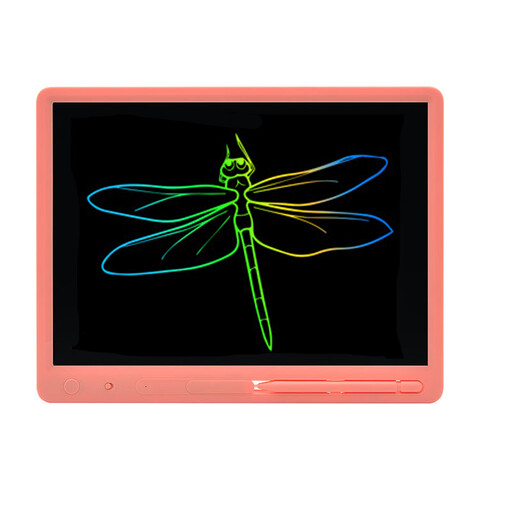
Why this product suits this profile: The 15-inch surface is designed for large drawings, family notes or shared use at home.
The large surface reduces the limitations of a small drawing area, while according to the product information it remains portable at approximately 0.26 kg.
15-inch screen, casing thickness of 0.85 cm and one-button erasing according to the product description.
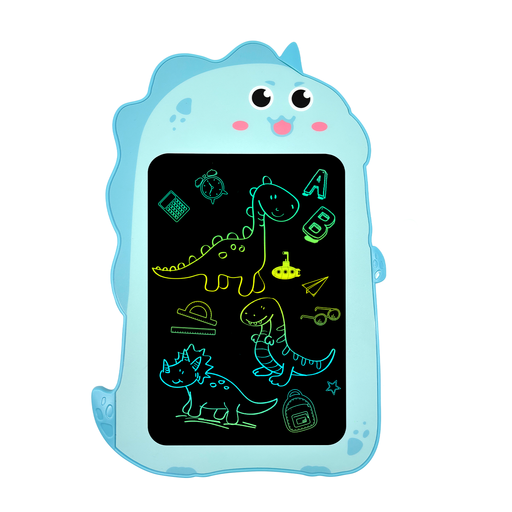
Why this product suits this profile: According to the product information, this model is 0.6 cm thick, making it suitable for rucksacks, the car, restaurant visits or waiting times.
The slim design and stated lock switch help reduce the space needed and prevent accidental erasure when travelling.
8.5-inch screen, weight of approximately 0.201 kg and thickness of 0.6 cm according to the product information.
We’ve put together a complete, regularly updated list of products that fully meet these strict selection criteria and the safety regulations applicable in the EU.
A wipe-clean drawing tablet needs neither paper nor pen refills in everyday use. Ongoing costs mainly arise from the battery. Before buying, check which type of battery is used, whether one is included and how the battery compartment is secured. According to the product information, the MSXX00085 version comes with a CR2032 button battery. The colour selection for this model is random, according to the title.
A soft, slightly dry cloth is usually all you need for cleaning. Do not place the casing in water, and protect the battery compartment from moisture. Store the tablet in a dry place if it will not be used for an extended period, and regularly check that the battery cover is firmly secured.
This depends on the individual model and its safety information. Many products are designed for children aged three and over. Because they contain a button battery and may include small parts, adults should follow the manufacturer’s instructions and only allow younger children to play with them under supervision.
Battery life depends on the model, how often the tablet is erased and the battery itself. Without specific information from the manufacturer, it is not possible to give a reliable general estimate. Before buying, check the battery type, whether it can be replaced and how securely the compartment is fastened.
It can help save paper for spontaneous drawings, writing practice and short messages. However, it does not replace traditional art materials when children want to mix colours, keep pictures permanently or work with different materials. As an additional educational toy for toddlers and as a birthday present for children, it is particularly suitable when you’re looking for a simple, reusable activity.