
Lieferung heute & morgen

Qualitätsgarantie

Willkommens-Angebote freischalten: KOSTENLOSE Lieferung | Bis zu 80 % RABATT | Kostenlose 30-Tage-JoyPlus-Testphase
App herunterladen
The market for Android tablets is diverse and often overwhelming. Manufacturers advertise impressive spec sheets, but not all specifications live up to the hype. A high price doesn't guarantee quality, and an affordable tablet isn't necessarily a compromise. To make an informed decision, it's crucial to see through the marketing jargon and focus on the features that truly matter.
Many buyers fall into common traps that lead to disappointment. Here are three frequent issues to watch out for:
To find a device that offers excellent value for money, you should check the following core parameters.
A tablet's performance is primarily determined by its processor (CPU) and physical random-access memory (RAM).
The display is your primary interface with the device. Size, resolution, and certifications are critical here.
A tablet's versatility is defined by its connectivity and expansion options.
Here are some models tailored to specific user groups that avoid the pitfalls mentioned.
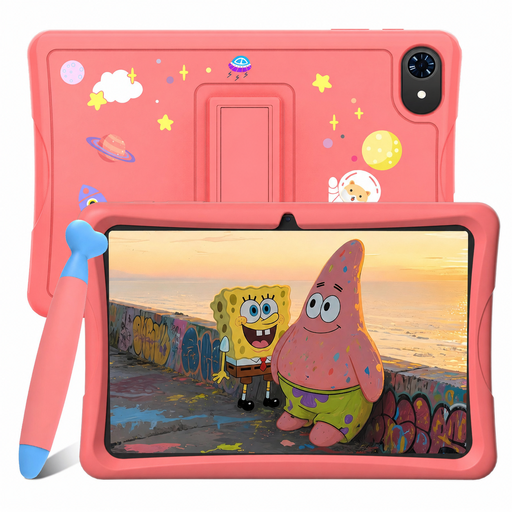
Why This Fits Their Persona: This tablet is designed as an all-in-one package for families and children. With pre-installed Google Kids Space, it offers a safe environment for the youngest users. The 10.1-inch display is large enough for educational apps and videos.
It has Widevine L1 certification, thereby avoiding the streaming trap. Kids can watch their favourite shows in the intended HD quality, which is not the case with many budget-friendly kids' tablets.
A stylus is included, which encourages creative and school-related activities. The integration of Google Kids Space gives parents easy control over content and screen time.
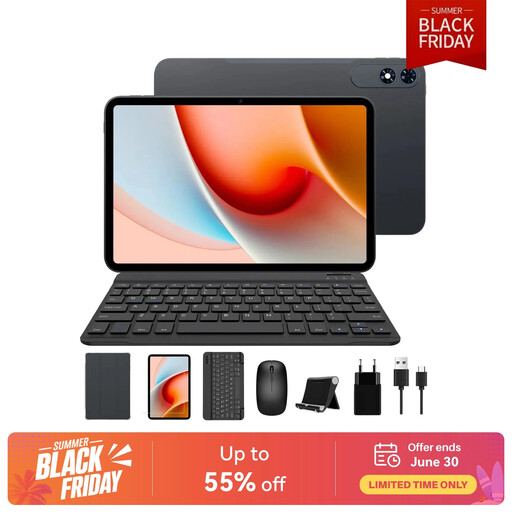
Why This Fits Their Persona: With its large 13.4-inch display and included accessories (keyboard, mouse, case), this tablet is a mobile workstation. It's perfect for students and professionals who edit documents, conduct research, and join video conferences.
The device comes with a solid 8 GB of physical RAM, which is plenty for smooth multitasking. The advertised 24 GB (incl. 16 GB virtual) is a bonus, but the physical foundation is strong enough to bypass the "virtual RAM" trap.
The 120 Hz display ensures an extremely fluid experience, which is pleasant not only for media but also when scrolling through long documents. The all-in-one package with a keyboard and mouse offers excellent value.
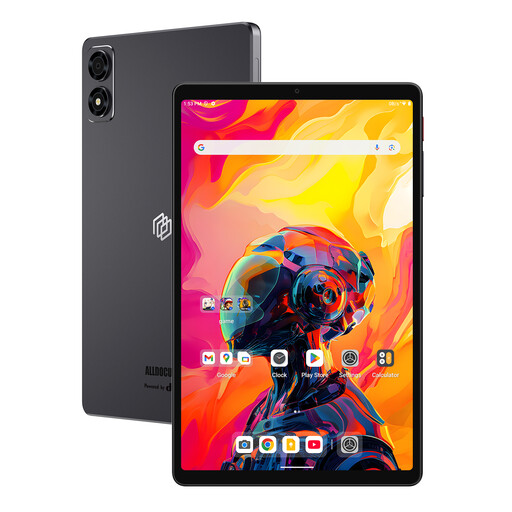
Why This Fits Their Persona: This compact 8.8-inch tablet is engineered for maximum performance in demanding games and applications. It is ideal for users seeking a powerful yet portable gaming device.
It relies on a powerful Qualcomm Snapdragon 7+ Gen3 processor instead of a generic chip. This ensures high and stable performance that is superior to the unrealistic promises of many cheap gaming tablets.
The combination of a 144 Hz display and the Snapdragon processor enables an extremely fluid gaming experience. The advanced cooling system ensures that performance remains stable even during longer sessions.
We have compiled a complete, up-to-date list of products that fully meet these strict selection criteria and comply with UK safety regulations.
Focus on the physical RAM, not the virtual RAM. 4 GB is sufficient for basic use. For smooth multitasking, gaming, or productive work, 6 GB or 8 GB of physical RAM is a better choice. Virtual RAM is a useful supplement but not a substitute for enough physical memory.
A tablet with a SIM card slot is a good idea if you are frequently on the go and need a reliable internet connection without relying on public Wi-Fi or tethering from your smartphone. For use purely at home or in the office where Wi-Fi is available, a Wi-Fi-only model is usually sufficient and more cost-effective.
Widevine is a Digital Rights Management (DRM) system developed by Google. The L1 level is the highest security level and a prerequisite for streaming services like Netflix, Amazon Prime Video, and Disney+ to play content in HD or 4K quality on your device. Tablets with the lower L3 level can only play this content in standard definition (SD, typically 480p), which looks blurry on a high-resolution display.