
Lieferung heute & morgen

Qualitätsgarantie

Willkommens-Angebote freischalten: KOSTENLOSE Lieferung | Bis zu 80 % RABATT | Kostenlose 30-Tage-JoyPlus-Testphase
App herunterladen
A single cable for both data and power—Power over Ethernet (PoE) dramatically simplifies the installation of devices like IP cameras, Wi-Fi access points, and VoIP phones. However, choosing the right PoE Switch can be tricky, leading to unnecessary spending or an unstable network. As your Joybuy Product Recommendation Officer, I'll help you understand the crucial features and separate marketing hype from real performance data.
Three common misconceptions, in particular, consistently cause problems:
To avoid a bad purchase, you should check three core technical parameters. These will determine if a network switch is right for your needs.
The most important characteristic of a PoE switch is its power delivery capability. Pay attention to two values:
The number of ports determines how many devices you can connect. A 5-port switch or 8-port switch is sufficient for most home and small office environments. It's wise to always leave one or two ports free as a reserve for future expansions.
Even more important is the speed. A Gigabit Switch with a data transfer rate of 1000 Mbps per port is the standard today. Models with only 100 Mbps (Fast Ethernet) can quickly become a bottleneck for data-intensive applications like 4K video streaming or large file transfers.
The choice of management type depends on your technical requirements:
Here are some models tailored to specific use cases that expertly navigate the pitfalls mentioned.
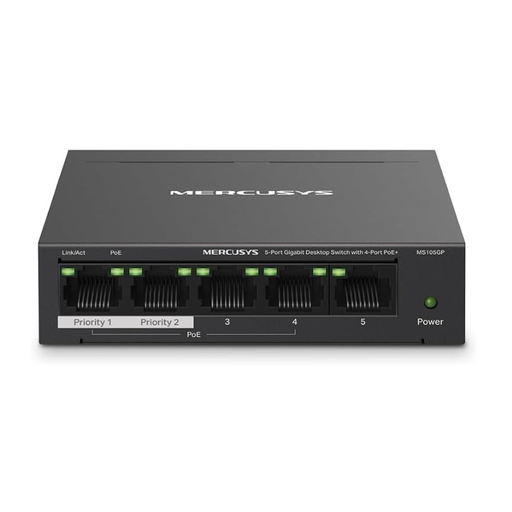
Why it's a great fit: Ideal for users seeking a simple, cost-effective solution for a few devices, like home security cameras or a single access point. Its plug-and-play functionality makes setup extremely user-friendly.
This model offers PoE+ on four ports with a solid 65-watt budget, avoiding the trap of underpowering common devices. As an Unmanaged Switch, it prevents you from paying for complex features a home user doesn't need.
Features an Extend Mode for PoE ranges up to 250 meters, which is useful for installing cameras in distant garden areas. The durable metal housing ensures fanless and silent cooling.
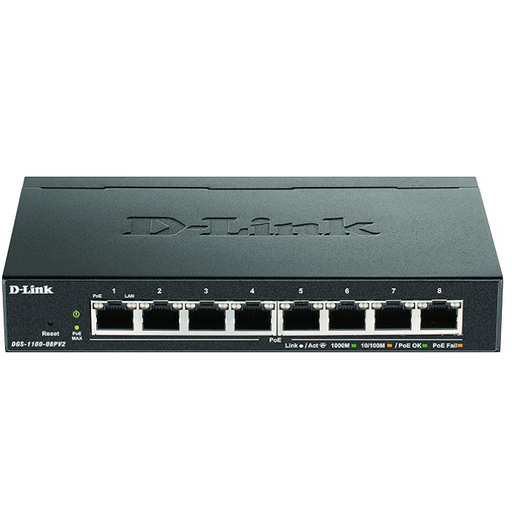
Why it's a great fit: Perfect for small offices or advanced home users who need to segment network traffic (e.g., guest Wi-Fi from the main network) or prioritize VoIP calls. The web interface provides control without requiring deep IT expertise.
As a Managed Switch, it provides the necessary VLAN and security features that an unmanaged switch lacks. This prevents future network limitations as a business grows. The 64-watt budget is clearly defined, making planning easy.
Supports Layer 2 features like VLAN trunking and IGMP snooping, which are important for optimizing video streaming and network security. Its fanless design ensures complete silence in the office.
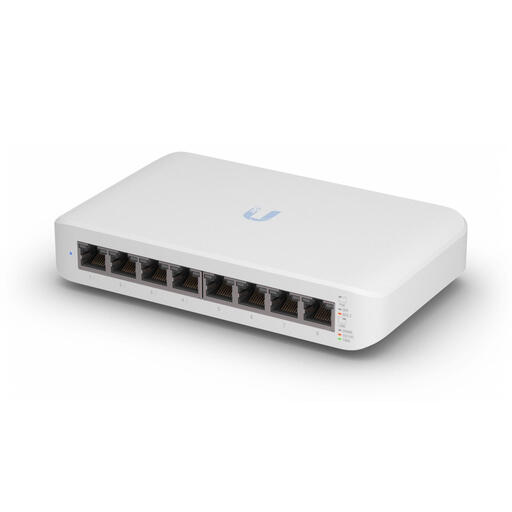
Why it's a great fit: For users who already run or plan to build a network with Ubiquiti UniFi components. Centralized management via the UniFi Network application is a significant advantage for seamless monitoring and expansion of the entire network.
This model solves the problem of managing disparate network devices. Instead of being an isolated switch, it integrates into a scalable ecosystem, which is crucial for users who anticipate future growth and need centralized control.
Full integration into the UniFi platform allows for unified management of switches, access points, and cameras from a single interface. It offers advanced Layer 2 switching protocols and features.
We have compiled a complete, real-time updated list of products that fully meet these strict selection criteria and safety regulations.
1. How many watts does my PoE switch need? Add up the maximum power consumption (in watts) of all the devices you plan to connect. Choose a switch whose total power budget is at least 20% higher than this sum to have a safety margin for power spikes. Also, check if the power per port is sufficient for your most demanding devices (e.g., PoE+ for a PTZ camera).
2. Can I connect a non-PoE device to a PoE switch? Yes. PoE switches automatically detect whether a connected device is PoE-capable. If not, only a data connection is established, and no power is delivered. It is therefore completely safe to use with all Ethernet devices, such as computers or printers.
3. What is the difference between a PoE switch and a PoE injector? A PoE injector is an interim solution for powering a single device. It is placed between a regular switch and the end device. A PoE Switch integrates this functionality for multiple ports and is the cleaner, more scalable solution if you want to run more than one or two PoE devices, as it reduces the need for extra power adapters and cables.