
Lieferung heute & morgen

Qualitätsgarantie

Willkommens-Angebote freischalten: KOSTENLOSE Lieferung | Bis zu 80 % RABATT | Kostenlose 30-Tage-JoyPlus-Testphase
App herunterladen
If you’re looking to buy a camera, you’ll find plenty of models for vlogging, sport, driving and keeping an eye on your home or flat. The specifications can seem straightforward: 4K, night vision, Wi-Fi, motion detection and long battery life. In practice, though, it’s the details that determine whether a camera will suit your everyday needs over time.
A 4K camera records more pixels than a Full HD model. This can be useful for landscapes, number plates or cropping footage afterwards. But resolution alone doesn’t guarantee a detailed image. Sensor size, lens, image processing and bit rate all affect the result too.
When choosing an action camera or vlogging camera, check whether 4K is available at the frame rate you want. For example, 4K at 120 frames per second may only be available in certain recording modes, such as slow motion.
The term night vision camera doesn’t automatically indicate a particular image quality. Check the stated range, the technology used and whether the camera records in black and white or colour. For an outdoor camera, its position, the available lighting and reflections from walls or windows also matter.
A Wi-Fi security camera needs a stable wireless connection where it’s installed. Some models store footage locally on a microSD card, while others also offer cloud storage for an ongoing fee. Before you buy, check whether a subscription is required, how long footage is stored for and whether the app is compatible with your smartphone.
If you’re recording in private spaces in Germany, you’ll also need to consider data protection and personal rights. A surveillance camera can’t simply record neighbouring properties, public paths or other people’s private spaces.
As well as resolution, consider:
A DJI Osmo Pocket with a gimbal, for example, is a good choice for smooth walking footage and vlogs. An action camera with a waterproof housing is more practical for movement, rain or sport.
For an outdoor camera, the IP rating is an important specification to check. IP66 indicates protection against dust and powerful water jets, but it doesn’t replace properly sealing cable connections. For an indoor camera, this level of protection is usually unnecessary.
If you’re choosing a dash cam, also consider:
If you’re connecting the camera directly to the vehicle’s electrical system, professional installation is recommended, particularly because of cable routing near airbags.
Check whether a memory card is included and what speed it needs to be. Continuous recording puts a lot of strain on memory cards. Dash cams commonly overwrite old files automatically, but you should manually back up any important clips.
For indoor cameras, privacy modes, user permissions and local storage are practical features to look for. You should be able to limit features such as motion detection and automatic person tracking by time and area.
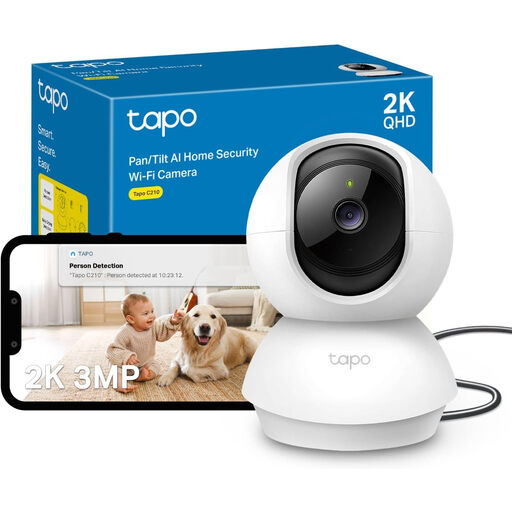
Why this product suits this user: This indoor camera is designed for rooms, pets, entrance areas or a home office, and is straightforward to set up using the app.
The specifications list 2K 3MP resolution, night vision up to 9 m, motion detection and local storage on a microSD card of up to 256 GB.
Pan-and-tilt function, two-way audio, app notifications and optional local recording.
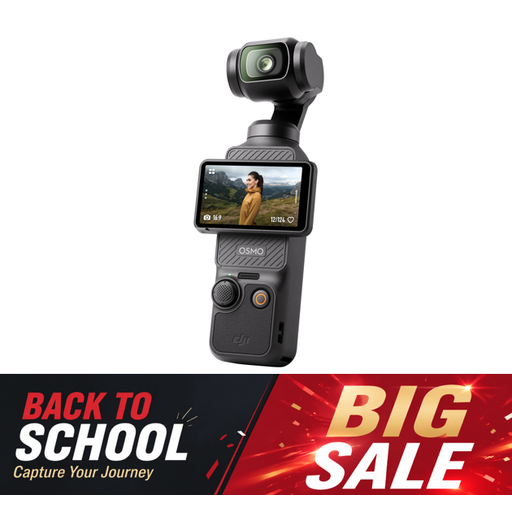
Why this product suits this user: Designed for vloggers, travellers and content creators, this compact model combines a 1-inch CMOS sensor with mechanical 3-axis stabilisation.
The choice isn’t based on 4K alone: the sensor, 3-axis stabilisation, fast focus and ActiveTrack 6.0 are also listed.
Rotating 2-inch touchscreen, D-Log M, 10-bit colour depth and a weight of 179 g, according to the product specifications.
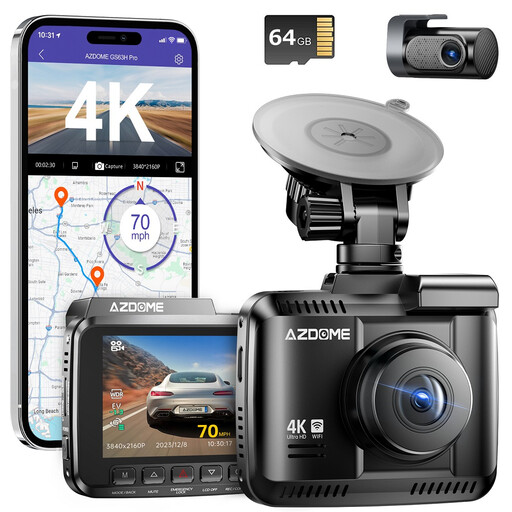
Why this product suits this user: Drivers get a front and rear camera for journeys, loop recording and optional parking monitoring.
The product specifications distinguish between front and rear resolution, state a Wi-Fi range of 3–5 m and note that a separate hardwire kit is required for parking monitoring.
4K front camera, 1080p rear camera, GPS, WiFi 6, Sony STARVIS sensor, WDR and a 64 GB memory card, according to the product description.
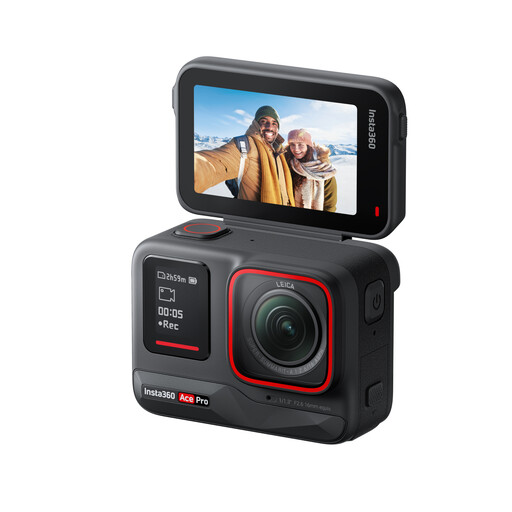
Why this product suits this user: This model is aimed at people looking for a compact camera for sport, travel and recording in changing conditions.
Its suitability for use in water is clearly stated: it’s waterproof to a depth of 10 m. Make sure all covers and seals are properly closed before use.
4K/120fps, 2.4-inch flip screen, FlowState stabilisation and a 1/1.3-inch sensor, according to the manufacturer’s specifications.
We’ve put together a complete, regularly updated list of products that meet these strict selection criteria and fully comply with the safety regulations in force in the EU.
For vlogging, a flip screen, reliable autofocus, image stabilisation and good audio options are particularly important. A compact gimbal camera such as the DJI Osmo Pocket 3 is a good choice for moving shots. For sport or wet environments, an action camera with a flip screen and a stated waterproof rating may be more suitable.
Its lifespan depends on where it’s installed, its power supply, software maintenance, storage medium and the surrounding temperature. An outdoor camera should be installed in line with its stated protection rating and checked regularly for damaged cables or seals. For continuous recording, it’s best to use a suitable microSD card with a sufficiently fast write speed.
In addition to electricity, you may need to pay for cloud storage, a larger memory card or a hardwire kit. Local storage often means you won’t need a monthly cloud subscription. Before buying a camera, though, check the app’s features, storage limits and the Wi-Fi bandwidth required.