
Lieferung heute & morgen

Qualitätsgarantie

Willkommens-Angebote freischalten: KOSTENLOSE Lieferung | Bis zu 80 % RABATT | Kostenlose 30-Tage-JoyPlus-Testphase
App herunterladen
By: Joybuy Product Recommendation OfficerDate: August 28, 2026
Finding the right Canon printer cartridges can quickly become overwhelming. An empty cartridge often interrupts your workflow right when you need to print an important document. However, a quick search for a replacement can lead to several pitfalls, resulting in unnecessary costs or poor print quality. This guide will help you avoid the most common mistakes and make an informed decision.
Many users focus solely on price or quick availability, overlooking crucial details. This often leads to frustration and additional costs down the line.
To avoid these mistakes, you should check three key points before purchasing. These will help you confidently find the right cartridge for your needs.
The surest way to find the correct cartridge is by using the cartridge number (e.g., CLI-581, PGI-570, 703). This number is printed directly on the old cartridge. Your printer's manual or the manufacturer's support page also lists the exact numbers of compatible cartridges for Canon printers. This is far more precise than searching by printer model alone.
Canon offers two main technologies that require different consumables:
Many genuine Canon cartridges are available in different sizes, which refer to the fill volume:
Based on these criteria, we have compiled a few options for typical user profiles.
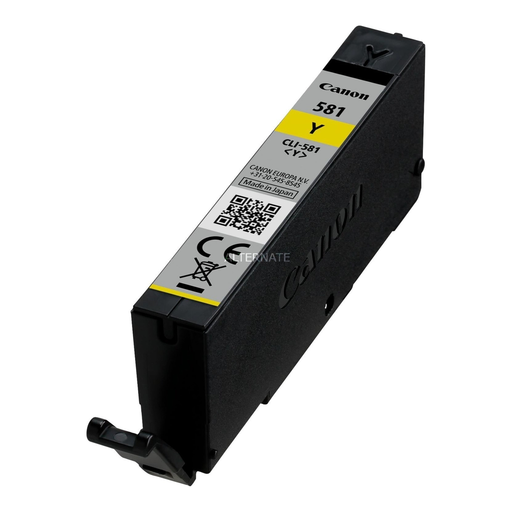
Why This Fits Their Persona: Ideal for users who only print occasionally and just need to replace a single colour. The individual ink tank system avoids the cost of a full multipack when only one colour is empty.
Bypasses the compatibility trap with the clear model number CLI-581 Y. As a genuine product, it ensures the print quality and reliability intended by the manufacturer.
Cost-effective replacement of individual colours. Guarantees compatibility with a wide range of Canon PIXMA TR and TS series printers.
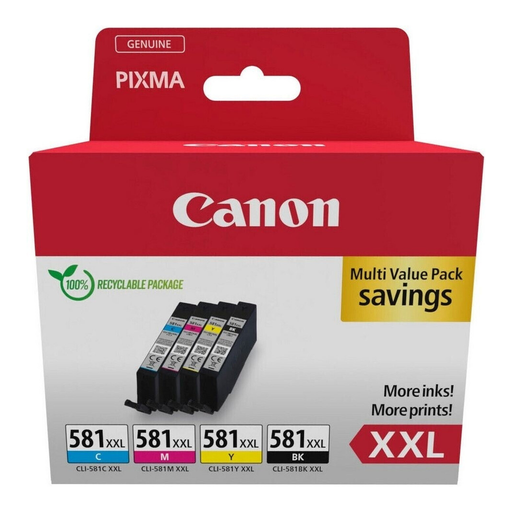
Why This Fits Their Persona: For users with high printing demands in a home office or small business. The XXL multipack lowers the cost per page and minimises the frequency of cartridge changes, boosting productivity.
Addresses the problem of misunderstood page yield by offering a clear solution for lower long-term costs with its XXL capacity. Buying a multipack ensures all colours are readily available.
Significantly higher page yield and lower cost per page compared to standard cartridges. Ensures consistent results for documents and graphics.
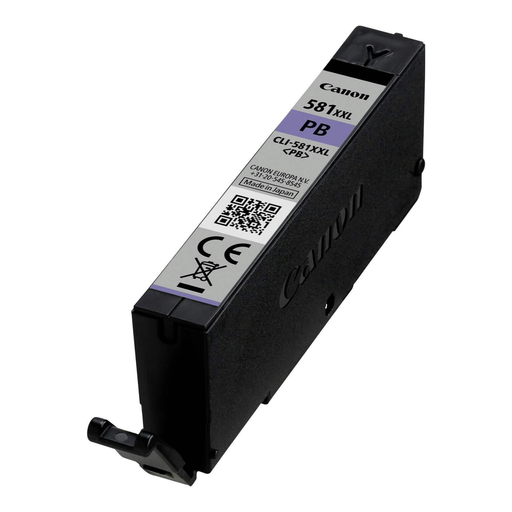
Why This Fits Their Persona: For photo enthusiasts who value the highest colour accuracy and detail. This special Photo Blue ink is designed for printers with six or more ink tanks and optimises the quality of photo prints.
Debunks the assumption that any ink is suitable for photos. Using the special Photo Blue ink is essential for achieving the full colour gamut and print quality intended by the manufacturer.
Expands the colour space, reduces graininess in light blue areas (e.g., skies), and is part of the ChromaLife100 system for long-lasting prints, especially when paired with Canon photo paper.
We've compiled a complete, up-to-date list of products that fully meet these strict selection criteria.
The most reliable method is to check the cartridge number printed directly on your old cartridge. Alternatively, you can find this information in your printer's manual or on the official Canon support website by entering your printer model.
Both versions contain more ink or toner than a standard cartridge and fit into the same slot. XL (High Yield) offers a higher page yield than standard. XXL (Extra High Yield) contains the largest fill volume and provides the lowest cost per page. These are particularly suitable for users with high print volumes as they need to be replaced less frequently.
Although third-party cartridges are available on the market, using genuine Canon cartridges ensures that print quality, colour accuracy, and printer reliability meet the manufacturer's specifications. Using third-party ink may void the printer warranty if it causes damage to the device.