
Lieferung heute & morgen

Qualitätsgarantie

Willkommens-Angebote freischalten: KOSTENLOSE Lieferung | Bis zu 80 % RABATT | Kostenlose 30-Tage-JoyPlus-Testphase
App herunterladen
The search for the right drawing tablet with a pen can quickly become overwhelming. The market is filled with devices that promise similar features but differ significantly in crucial details. Many buyers invest in a model only to discover after a short time that it is unsuitable for their creative or professional needs. To save you from such disappointment, we highlight the most common pitfalls and show you which technical features truly matter.
Common sources of error when buying include:
To make an informed decision, you shouldn't be guided by marketing terms but by verifiable technical specifications. Three core areas are particularly relevant for a tablet for digital art.
The quality of the display is paramount. Here are the most important factors:
The stylus is more than just an input device; it is an extension of your hand.
An Android graphics tablet is only as good as its internal hardware.
Based on the criteria mentioned above, we have identified some models that represent a considered choice for specific user groups.
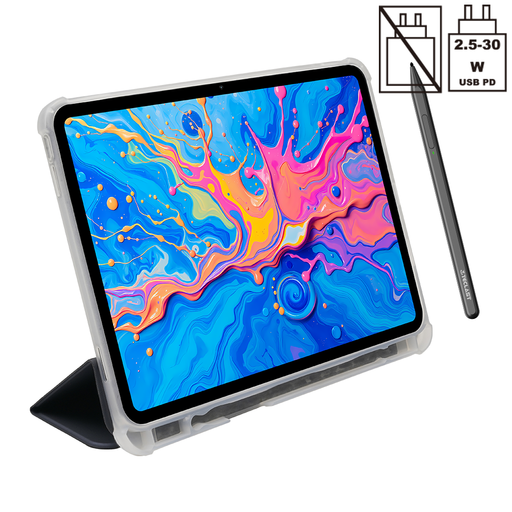
Why This Fits Their Persona: This model is aimed at users seeking a powerful tool for digital art and demanding multitasking. The large 12.7-inch 2K display provides a generous workspace, while the Helio G99 octa-core processor and 20 GB of combined RAM can handle even complex projects.
It bypasses the cost trap, as the T-Pen stylus and a protective case are already included. With 4096 pressure levels and full 4G LTE connectivity, it meets the demands for precision and mobility.
Large 2K display with TDDI technology for precise drawing; Powerful hardware for creative apps and gaming; Comprehensive connectivity with Dual-SIM 4G and 5G Wi-Fi.
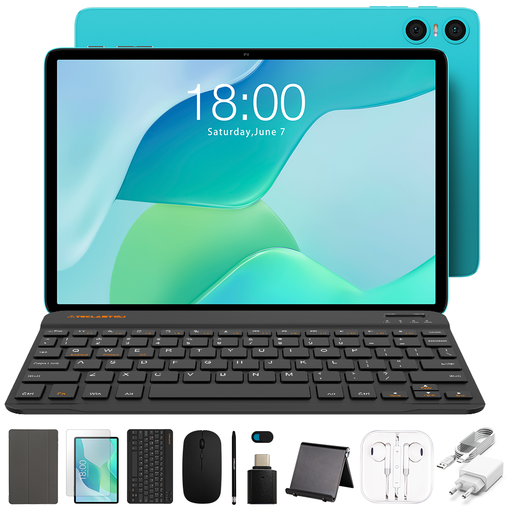
Why This Fits Their Persona: Ideal for students and hobbyist artists looking for a versatile and budget-friendly device. This set is perfect for taking notes in lectures, creating sketches, and everyday tasks like research and media consumption.
This model comes as a complete package that includes a Bluetooth keyboard, a mouse, and a stylus. This eliminates any hidden accessory costs and makes the device ready to use out of the box.
Excellent value for money thanks to the all-in-one bundle; Versatile for both productivity (keyboard) and creativity (stylus); Compact 10.1-inch format, ideal for mobile use.
We have compiled a complete, up-to-date list of products that fully meet these strict selection criteria and German safety regulations.
A major advantage of Android tablets is access to the Google Play Store with its huge selection of apps. For digital artists, apps like Krita, Sketchbook, or Infinite Painter are powerful and often free alternatives to programs that run on other operating systems. Before buying, check if your preferred drawing software is available for Android and what its hardware requirements are.
Battery capacity, measured in milliampere-hours (mAh), is crucial for mobile use. A value of 8,000 mAh or more is recommended for a long workday. The TECLAST ArtPad Pro, for example, offers a capacity of 10,000 mAh. However, note that the actual battery life heavily depends on the display brightness and the intensity of the application being used. Drawing in high-resolution apps consumes more power than reading text.
Yes, absolutely. Modern drawing tablets are full-fledged tablets. Thanks to powerful processors and high-resolution displays, they are excellent for browsing the internet, streaming movies and series (look for Widevine L1 certification for HD streaming), video conferencing, and even mobile gaming. The stylus also facilitates navigation and precise operation in daily use.