
Lieferung heute & morgen

Qualitätsgarantie

Willkommens-Angebote freischalten: KOSTENLOSE Lieferung | Bis zu 80 % RABATT | Kostenlose 30-Tage-JoyPlus-Testphase
App herunterladen
By Joybuy Product Recommendation Officer
A smartphone gimbal can deliver noticeable advantages for vlogging, travel, or livestreaming: movements appear more controlled, subjects stay in frame more easily, and an integrated tripod enables hands-free filming. However, models vary considerably in stabilization, app support, battery life, and accessories.
A 3-axis gimbal typically compensates for movement along the pan, tilt, and roll axes. This is particularly helpful when filming handheld. However, actual suitability also depends on the smartphone’s weight, its balance in the holder, and the motor performance.
A large smartphone with a protective case or attached lens may exceed the permitted payload. Possible consequences include unstable movements, increased motor noise, or reduced battery life. Before purchasing, compare the phone width, total weight, and maximum payload.
A gimbal with AI tracking can automatically keep faces, people, or other subjects in the frame. However, functionality varies by model: some systems require a specific app, while others support gesture control or a separate tracking module.
For iPhone users, compatibility with Apple DockKit may be relevant. Android users should check whether their preferred camera, streaming, or video-conferencing app is supported. A statement such as “tracking in many apps” is no substitute for specific compatibility information.
A selfie stick with tripod, integrated lighting, or extension pole can be highly practical for solo filming. At the same time, additional components increase the weight and may affect the balance. With a foldable gimbal, folded dimensions also matter: a model with a long extension is more versatile, but takes up more space in a backpack.
For walking shots, travel videos, and dynamic scenes, mechanical 3-axis stabilization provides a solid foundation. You should also review the available modes, such as pan follow, tilt-and-pan follow, or a free mode for creative perspectives.
A smartphone stabilizer cannot replace steady camera work. It reduces certain types of movement, but may reach its limits during abrupt changes of direction, strong winds, or uneven weight distribution.
A gimbal for iPhone and Android should be suitable for the width and weight of your smartphone. For models with a magnetic mount, check whether the required magnetic clip is included and whether the protective case needs to be removed.
The connection type is also relevant: Bluetooth is often used for remote control, while certain functions may only be available through the manufacturer’s app. Before purchasing, check:
The stated runtime depends on tracking, motor load, and connected accessories. According to the product information, the hohem Smartphone Gimbal Stabilizer offers up to 11 or 13 hours of battery life, depending on the variant. The Rollei Easy Creator Gimbal is specified for 80 minutes of gimbal operation. These figures should be treated as reference values.
Integrated lighting is useful indoors or when filming in the evening. However, it does not replace a comprehensive lighting setup. According to the product specifications, the Rollei model offers warm, mixed, and white light settings between 3000 and 6500 Kelvin. Also pay attention to the protection rating: the smartphone gimbals mentioned here are not listed as waterproof and should be protected from rain.
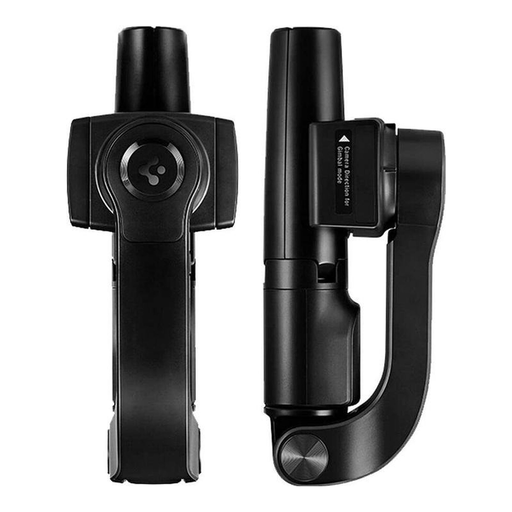
Why it fits: For occasional selfies, family videos, and simple travel filming with iOS or Android smartphones.
The functions are clearly limited to gimbal, selfie stick, and tripod use. With a net weight of 220 g, the model remains comparatively easy to transport.
Bluetooth remote control, tripod functionality, and a maximum length of 54 cm according to the product information.
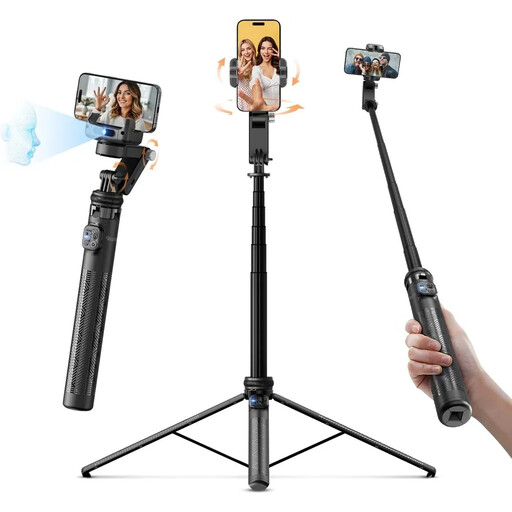
Why it fits: For vloggers, TikTok users, and solo creators looking to combine tracking, lighting, and flexible setup heights.
The specified tracking and gesture ranges, along with the 6.5–9.5 cm clamp width, make it easier to verify compatibility precisely.
AI face recognition, integrated lighting from 3000–6500 Kelvin, and height adjustment up to 156 cm according to the product data.
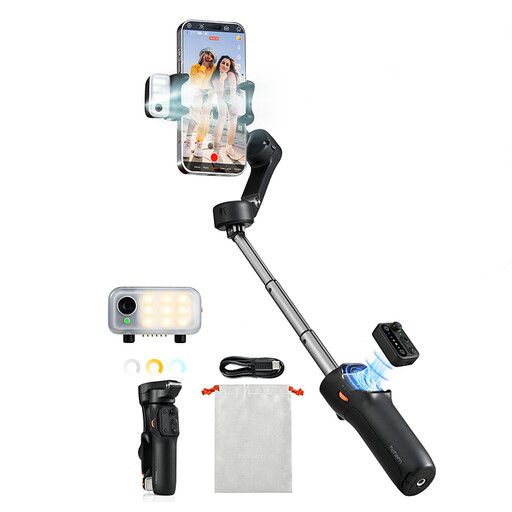
Why it fits: For travel bloggers, livestreamers, and users who prefer a foldable device with remote control and extended battery life.
The product information explicitly lists the app modes, 10-metre remote-control range, and payload and mounting requirements.
Foldable design, detachable remote control, and up to 11 hours of battery life according to the supplier’s specifications.
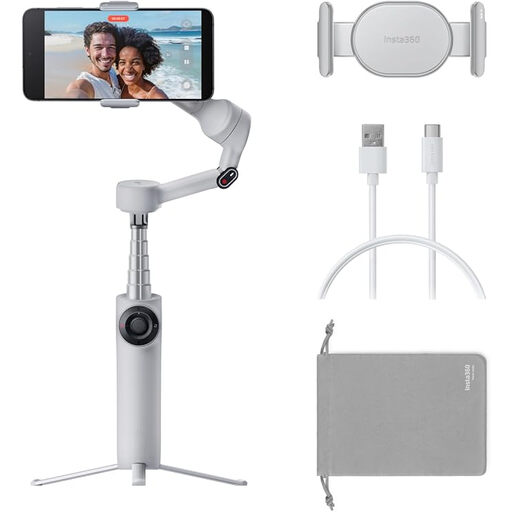
Why it fits: For iPhone users seeking tracking in compatible iOS apps, group filming, and an integrated creator setup.
DockKit support is explicitly limited to compatible iOS apps. Android users should verify app support separately before purchasing.
3-axis stabilization, integrated tripod and selfie stick, plus up to 10 hours of battery life according to the product description.
A gimbal should not be operated without a smartphone inserted if the manufacturer expressly prohibits this. Moving axes can catch fingers, hair, or clothing. Do not use a model that is not specified as waterproof in rainy conditions.
We have curated an up-to-date selection of products that meet these buying criteria and take the relevant safety guidance for Germany into account.
Not automatically. Clamp width, smartphone weight, operating system, and app compatibility are the decisive factors. Particularly wide models, heavy cases, or additional lenses may exceed the permitted payload.
Runtime depends on motor load, tracking, lighting, and charge level. Depending on the model, product specifications range from around 80 minutes to several hours. For longer filming days, a power bank or a model with USB-C charging is a sensible choice.
Yes, provided the streaming app you use supports the desired remote-control or tracking function. An integrated tripod makes stationary streams easier to produce. Before purchasing, also check for microphone connections, smartphone charging functionality, and the position of the mount.