
Lieferung heute & morgen

Qualitätsgarantie

Willkommens-Angebote freischalten: KOSTENLOSE Lieferung | Bis zu 80 % RABATT | Kostenlose 30-Tage-JoyPlus-Testphase
App herunterladen
A single cable for your laptop, smartphone, and tablet—that's the promise of the USB-C standard. With a 100W USB-C cable, even high-performance notebooks are supposed to charge in no time. But the market is confusing and full of technical pitfalls. Many cables fail to deliver on their promises, leading to frustration instead of fast charging.
As a Joybuy Product Recommendation Officer, I analyse product data to help you make informed decisions. In this guide, I'll show you the most common purchasing mistakes and the crucial features to look for to find the perfect cable for your needs.
Before you spend money on a new cable, you should be aware of the typical problems that often only become apparent after the purchase.
To avoid these pitfalls, you should check three core technical features. These determine your cable's performance, speed, and durability.
The term 100W Power Delivery describes a cable's ability to deliver up to 100 watts of charging power (typically 20V at 5A) when paired with a compatible power adapter. This is crucial for powering modern laptop charging cable models like a MacBook Pro or Dell XPS at full speed. Look for an explicit mention of a 5A current rating and the presence of an E-Marker chip. Only this combination guarantees full and safe power delivery.
A good USB-C to USB-C cable is also a high-performance USB-C data cable. The speed is defined by the supported USB standard:
A cable's longevity depends directly on its build quality. Look for the following features:
Based on these objective criteria, we have identified several products that are a suitable solution for specific user profiles.
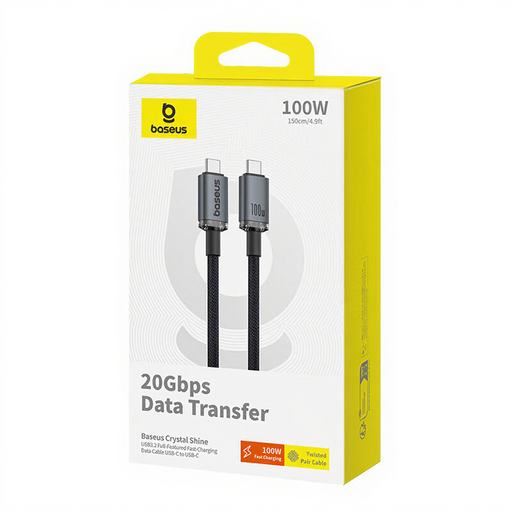
Why This Fits Their Persona: Ideal for users who regularly move large amounts of data between a laptop, external SSD, and other devices. The combination of 100W charging power and 20 Gbps data transfer maximises workflow efficiency.
This cable specifically bypasses the "data bottleneck" by supporting and clearly specifying the USB 3.2 Gen 2x2 standard. It delivers top-tier performance in both power and data speeds.
Supports 100W Power Delivery and a data rate of 20 Gbps. According to the manufacturer, it can also handle 4K video transmission at 60 Hz.
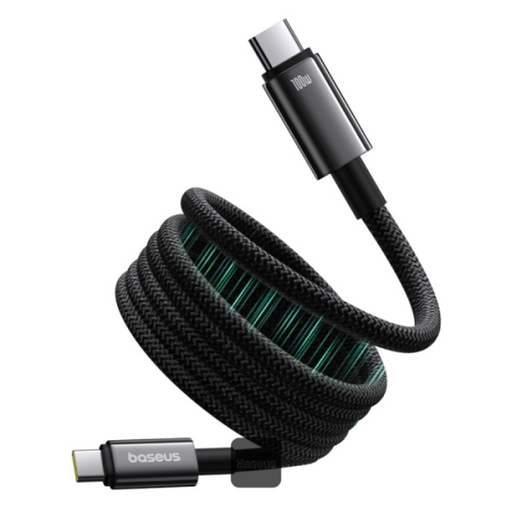
Why This Fits Their Persona: Perfect for users whose main priority is fast and reliable charging for their laptop, tablet, and smartphone. Durability is the focus here, while extreme data rates are secondary.
This cable counters the material wear-and-tear problem with a high-density nylon braid and a robust construction. It is designed for long-term durability in daily use.
Supports 100W Power Delivery and features an E-Marker chip for safe charging. The magnetic design simplifies storage and prevents cable tangles.
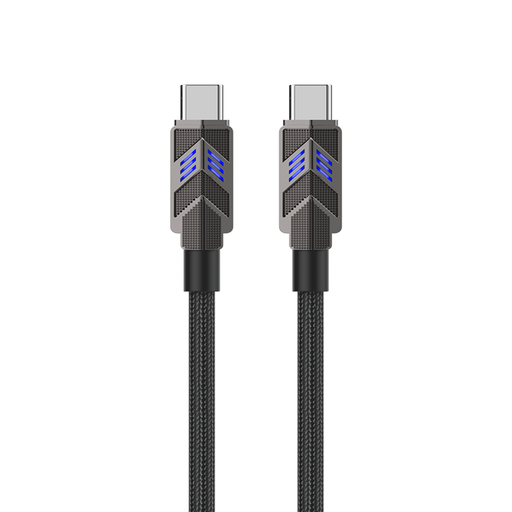
Why This Fits Their Persona: For users who value not only performance but also smart features that protect their devices. The visual charging indicator is a practical bonus feature.
This cable addresses concerns about overcharging and battery damage. Its smart chip goes beyond simple power negotiation and actively switches to a trickle charge mode to protect the battery.
Features an automatic power-off function with a colour-changing LED (red for charging, blue for full). The zinc alloy connector housings are exceptionally robust.
We have compiled a complete, up-to-date list of products that fully meet these strict selection criteria and all relevant safety standards.
Yes, to take full advantage of 100W, you need a power adapter that supports the USB Power Delivery (PD) standard and can also supply 100W. The cable alone cannot generate the power; it acts as a bridge between the power adapter and your device. You can use it with a weaker adapter, but the charging power will be correspondingly lower.
Yes, a 100W USB-C charging cable for iPhone 15 is fully compatible. The iPhone and the cable communicate via the Power Delivery standard to negotiate the maximum possible charging speed that the iPhone supports (typically under 30W). The cable will not overload the device; it only delivers as much power as the iPhone can safely draw.
These two features are independent of each other. Charging power, measured in watts (W), indicates how quickly a device's battery can be charged. The data transfer rate, measured in gigabits per second (Gbps) or megabits per second (Mbps), determines how quickly files can be exchanged between two devices. A cable can have high charging power but a low data rate, and vice versa.