
Lieferung heute & morgen

Qualitätsgarantie

Willkommens-Angebote freischalten: KOSTENLOSE Lieferung | Bis zu 80 % RABATT | Kostenlose 30-Tage-JoyPlus-Testphase
App herunterladen
A 3D printer can create prototypes, replacement parts, models or creative designs directly from digital files. Product pages often highlight high speeds, AI features and multiple colours. But for buyers in the UK, one headline figure isn’t enough. What matters is whether the build volume, material system, printing environment and maintenance requirements suit the way you plan to use it.
Figures such as 600 mm/s or even 800 mm/s usually refer to the maximum operating speed. The speed you can actually use depends on factors including the model’s geometry, layer height, filament, nozzle diameter and acceleration. So it’s worth checking the recommended speed, too. A fast 3D printer with an unstable mechanism may produce visible vibrations or uneven surfaces at high speeds.
A multicolour 3D printer with automatic filament changes often uses extra material for purging or waste during colour changes. That may be a worthwhile trade-off for small, colourful models, but filament consumption increases for large objects with frequent changes. Check whether the system feeds several colours at once, whether it has integrated filament drying and which materials can be combined.
An enclosure reduces draughts and can help keep the printing area at a stable temperature. A 3D printer with a heated chamber, by contrast, actively heats the chamber itself. This is particularly relevant for materials that are more prone to warping. Don’t confuse the nozzle and print bed temperatures with the chamber temperature.
The build volume determines whether you can print a model in one piece. Around 220 × 220 × 220 mm is enough for many home and educational projects. If you want to make larger casings, prototypes or several parts in one run, look for dimensions such as 260 × 260 × 260 mm or 390 × 390 × 340 mm.
You’ll also need space for cables, filament spools and, where applicable, a multi-material module. An enclosed printer may also be heavier and taller than one with an open frame.
The maximum nozzle temperature is a useful guide to material compatibility, but it doesn’t guarantee that every filament will work. PLA and PETG have different requirements from TPU, ABS, ASA or carbon-fibre-reinforced materials. A wear-resistant nozzle is a good choice for abrasive filaments.
Check the following:
A 3D printer with automatic bed levelling reduces the amount of manual set-up. Systems with automatic Z-offset adjustment can help ensure a more even first layer. Camera monitoring, filament detection, power-loss recovery and error detection are useful extras. However, they don’t replace checking the print plate, filament path and printing environment.
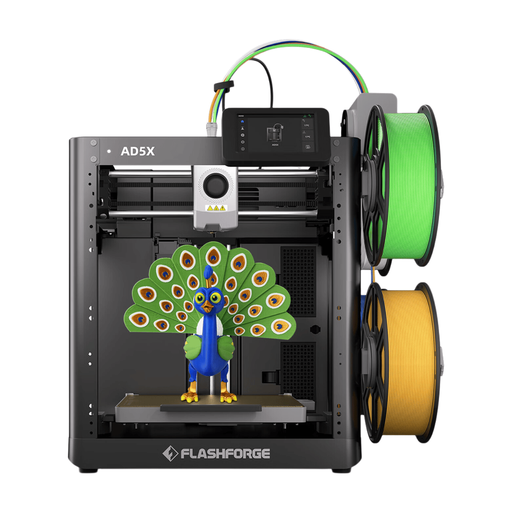
Why it suits this type of user: The AD5X combines a 220 × 220 × 220 mm build volume with automatic levelling and support for up to four colours. It’s a good fit for getting started with creative models and smaller prototypes.
Alongside speeds of up to 600 mm/s, the specifications list a CoreXY design, a 300 °C extruder temperature and interchangeable nozzles. This makes it easier to match your choice to the model size and material.
Up to four colours, automatic filament feeding, power-loss recovery and nozzle options from 0.25 to 0.8 mm.
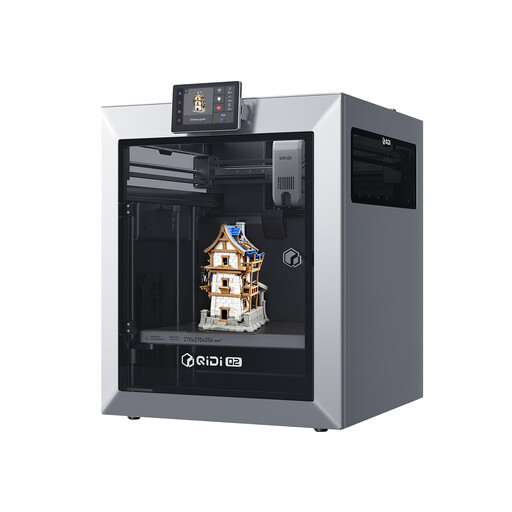
Why it suits this type of user: The Q2 has an enclosed design, a heated chamber reaching 65 °C, a 270 × 270 × 256 mm build area and a 370 °C all-metal hotend. It’s a good option if you plan to print technical materials as well as PLA.
The active chamber heating is clearly distinguished from the nozzle temperature. Automatic levelling, filament detection and power-loss recovery also reduce the need for manual intervention.
Print speeds of up to 600 mm/s, a heated chamber reaching 65 °C, air filtration and optional support for up to 16 colours with QIDI BOX.
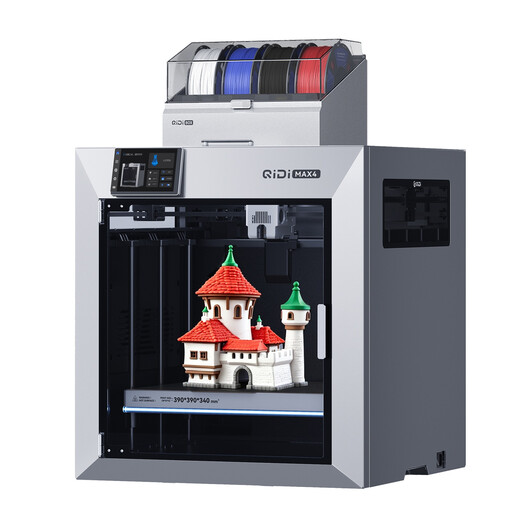
Why it suits this type of user: This model is designed for users who want to make large parts, moulds or prototypes. It has a build volume of 390 × 390 × 340 mm, and the heated chamber reaches 65 °C according to the product specifications.
The product specifications list the build volume, chamber heating, material ranges and speeds of up to 800 mm/s separately. This lets you compare the size and material requirements with how you’ll actually use the printer.
Large build volume, automatic bed levelling, AI camera monitoring, plus support for QIDI BOX with up to 16 colours and multi-material printing.
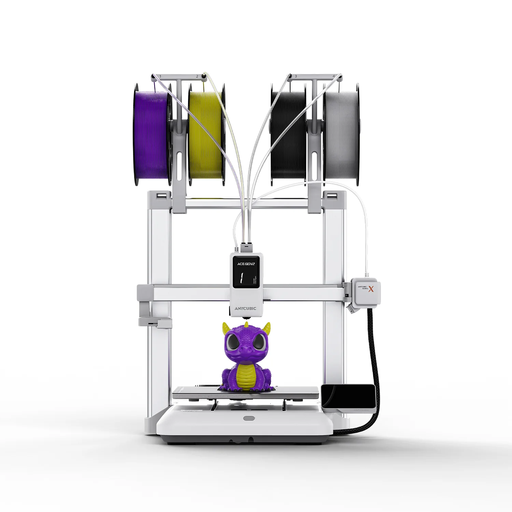
Why it suits this type of user: The Kobra X combines a 260 × 260 × 260 mm build volume with integrated four-colour support and the option to expand to up to 19 colours. It’s well suited to creative studios, educational settings and small production runs.
The option to expand the system is listed separately from its integrated four-colour set-up. LeviQ 3.0, filament detection and AI spaghetti detection help tackle common set-up and monitoring issues.
Print speeds of up to 600 mm/s, support for PLA, PETG, TPU, PVA, PLA-CF, PETG-CF and ASA, plus app and USB control.
We’ve put together a complete, regularly updated list of products that meet these strict selection criteria and fully comply with the safety regulations in force in the EU.
The purchase price is only part of the overall cost. Ongoing expenses include filament, nozzles, print plates, electricity and, where applicable, filters or multi-material modules. A heated chamber and heated print bed can use more energy than a basic open-frame FDM 3D printer. If you print in multiple colours frequently, remember to factor in the cost of purge material, too.
To keep your printer working well for longer, clean it regularly, keep the belts correctly tensioned, store filament in a dry place and replace worn parts when needed. Before buying, also check spare parts availability, firmware support, warranty terms and safety information in German.
Remove the transit locks, assemble the frame and accessories if required, fit the print plate and run automatic levelling. Then load the filament, choose a suitable print profile in the slicer and start with a small test object. Don’t touch the nozzle or print bed while the printer is running.
There’s no single answer, as lifespan depends on printing hours, materials, maintenance and spare parts. The nozzle, print plate, belts and fans are common wear parts. Regular cleaning and keeping filament dry can help your printer run reliably.
As well as filament, you’ll need to budget for electricity and wear parts. PLA is generally easier to work with, while technical or fibre-reinforced filaments may require a more capable nozzle, higher temperatures and a suitable printing environment. If you have a multicolour 3D printer, remember to include the cost of extra purge material in your calculations.