
Lieferung heute & morgen

Qualitätsgarantie

Willkommens-Angebote freischalten: KOSTENLOSE Lieferung | Bis zu 80 % RABATT | Kostenlose 30-Tage-JoyPlus-Testphase
App herunterladen
A growing office or a demanding home network quickly reaches its limits, resulting in too few LAN ports, unstable connections, and messy cable management. A 16-port Gigabit switch is often the go-to solution for easily expanding network capacity. However, the market is flooded with devices whose marketing promises often create more confusion than clarity. Before you make a decision, you should be aware of the typical pitfalls that can lead to unnecessary expenses or technical frustration.
The 3 Most Common Mistakes When Buying a Network Switch:
To make an informed decision that meets your needs, you should examine three core aspects. These technical features determine the performance and longevity of your network hub.
The switching capacity (measured in Gbps) is a measure of the maximum data throughput the switch can handle internally. A 16-port Gigabit switch should have a capacity of at least 32 Gbps (16 ports x 1 Gbps x 2 for sending/receiving) to ensure no bottlenecks occur, even when all ports are fully utilized.
The chassis is just as important. A metal chassis is not only more resilient to physical impacts but also dissipates heat far more effectively than plastic. This often enables fanless operation, making the switch silent and ideal for use in office environments.
The physical size and mounting options are critical for integration into your environment.
For most users who simply need more LAN ports, an unmanaged LAN switch is the right choice. These devices operate on a plug-and-play basis: plug them in, and you're ready to go—no configuration is required.
"Easy Smart" or "Unmanaged Pro" switches offer a middle ground. They provide basic management features like VLAN (Virtual Local Area Network) for network segmentation or QoS (Quality of Service) for prioritizing data traffic (e.g., for video conferencing), without the complexity and price of a full-fledged managed switch.
Here are three recommendations tailored to different user profiles that meet the quality criteria mentioned above.
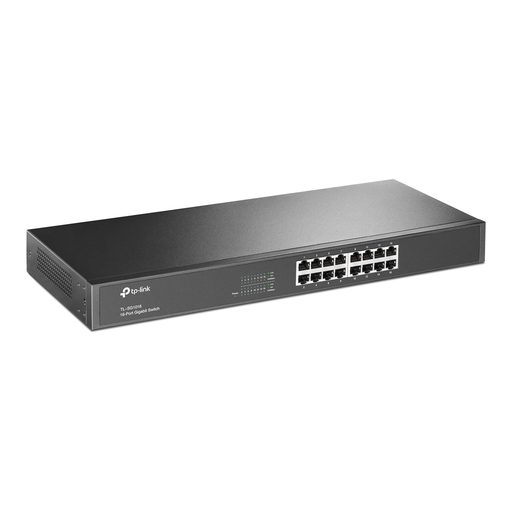
Why this model is a great fit: This model is a proven solution for small to medium-sized businesses (SMBs) and demanding home users seeking a reliable and durable network expansion. It is designed for straightforward installation in a 19-inch network rack.
The robust metal chassis ensures excellent heat dissipation and longevity. As a pure unmanaged switch, it offers no unnecessary, costly features and is immediately ready for use as a rackmount switch thanks to the included mounting brackets.
Plug-and-play installation with no configuration; fanless design for silent operation; energy-efficient technology to reduce power consumption.
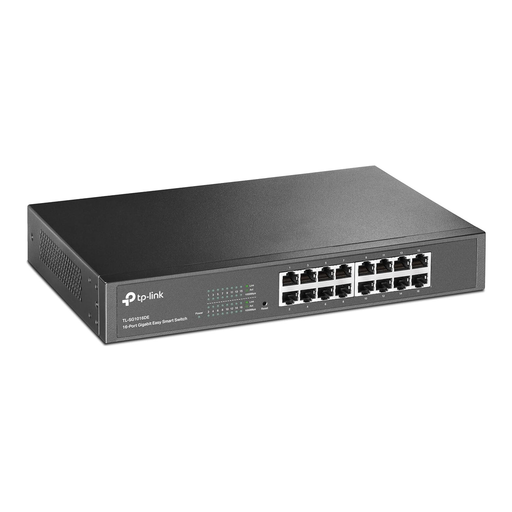
Why this model is a great fit: Perfect for tech-savvy users or small offices that need more control over their network traffic but want to avoid the complexity of a full-fledged managed switch. It offers basic management functions for security and efficiency.
This "Easy Smart" switch is the perfect compromise. It avoids the cost of a managed switch while offering useful features like VLAN for separating guest and internal networks. The metal chassis and fanless design prevent overheating and noise.
Supports Port-based, Tag-based, and MTU VLAN to enhance network security; 32 Gbps switching capacity; plug-and-play with optional configuration via a web interface.
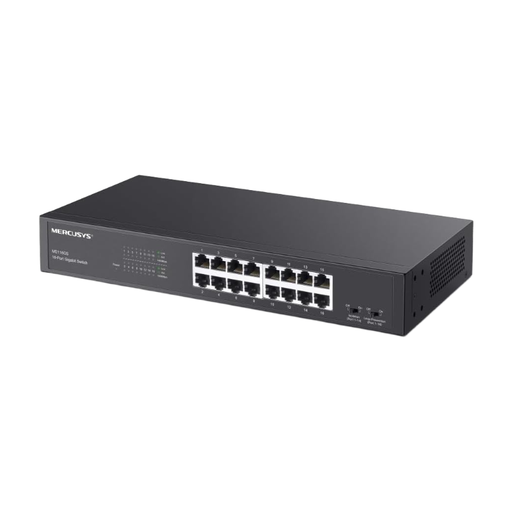
Why this model is a great fit: A functional and cost-effective choice for home users and small offices needing a basic but reliable network expansion to 16 Gigabit ports without breaking the bank.
Despite its attractive price point, this switch features a metal chassis for heat dissipation and is suitable for 19-inch rack mounting. It focuses on the core function of an unmanaged switch, avoiding unnecessary complexity.
Offers all essential features like 16 Gigabit ports and plug-and-play operation at a very competitive price. Dual installation options for desktop or rack.
We have compiled a complete, up-to-date list of products that fully meet these strict selection criteria and UK/EU safety regulations.
An unmanaged switch is a simple plug-and-play device with no configuration options. It automatically forwards data packets to the correct ports and is ideal for straightforward network expansion. In contrast, a managed switch offers a management interface (often via a web browser) that allows administrators to control traffic, configure ports, set security policies, and monitor the network. For most home and small office networks, an unmanaged switch is perfectly sufficient.
No, you do not need special cables. However, for Gigabit speeds (1000 Mbps), Ethernet cables of category Cat 5e or higher (e.g., Cat 6, Cat 7) are recommended. Older Cat 5 cables may limit the speed to 100 Mbps and thus prevent you from fully utilizing the performance of the Gigabit switch.
Power consumption is generally low. Modern switches, especially those with energy-efficient technology (often marketed as "Green IT" or "Green Ethernet"), adjust their power usage based on cable length and the connection status of each port. A typical fanless 16-port Gigabit switch often consumes only between 10 and 15 watts under load, which minimizes operating costs. You can find the exact values in the technical datasheet of the respective product.