
Lieferung heute & morgen

Qualitätsgarantie

Willkommens-Angebote freischalten: KOSTENLOSE Lieferung | Bis zu 80 % RABATT | Kostenlose 30-Tage-JoyPlus-Testphase
App herunterladen
A slow network can be frustrating, especially when you're already paying for a high-speed internet connection. Often, the cause isn't your provider, but your own network infrastructure. An outdated or unsuitable Network Switch can act as an invisible bottleneck. As your Joybuy Product Recommendation Officer, I'll help you navigate the common pitfalls and make an informed decision that perfectly matches your needs.
Many users invest in devices with features they'll never use, or choose models that quickly become a bottleneck for their entire network. Before you make a decision, you should be aware of the three most common mistakes:
To avoid these mistakes, it's crucial to focus on the core technical features that are essential for stable, future-proof performance.
The two most fundamental criteria are the number of connections (ports) and the supported speed.
A PoE Switch can supply power directly to connected devices like IP surveillance cameras, VoIP phones, or Wi-Fi access points through the network cable itself. This eliminates the need for separate power adapters and significantly reduces cable clutter.
Pay attention to two key specifications:
The choice between a managed and an unmanaged switch depends entirely on your use case.
Based on these objective criteria, we have identified a few models that are particularly well-suited for typical user profiles in the UK.
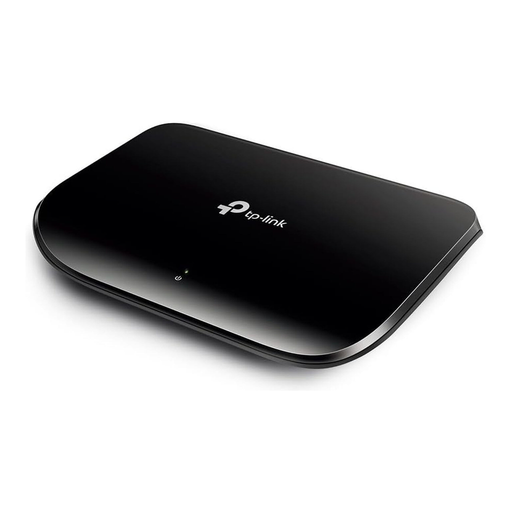
Why This Fits Their Persona: Ideal for users who want to easily expand their home network. Perfect for connecting a smart TV, gaming console, and work computer to the router without any speed loss.
As an Unmanaged Switch, it bypasses the cost trap of unnecessary professional features. With Gigabit speed, it prevents the 'Fast Ethernet' bottleneck.
Plug-and-play installation with no configuration required; fanless design for silent operation in living areas.
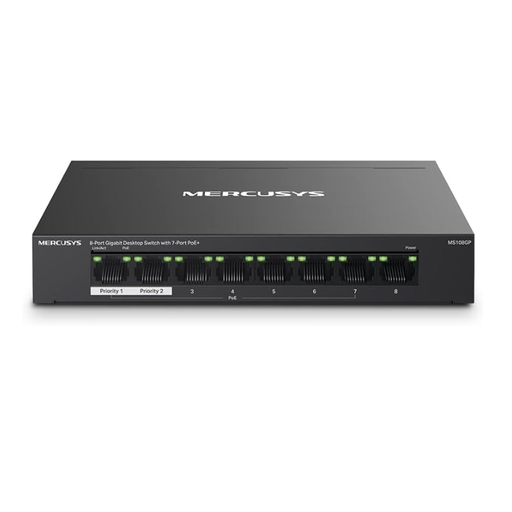
Why This Fits Their Persona: Designed for users who want to power PoE-enabled devices like IP cameras or Wi-Fi access points without extra power adapters. The 7 PoE+ ports offer flexibility for a growing smart home.
It addresses the PoE miscalculation with a clearly defined total budget of 65 watts and support for the more powerful PoE+ standard (802.3at).
High PoE budget for multiple devices; durable metal housing for better heat dissipation and longevity.
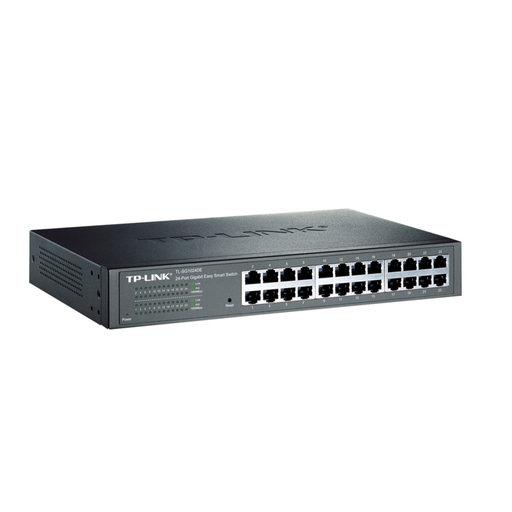
Why This Fits Their Persona: Offers the necessary port density and basic management features for small to medium-sized business (SMB) networks, without the complexity and cost of a full-fledged enterprise switch.
As an 'Easy Smart' switch, it's a middle ground that avoids the 'Managed' cost trap while still providing essential business features like VLAN and QoS for enhanced security and control.
24 Gigabit ports for extensive networks; as a **Rackmount Switch**, it's suitable for installation in server cabinets.
We have compiled a complete, real-time list of products that fully satisfy these strict selection criteria and UK safety regulations.
1. Do I need a managed or unmanaged switch for my home network? For the vast majority of home networks, an Unmanaged Switch is the ideal choice. It's cost-effective, requires no configuration (plug-and-play), and meets all basic needs like distributing an internet connection to multiple devices. A managed switch is only necessary if you have specific requirements, such as setting up separate networks (VLANs) for guests or smart home devices.
2. What does PoE mean and what do I need it for? PoE stands for Power over Ethernet. A PoE Switch can power compatible devices like IP cameras, Wi-Fi access points, or VoIP phones over the same network cable that transmits data. This is especially useful in locations where there isn't a power socket nearby and results in a cleaner installation with fewer cables.
3. Can I buy a switch with more ports than I currently need? Yes, and it's highly recommended. Network demands often grow faster than expected. If you buy an 8 Port Switch today but are already connecting six devices, you only have two free ports left. Buying a model with a few spare ports, such as a 16 Port Switch, is a small investment in future-proofing your network and saves you from needing to buy a new one soon.