
Lieferung heute & morgen

Qualitätsgarantie

Willkommens-Angebote freischalten: KOSTENLOSE Lieferung | Bis zu 80 % RABATT | Kostenlose 30-Tage-JoyPlus-Testphase
App herunterladen
By Joybuy Product Recommendation Officer, August 29, 2026
A stable and fast wired network is the foundation for smooth home office work, uninterrupted streaming, and low-latency online gaming. But often, the LAN ports on your router just aren't enough. A network switch is the simple solution here. However, there are a few pitfalls in the selection process that can lead to frustration and unnecessary expense. We'll show you what to look for to find the right LAN switch for your needs.
Before you decide on a model, you should be aware of the typical mistakes that are often only noticed after the purchase.
To avoid these mistakes, focus on three core technical features. These determine the performance and future-proofing of your network.
The most important characteristic of a modern switch is the supported data rate.
Therefore, always look for 10/100/1000 Mbps or Gigabit in the product description.
Count the devices you currently want to connect via cable and add at least two to three ports as a reserve for future purchases (e.g., a smart TV, gaming console, another PC).
Here are some models tailored to different usage scenarios that specifically avoid the pitfalls mentioned.
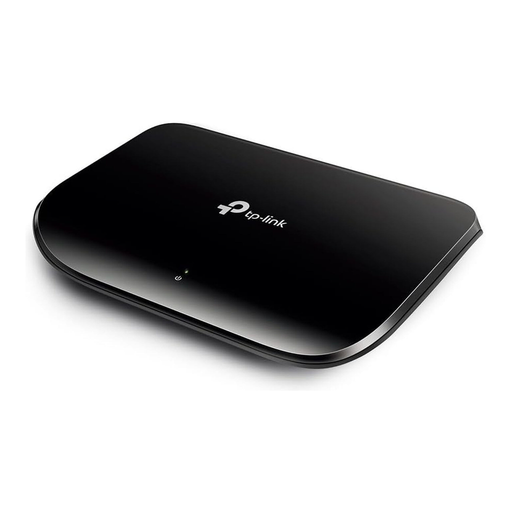
Why it's a good fit: Ideal for providing a stable internet connection to your smart TV, game console, and media player in the living room. Its compact design fits anywhere, and the fanless construction ensures completely silent operation.
This model is a full-fledged Gigabit switch. This consistently bypasses the "Fast Ethernet" trap and allows you to utilise the full speed of your internet connection.
Green Ethernet technology adjusts power consumption based on port status and cable length, which can reduce energy use by up to 70% according to the manufacturer.
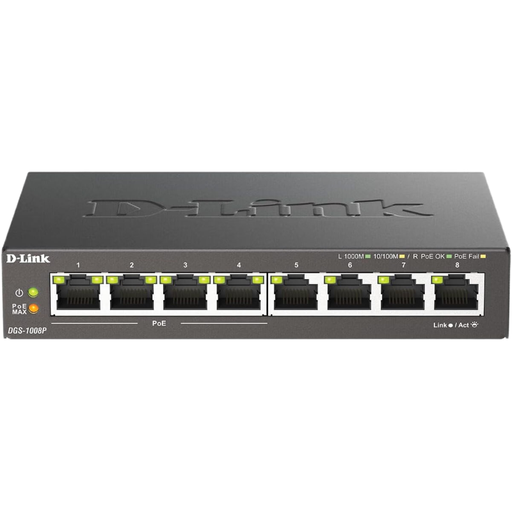
Why it's a good fit: Perfect for a productive home office. The eight Gigabit ports provide connections for multiple computers, printers, and a NAS, while the PoE function allows for the easy installation of an IP camera or a professional access point.
The integrated PoE function on four ports makes separate power adapters obsolete, solving the "ignored PoE requirement" trap before it even becomes an issue. All ports offer full Gigabit speed.
The sturdy metal housing ensures excellent heat dissipation and durability for continuous operation. The fanless design guarantees quiet performance right at your workstation.
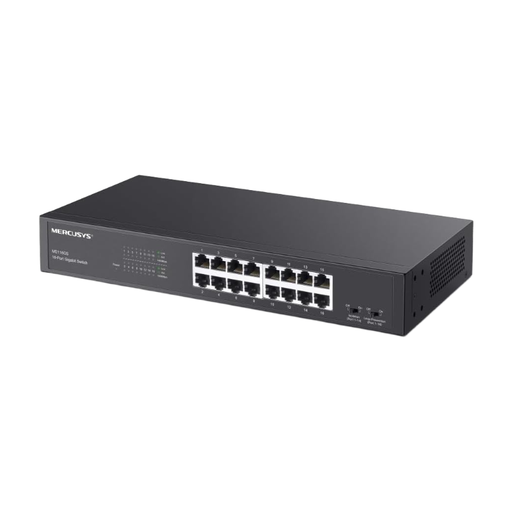
Why it's a good fit: Ideal for small offices, agencies, or advanced home networks where numerous devices like workstations, servers, and printers need to be reliably connected. It offers high port density for future growth.
With 16 Gigabit ports, this switch avoids the "miscalculated port count" trap. There are plenty of reserves for expansion without needing to daisy-chain multiple switches.
The dual installation options as a desktop switch or for mounting in a 19-inch rack offer maximum flexibility for a professional and tidy network setup.
We've compiled a complete, up-to-date list of products that fully meet these strict selection criteria.
A hub is an outdated device that forwards incoming data packets to all connected devices, which slows down the network and can lead to data collisions. An Ethernet switch is intelligent: it recognises which device is connected to which port and forwards data specifically only to the respective recipient. This makes the network significantly faster and more efficient. Today, practically only switches are sold.
No, a modern Gigabit switch will not slow down your internet connection. On the contrary, it ensures that the full speed of your connection is available to all connected devices. Only an outdated "Fast Ethernet" switch (100 Mbps) would bottleneck a faster internet connection.
The installation is incredibly simple and requires no technical knowledge: