
Lieferung heute & morgen

Qualitätsgarantie

Willkommens-Angebote freischalten: KOSTENLOSE Lieferung | Bis zu 80 % RABATT | Kostenlose 30-Tage-JoyPlus-Testphase
App herunterladen
A stable and fast network is the foundation for modern work and entertainment. But often, the ports on your router aren't enough, or the Wi-Fi is overloaded. A network switch is the go-to solution for expanding your wired network (LAN). However, the selection is vast, and the technical specifications can be confusing. Many buyers invest in features they'll never use or quickly hit the limits of their device.
As your Joybuy Product Recommendation Officer, I'll help you understand the crucial criteria and avoid common pitfalls. This guide will show you what to look for to make an informed decision for your home network or business.
Marketing jargon and a confusing array of products often lead to poor decisions. These three points are especially critical:
To avoid these pitfalls, focus on the following three core parameters. They will determine if a LAN switch is right for your needs.
The most fundamental question is how many devices you need to connect. Count the required ports (PC, printer, console, TV, etc.) and plan for at least two to three extra ports as a reserve for future expansion. Common sizes are 8-port switches, 16-port switches, or 24-port switches.
When it comes to speed, the choice is clear: exclusively select a Gigabit switch. A data transfer rate of 1000 Mbps is essential for modern applications, HD streaming, and fast file transfers on your local network.
This is the most critical decision point, determining both price and complexity.
A PoE switch eliminates the need for separate power adapters for compatible devices. This is especially useful for:
Pay attention to two values here:
Here are some recommendations tailored to different user profiles, taking the above criteria into account.
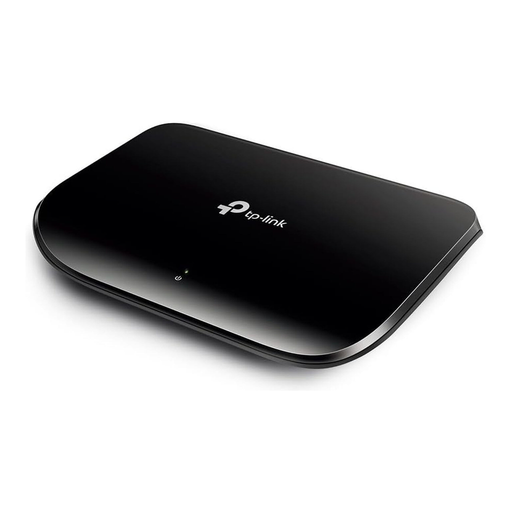
Why This Fits Their Persona: Ideal for users who simply need more LAN ports for their PC, gaming console, and smart TV. The installation is incredibly simple and requires no prior technical knowledge.
As an Unmanaged Switch, it avoids unnecessary costs for unused professional features. With Gigabit speed, it also prevents the bottleneck trap.
Plug-and-play installation with no configuration. The fanless design ensures silent operation in a living room or office.
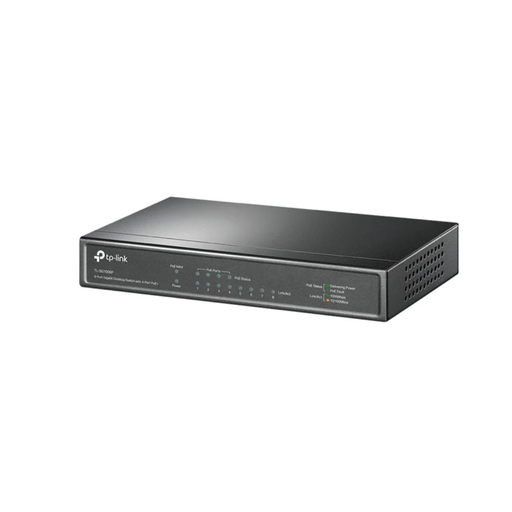
Why This Fits Their Persona: Perfect for users building a small surveillance system with IP cameras or installing a Wi-Fi access point in a location without a power outlet.
The clearly stated 55-watt PoE budget for 4 ports (per IEEE 802.3af) allows for precise planning and prevents the overload trap. As an unmanaged switch, it remains easy to use.
Offers a combination of 4 standard Gigabit ports and 4 PoE ports. The robust metal housing and fanless design ensure durability and quiet operation.
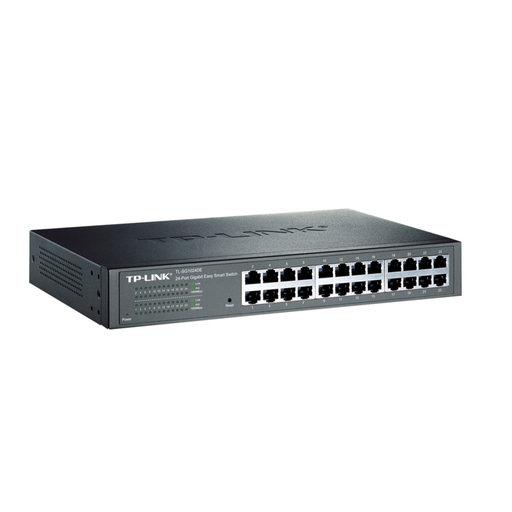
Why This Fits Their Persona: Suitable for growing office environments that need high port density and basic management features to optimise and secure network traffic.
This "Easy Smart" Managed Switch is a deliberate choice for users who need features like VLAN and QoS, thus avoiding the cost trap. With 24 Gigabit ports, it is designed for data-intensive environments.
Provides essential management functions via a web-based user interface. The device is suitable for both desktop use and mounting in a 19-inch rack.
We have compiled a complete, up-to-date list of products that fully meet these strict selection criteria and safety standards.
A hub is an outdated device that forwards incoming data packets to all connected devices, which leads to data collisions and slows down the network. A network switch is intelligent: it identifies which device is the target of a data packet and forwards it only to that specific port. This ensures significantly higher efficiency and speed in the network.
Yes, this is easily possible and a common practice for expanding a network. You can simply connect a port from your first switch to a port on the second switch. This method is known as "daisy chaining." However, for optimal performance in large networks, it is recommended to connect switches in a star topology to a central switch to avoid bottlenecks.
No, a modern Gigabit switch will generally not slow down your internet connection. The speed of your internet service is usually the limiting factor. A switch could only become a bottleneck if its port speed (e.g., 100 Mbps) is lower than your internet line's speed, or if extremely high amounts of data are being transferred simultaneously on the local network. With a Gigabit model, you are on the safe side for most use cases.