
Lieferung heute & morgen

Qualitätsgarantie

Willkommens-Angebote freischalten: KOSTENLOSE Lieferung | Bis zu 80 % RABATT | Kostenlose 30-Tage-JoyPlus-Testphase
App herunterladen
A stable and fast wired network is the foundation for smooth home office work, lag-free gaming, and uninterrupted 4K streaming. When the LAN ports on your router are no longer enough, a TP-Link Switch is a go-to solution. However, the market is filled with models whose technical specifications can be baffling for non-experts. Before you make a purchase, it's crucial to understand a few common pitfalls that can lead to a bad buy.
This guide will help you correctly interpret the technical specs and choose a model that perfectly fits your needs—without paying for features you won't use.
Many buyers focus on the port count and price, but overlook critical details that can severely limit performance and usability.
To avoid these traps, you should focus on three key technical specifications. These will determine if a LAN Switch is right for your purposes.
The number of ports (5 Port, 8 Port, 16 Port, 24 Port) is the most obvious criterion. Always plan to have two or three spare ports for future devices. However, speed is the more critical factor:
If you want to run devices without a separate power adapter, you need a PoE Switch. Pay attention to two values here:
Based on the criteria mentioned, we have identified models that are particularly well-suited for typical user scenarios.
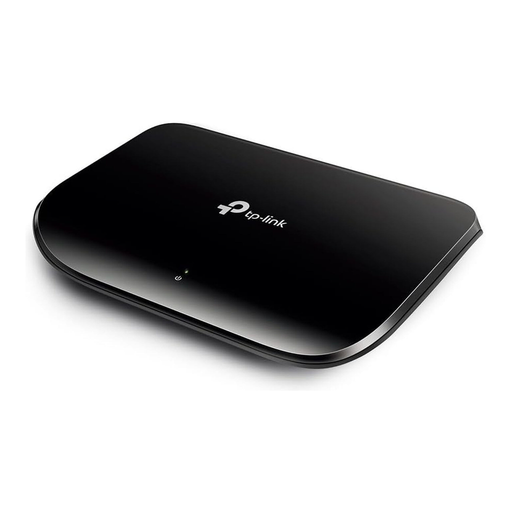
Why This Fits Their Persona: Ideal for quickly and easily adding extra LAN ports for a TV, game console, and work computer without breaking the bank. Its compact design fits on any desk.
This switch offers full Gigabit speed on all 5 ports and, as an unmanaged switch, is free of complex, costly extra features. It solves the core problem without unnecessary baggage.
True plug-and-play installation; fanless design for silent operation in the living room or office; energy-efficient thanks to Green IT technology.
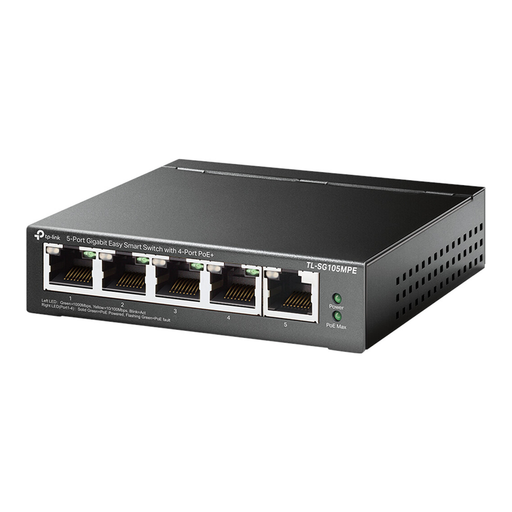
Why This Fits Their Persona: Perfect for setting up a surveillance system with IP cameras or expanding a Wi-Fi network with access points that need to be powered over the network cable.
With a high total PoE budget of 120 watts and the PoE+ standard, it reliably powers even power-hungry devices. The "Easy Smart" management offers control without being overwhelming.
4 PoE+ ports with up to 30W per port; PoE Auto Recovery automatically reboots unresponsive devices; robust metal housing for better heat dissipation.
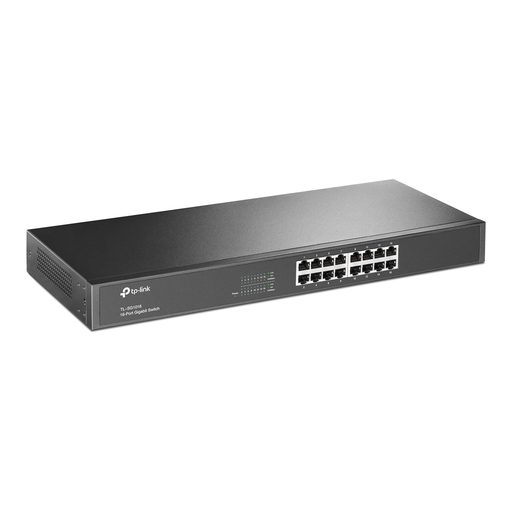
Why This Fits Their Persona: The solution for small businesses or tech-savvy households that need to reliably connect a large number of wired devices at high speed.
It focuses on the essentials: 16 stable Gigabit ports in a sturdy metal housing. As an unmanaged switch, it eliminates the cost and complexity of full management.
High port density (16 ports); suitable for installation in a 19-inch rack (Rackmount Switch); durable metal housing.
We have compiled a complete, continuously updated list of products that fully meet these strict selection criteria and safety standards.
There is no fixed lifespan, as it depends on usage intensity and environmental conditions. Models with a fanless design and a robust metal housing that efficiently dissipates heat tend to have a longer life expectancy. Always ensure adequate ventilation where the switch is placed to prevent overheating.
Yes, the choice of cable is crucial. To achieve full Gigabit speed (1000 Mbps), you need at least a Cat 5e category network cable. For a better performance margin, longer cable runs, or to prepare for future standards like 10G Ethernet, Cat 6 or Cat 7 cables are recommended.
A hub is an outdated device that indiscriminately forwards incoming data packets to all connected devices. This quickly leads to data congestion and slows down the entire network. A Switch, on the other hand, is intelligent: it identifies which device is the recipient of the data and forwards the packets specifically to that port only. This makes the network significantly faster and more efficient. Today, virtually only switches are sold.