
Lieferung heute & morgen

Qualitätsgarantie

Willkommens-Angebote freischalten: KOSTENLOSE Lieferung | Bis zu 80 % RABATT | Kostenlose 30-Tage-JoyPlus-Testphase
App herunterladen
A mobile printer can print notes, photos, stickers or important documents directly from your smartphone. For students, families, travellers, DIY enthusiasts and professionals, this is incredibly practical – provided the device suits the way you actually intend to use it. Small dimensions alone reveal little about the printing method, ongoing costs or compatibility.
That is why it is worth taking a closer look at three common pitfalls before buying.
Although an inkless printer does not require conventional cartridges or toner cartridges, consumables are still needed: thermal paper, sticker paper or Zink photo paper must be bought separately to match the device. The decisive factor is therefore the cost per sheet, not just the purchase price.
Thermal printers can also vary in terms of print quality. Many models are designed for black-and-white notes, labels or stickers. If you expect to print colour photos, look specifically for a photo printer that uses a suitable colour printing process.
A Bluetooth printer generally does not work entirely without an app. Documents and images are often selected in a manufacturer’s app and then sent to the printer. Before buying, check the following:
A wireless printer is therefore not necessarily suitable for every computer. For mobile printing from a smartphone, Bluetooth is usually sufficient. If you regularly want to print from a laptop, also check operating system and cable compatibility.
An especially small portable printer is easy to carry, but often only supports a small paper format. This is useful for study cards, short notes and stickers. Contracts, invoices or boarding passes, on the other hand, require a suitable format and sufficient print width.
The power supply also deserves attention. A built-in battery makes it easier to use the printer on the go. However, figures such as ‘up to 150 pages per charge’ depend on the type of paper, the printed image, temperature and battery condition. They should be understood as the manufacturer’s stated figure, not as a guaranteed everyday result.
A thermal printer transfers the image onto specially coated paper using heat. This eliminates the need for ink. Depending on the model, the process is suitable for text, lists, labels and simple graphics.
Zink devices also work without conventional ink. The Xiaomi model uses heat-activated colour crystals embedded in the paper. It is designed for small colour photos, but requires suitable Zink paper. Therefore, check the following:
Resolution affects how finely text and image details are displayed. For study notes, a basic black-and-white output is often sufficient. For photos, resolution, colour reproduction and paper quality are more important. The Xiaomi model is specified as 313 × 512 dpi and uses paper measuring 50 × 76 mm.
A sticker printer can use self-adhesive paper. This is practical for notebooks, labelling and creative projects. Check whether the paper is already adhesive or intended only for standard thermal printing.
For a mobile printer for use on the go, weight, dimensions and charging method are key considerations. According to the product information, the Phomemo A282U weighs 600 g and has a rechargeable battery. It is rated for up to 150 pages per charge. This can be useful for invoices, contracts, delivery notes or boarding passes.
According to the stated specifications, the Xiaomi Portable Photo Printer 1S weighs 180 g and measures 124 × 82 × 22 mm. Several people can connect via Bluetooth and print one after another. However, its 2-inch by 3-inch format is not intended for longer documents.
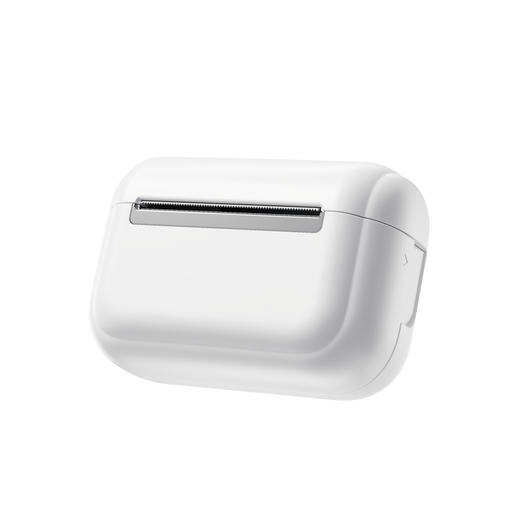
Why this product suits this profile: This compact mini printer is designed for stickers and DIY projects, making it a good choice for users who want to start with simple creative projects.
Describing it as a thermal, inkless printer makes it clear that suitable specialist paper is required instead of cartridges. Check the ongoing paper costs before buying.
Inkless thermal technology designed for stickers and DIY projects.
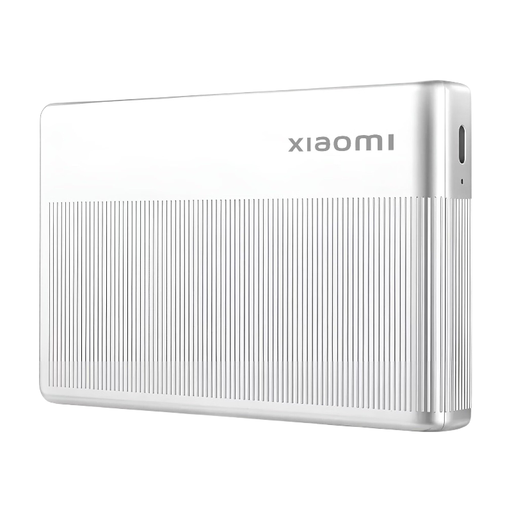
Why this product suits this profile: This model is aimed at buyers who prefer small colour photos, self-adhesive paper and smartphone connectivity.
The stated paper size of 50 × 76 mm clearly sets expectations for the output. This prevents the device from being bought by mistake for A4 documents.
180 g weight, Bluetooth connectivity and Zink technology without conventional ink cartridges.
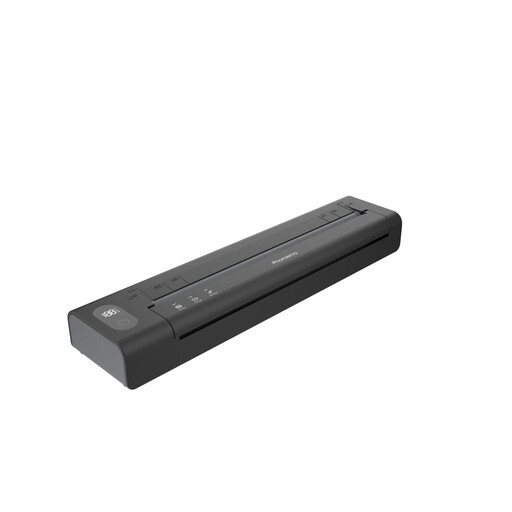
Why this product suits this profile: This model is designed for mobile documents such as contracts, invoices, boarding passes and freight documents, making it suitable for users who print regularly.
The stated weight of 600 g and its document-focused design show that this is not intended to be an ultra-small photo printer, but a portable solution for paperwork.
Bluetooth via the Phomemo app, support for iOS and Android, plus a battery rated by the manufacturer for up to 150 pages per charge.
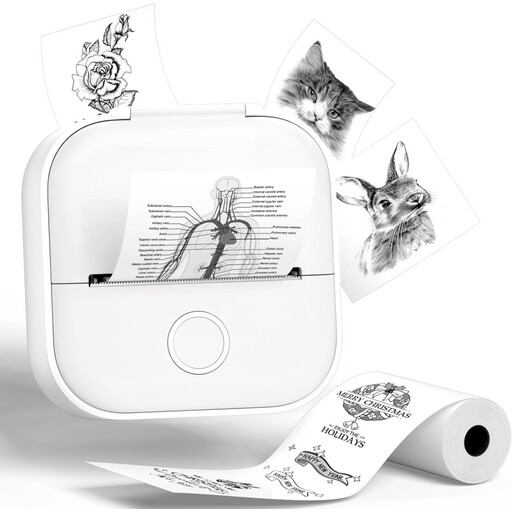
Why this product suits this profile: The product name specifically mentions study notes and stickers. This makes the device an interesting choice for school, university and personal organisation.
Its clear focus on notes and stickers helps distinguish its intended use from that of a mobile document or photo printer.
A compact mini-printer concept for short content and creative labelling.
We have put together a complete, regularly updated list of products that fully meet these strict selection criteria and the safety regulations applicable in the EU.
Most models connect to a smartphone via Bluetooth. After installing the relevant app, you select a photo or document and send the print job. First, check that the app is compatible with your operating system and which file formats it supports.
The service life depends on the battery, print mechanism, paper and frequency of use. A battery loses capacity over successive charging cycles. Store the device in a dry place and protect it from high temperatures. For models that use specialist paper, you should also follow the manufacturer’s storage instructions.
This can only be assessed by looking at the total cost. Although cartridges or toner are not required, thermal, sticker or Zink paper creates ongoing costs. Compare the price of the consumables with the expected number of prints.