
Lieferung heute & morgen

Qualitätsgarantie

Willkommens-Angebote freischalten: KOSTENLOSE Lieferung | Bis zu 80 % RABATT | Kostenlose 30-Tage-JoyPlus-Testphase
App herunterladen
A Phomemo mini printer can print notes, labels or stickers directly from your smartphone. This makes a compact mobile printer appealing to school pupils, students, travellers, families and DIY enthusiasts. However, product claims such as ‘inkless’, ‘wireless’ or ‘designed for travel’ do not automatically lead to the right purchasing decision.
Before buying, you should consider three common pitfalls:
A portable thermal printer uses heat instead of ink or toner. This means there is no need to replace cartridges and no risk of leaking liquids. However, the print image is only created on suitable thermal paper. This method is often sufficient for shopping lists, revision cards or short notes.
If you want to create stickers or name labels, you will instead need compatible self-adhesive media. Check the following before placing your order:
A sticker printer is therefore primarily suitable for short content. A thermal printer is not automatically the right type of device for colour photos or documents that need to remain lightfast over time.
A Bluetooth printer usually requires a connection to your smartphone and often a brand-specific app. Before buying, check that the app can be found in the relevant app store and supports your operating system. You should also check the permissions required for Bluetooth, photos or files.
With a wireless printer, ‘wireless’ does not necessarily mean Wi-Fi printing. Bluetooth usually works when the printer is near the paired device, while a Wi-Fi printer offers different usage options. For travelling, lessons or printing labels quickly, Bluetooth is often sufficient. For several people in the household, a network connection may be more convenient.
For a portable photo printer or a printer for notes, the power supply is just as important as the printing method. Details such as weight, charging method and the possible number of prints per charge help you assess whether the printer is suitable for mobile use.
The Phomemo A282U model is described as weighing 600 g, with a rechargeable battery and a manufacturer’s stated capacity of up to 150 sheets per charge. This figure depends on the print content and usage conditions. If you want to print contracts, invoices, boarding passes or freight documents, you should also check the supported format and maximum print width.
Also pay attention to the product information concerning the EU Responsible Person, manufacturer details and instructions for use, storage and disposal. When shipping to Germany, battery, electrical and product safety information should in particular be clearly and verifiably provided.
The following models cover a range of usage situations. Before buying, compare the available product details with your own requirements, the paper you want to use and your smartphone.
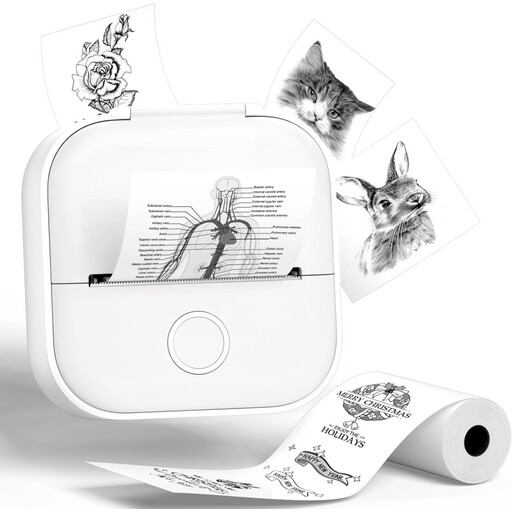
Why this product suits this profile: The product name specifically mentions study notes and stickers. This makes the model appealing to anyone looking for a compact printer for short revision materials or creative stickers.
The intended use makes it clear that the focus is on notes and stickers. Nevertheless, check the media format, app support and ongoing costs before placing your order.
A compact mini printer concept with a clear focus on study notes and stickers, as indicated by the product name.
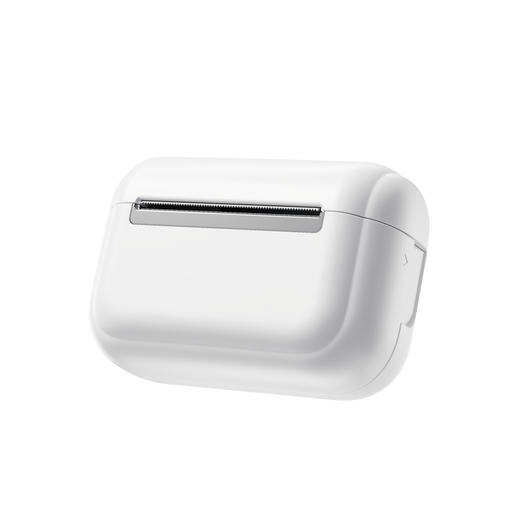
Why this product suits this profile: According to its product name, the Q02E is designed as a portable sticker printer for gifts and DIY projects. It is suitable for craft projects, small labels and creative paper crafts.
The product name clearly limits its intended use to stickers and DIY projects. If you expect A4 documents or colour photos, consider a different print format before buying.
Pocket-sized format with a focus on inkless sticker creation for gift and craft projects.
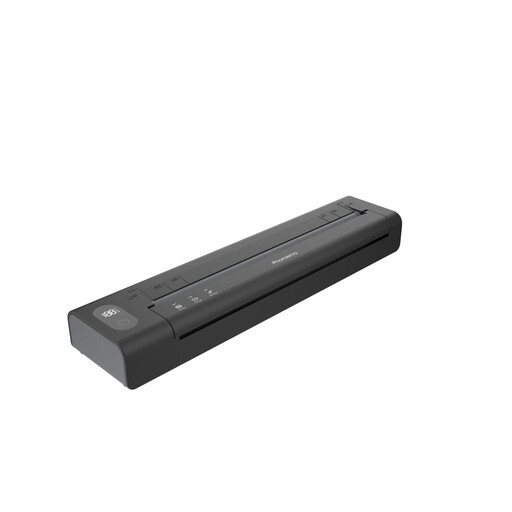
Why this product suits this profile: The model is described as suitable for travel and home use. It supports Bluetooth via the Phomemo app, is compatible with iOS and Android, and according to the listed details is suitable for contracts, invoices, boarding passes and other documents.
The listed details explicitly mention the weight, battery and document types. Before buying, check the print width, paper format and whether the printer is genuinely suited to your personal printing volume.
Weighing 600 g, with a rechargeable battery offering up to 150 sheets per charge according to the product details, plus Bluetooth printing via iOS and Android.
We have put together a complete, regularly updated list of products that fully meet these strict selection criteria and the safety regulations applicable in the EU.
First, download the relevant Phomemo app from the appropriate app store. Switch on the printer, enable Bluetooth and follow the pairing steps in the app. If the device is not detected, restarting it, ensuring the battery is sufficiently charged and removing an old Bluetooth connection will often help. The exact procedure may vary depending on the model.
Battery life depends on the battery itself, print content, paper and how frequently the printer is used. The Phomemo A282U is specified as offering up to 150 sheets per charge. Treat this manufacturer’s figure as a guide only; it does not replace testing under your own conditions. When travelling, it is advisable to take the charging cable with you and fully charge the battery before longer printing tasks.
Thermal paper can be affected by heat, direct sunlight, moisture or friction. It is practical for short-term notes, labels, checklists and stickers. Important documents should also be stored digitally or printed on a medium suitable for long-term use. Whenever you buy replacement supplies, check that the paper and labels are explicitly compatible with your particular Phomemo model.