
Lieferung heute & morgen

Qualitätsgarantie

Willkommens-Angebote freischalten: KOSTENLOSE Lieferung | Bis zu 80 % RABATT | Kostenlose 30-Tage-JoyPlus-Testphase
App herunterladen
Modern laptops, tablets, and smartphones almost exclusively rely on the USB-C port. While this is a positive development in principle, it often leads to a practical problem: How do you connect existing devices like USB drives, external hard drives, mice, or keyboards that still use the classic USB-A connector? The answer is a USB-C adapter. However, the market is crowded and full of products that overpromise and underdeliver. As your Joybuy Product Recommendation Officer, I'll help you navigate the common pitfalls and make an informed decision.
Many buyers are swayed by marketing promises that often don't hold up in practice. Pay close attention to these three points to avoid disappointment:
You don't need to be a tech specialist to make the right choice. Simply paying attention to a few crucial technical parameters is enough.
The USB specification defines the maximum data rate. For selecting an adapter, these standards are particularly relevant:
Think carefully about what you need the adapter for. Your requirements will determine the type:
A housing made of aluminum is not only more robust but also dissipates the heat generated during operation much more effectively than plastic. This ensures more stable performance during prolonged, intensive use and increases the adapter's lifespan.
Based on the criteria mentioned, we have identified a few products from our range that are suitable for specific use cases.
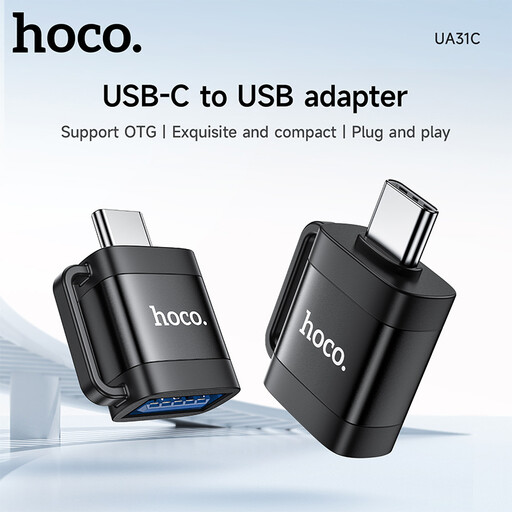
Why This Fits Their Persona: Perfect for users who need to quickly connect a USB drive to their smartphone or a mouse to their tablet while on the move. Its compact design makes it a discreet companion.
This adapter avoids the missing features trap by being explicitly designed for OTG, enabling direct file access on mobile devices.
Supports OTG data reading function and is compatible with various fast charging protocols.
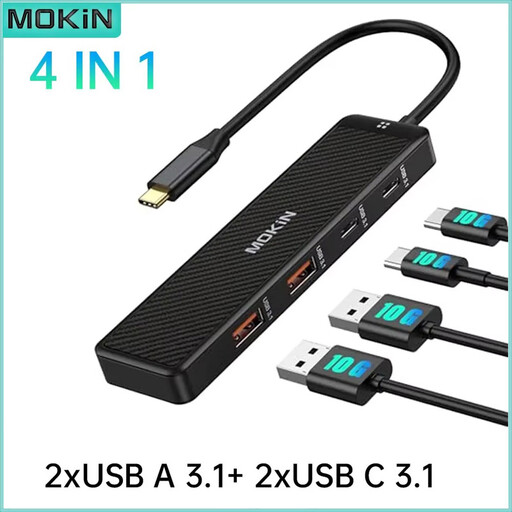
Why This Fits Their Persona: Ideal for professionals and creatives who need multiple peripherals connected to their laptop (e.g., MacBook) simultaneously. This hub turns one port into four, creating a clutter-free workspace.
The aluminum housing counteracts the risk of overheating that can occur when using multiple devices with a budget hub.
Offers four ports (2x USB-A, 2x USB-C) with USB 3.1 speed (10 Gbps) and UASP support for fast data transfers.
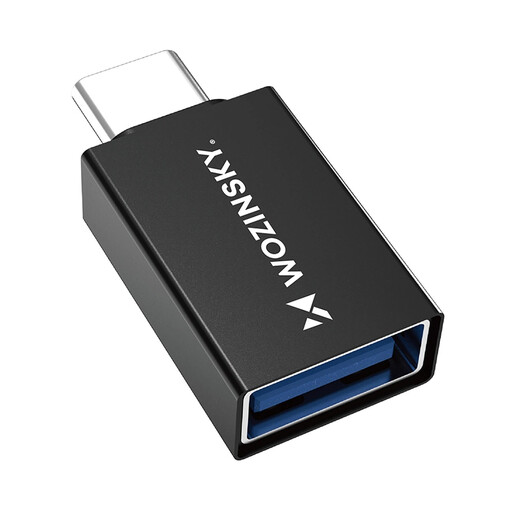
Why This Fits Their Persona: For users where every second counts, such as when transferring large video files or backups from an external SSD. This adapter is specialized for a single task: maximum speed.
It avoids the trap of exaggerated speed claims by clearly specifying the USB 3.2 standard (10 Gbps) and backing it up with a robust aluminum housing.
Supports the USB 3.2 Gen 2 standard for data rates up to 10 Gbps. The durable aluminum housing is rated for over 10,000 plug cycles.
We've compiled a complete, up-to-date list of products that fully meet these strict selection criteria and safety regulations.
OTG stands for On-The-Go. An OTG-enabled adapter allows your smartphone or tablet to act as a "host." This means you can connect and use peripherals like USB drives, external hard drives, mice, or keyboards directly with your mobile device, just like on a computer.
No. The primary function of many simple adapters is data transfer. Whether an adapter is also suitable for charging and what power it supports depends on its internal electronics. Some multi-port adapters offer a dedicated USB-C port with "Power Delivery" (PD), which allows the laptop to be charged while the other ports are in use. Check the product description for charging capabilities and supported wattage.
The difference is speed. While Gen 1 (5 Gbps) is fast enough for most everyday tasks, Gen 2 (10 Gbps) halves the waiting time when transferring very large files. For example, to transfer a 10 GB movie, a Gen 2 adapter would theoretically take only about 8 seconds, whereas a Gen 1 adapter would need around 16 seconds. This advantage becomes especially noticeable when working with external SSDs.