
Lieferung heute & morgen

Qualitätsgarantie

Willkommens-Angebote freischalten: KOSTENLOSE Lieferung | Bis zu 80 % RABATT | Kostenlose 30-Tage-JoyPlus-Testphase
App herunterladen
A USB-C Ethernet adapter connects laptops, tablets or smartphones without a built-in LAN port to a router or network switch. This can be useful when working from home, studying, gaming or transferring large files. However, you should check a few technical details before buying. A high Mbps figure on the packaging alone does not guarantee the right solution.
A Gigabit Ethernet adapter can support up to 1000 Mbps, depending on the model. However, actual performance also depends on the USB port, Ethernet cable, router and broadband plan. A USB 2.0 adapter, for example, is technically designed for significantly lower data rates than a USB 3.0 Ethernet adapter.
The UGREEN CR110 is one example. It uses USB 2.0 and supports a maximum of 100 Mbps, according to the product specifications. That may be sufficient for everyday browsing or basic video calls. For gigabit internet, large backups or local file transfers, a USB-C model with 10/100/1000 Mbps is generally more suitable.
USB-C initially describes the shape of the connector. It does not automatically indicate whether a port supports data, video signals or power delivery. With smartphones, USB-OTG is often also required. On laptops, the USB-C port must support data transfer, and the adapter must be compatible with the operating system.
A USB-C network adapter for laptop works via plug-and-play with many current Windows, macOS and Linux systems. However, older devices or certain Android models may require a driver or an OTG adapter. It is therefore worth checking the manufacturer's information and the technical specifications of your own device.
A very short connection cable can be practical on a desk when the router and laptop are close together. At a permanent workstation, having a little more distance between the USB-C port and RJ45 socket may be useful. Mechanical strain also matters: if the adapter is constantly pulled sideways against the laptop port, the plug and socket may wear out more quickly.
Look for the specific 10/100/1000 Mbps specification. This marking means that the adapter can automatically negotiate different Ethernet speeds. However, all components must be capable of supporting gigabit connectivity:
An Ethernet adapter 1000 Mbps is therefore not automatically faster than the slowest component in the connection.
A USB-C to RJ45 adapter has a USB-C plug on the device side and an RJ45 socket on the network side. A conventional USB LAN adapter with a USB-A plug, on the other hand, is intended for older computers or devices equipped with USB-A. Also check whether the USB-C connection can be used directly on the device or whether a hub is required.
Android smartphones and tablets should explicitly support OTG. Plug-and-play is common with Windows and macOS, but it is not guaranteed for every combination of operating system and chipset.
Many adapters have an aluminium alloy housing. This can improve durability and help dissipate heat from the interior. An adapter may become warm during longer data transfers, but it should not be covered or used in a poorly ventilated environment.
Also look for:
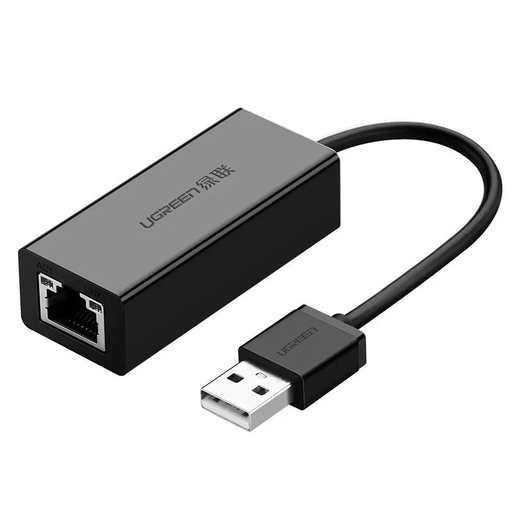
Why this product suits this profile: This USB-A adapter is aimed at users of older or more basic computers who need a wired connection of up to 100 Mbps.
The clear 100 Mbps specification helps prevent this USB 2.0 adapter from being mistakenly purchased as a gigabit solution.
USB-A connection, compact design and automatic speed adjustment between 10 and 100 Mbps.
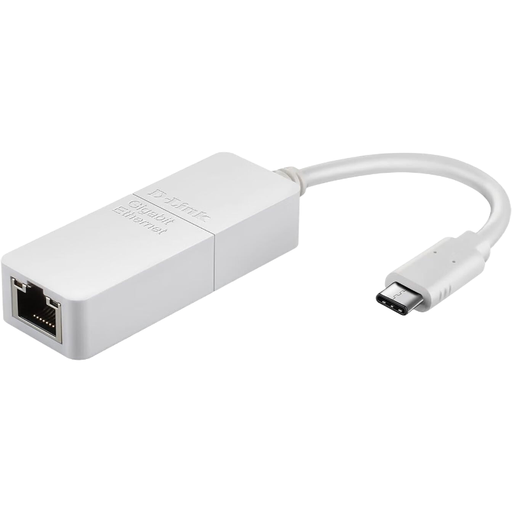
Why this product suits this profile: This adapter combines USB 3.0 with an RJ45 interface. It is designed for laptop or desktop users who want to establish a 10/100/1000 Mbps connection via USB-C.
USB 3.0 and the supported 10/100/1000 Mbps speeds are clearly specified. This makes it easier to match the adapter to a gigabit router.
USB-C connection, gigabit support and plug-and-play design for the specified Windows and macOS systems.
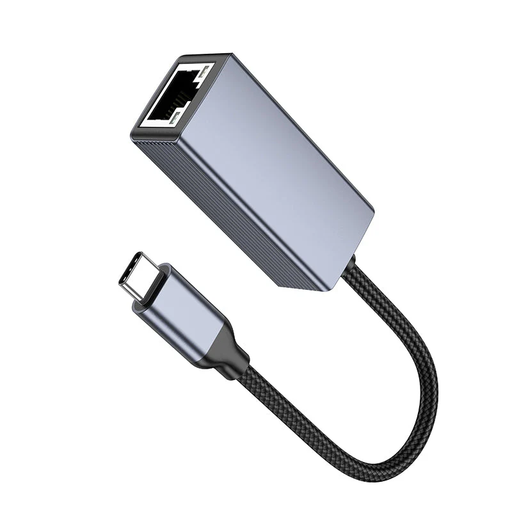
Why this product suits this profile: This model is ideal for users looking for a compact USB-C LAN adapter with 10/100/1000 Mbps for a laptop, tablet or OTG-enabled Android device.
The technical specifications list the network speeds, 120 mm cable length and compatibility with several operating systems.
Aluminium housing, 23 g weight and USB-C-to-RJ45 design for mobile use.
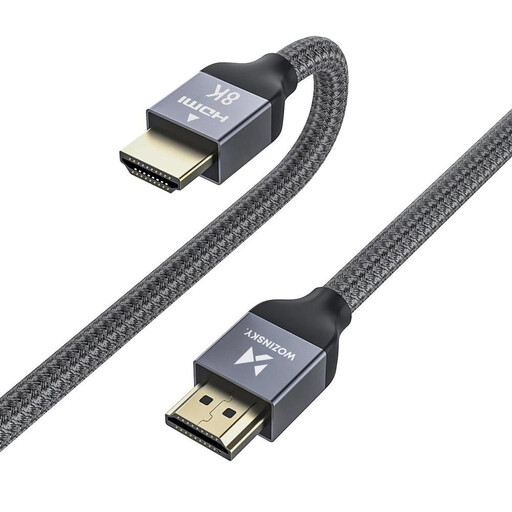
Why this product suits this profile: A long HDMI cable can be useful for a TV, monitor, projector or games console when a multimedia connection is needed alongside the network connection.
The stated parameters – 48 Gbps, 8K at 60 Hz and 4K at 120 Hz – make its capabilities clear. The connected devices must support these standards as well.
5 m length plus support for eARC, VRR, ALLM and Dynamic HDR according to the product description.
We have put together a complete, regularly updated list of products that fully meet these strict selection criteria and the safety regulations applicable in the EU.
A Thunderbolt 4 cable is not the same as an ordinary USB-C charging cable. According to the product specifications, the Apple Thunderbolt 4 Pro Cable supports up to 40 Gbit/s, DisplayPort video output and Power Delivery of up to 100 W. The connected devices must also be compatible with these features.
There are various HDMI cables available for conventional video transmission:
According to the product description, the Baseus Cafule HDMI cable is designed for HDMI 2.0 connections up to 4K at 60 Hz. The Aigostar cable is 3 m long and intended for HDMI-enabled devices such as televisions, monitors, projectors and games consoles.
If you encounter problems, trying a different Ethernet cable, updating the operating system or switching to another USB-C port will often help. Avoid liquid, intense heat, direct sunlight and damaged housings.
No. The port must support data transfer. Smartphones and tablets may also require USB-OTG. For this reason, check the technical specifications of both the end device and the adapter.
This depends on the router, broadband plan, USB interface and network environment. A wired connection can provide more consistent transfer conditions in certain situations. However, an adapter with 1000 Mbps can only use its potential speed if the rest of the network technology supports it.
There is no universal lifespan. Careful handling, adequate ventilation and strain-relieved cable management can reduce mechanical stress. The plug and housing should be checked regularly for damage.