
Lieferung heute & morgen

Qualitätsgarantie

Willkommens-Angebote freischalten: KOSTENLOSE Lieferung | Bis zu 80 % RABATT | Kostenlose 30-Tage-JoyPlus-Testphase
App herunterladen
The search for a new USB-C charger can quickly become overwhelming. The market is flooded with models that all promise fast and efficient charging. In practice, however, many users end up with a product that fails to meet expectations—either because it charges significantly slower than advertised or because it stops working after just a few months. This guide will help you cut through the technical jargon and marketing promises to find a reliable USB-C power adapter that truly fits your devices and your lifestyle.
Before you make a decision, you should be aware of three common pitfalls that often lead to a bad purchase:
To make the right choice, you should focus on a few crucial technical parameters. These determine whether a charger is suitable for your needs.
The watt number alone is only half the story. What's important is how that power is delivered.
A GaN charger is the modern evolution of classic power adapters. It uses the semiconductor material gallium nitride instead of traditional silicon. The advantages are immediately noticeable in daily use:
For frequent travelers or users who appreciate a clean setup, GaN technology is a clear recommendation.
Instead of presenting an overwhelming list, we have matched a few models based on typical use cases.
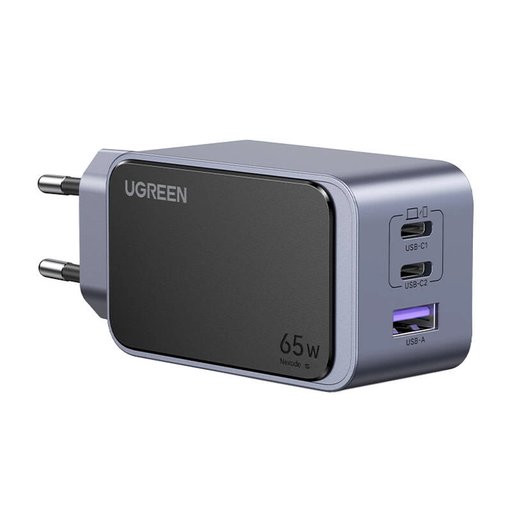
Why This Fits Their Persona: Ideal for commuters and travelers who want to power their laptop, smartphone, and headphones with a single adapter. The 65W output is sufficient for most modern ultrabooks, while the three ports offer flexibility.
Thanks to GaN technology, it's extremely compact and lightweight, avoiding the trap of a clunky, outdated charger. It replaces multiple individual power bricks.
High Compatibility: Supports PD 3.0, PPS, and other protocols.
Compact Design: Fits easily into any laptop bag or backpack.
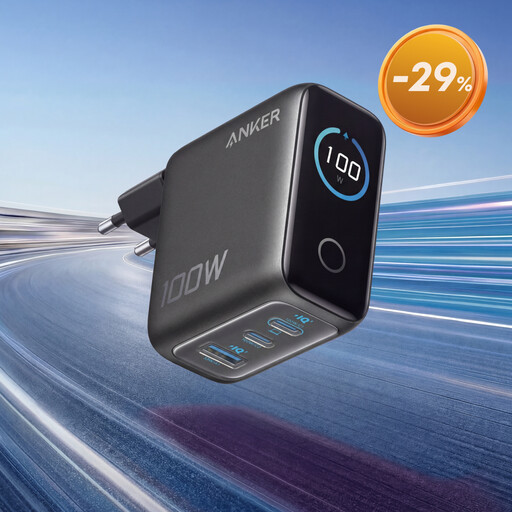
Why This Fits Their Persona: Perfect for the desk to charge a powerful laptop, a tablet, and a smartphone simultaneously at high speed. The display provides useful real-time monitoring of the charging process.
This charger bypasses the "wattage trap" by delivering a stable output of up to 100W from a single port, which is sufficient even for demanding laptops.
High Power Output: Charges even large laptops like a MacBook Pro at full speed.
Informative Display: Shows charging power and temperature in real time.
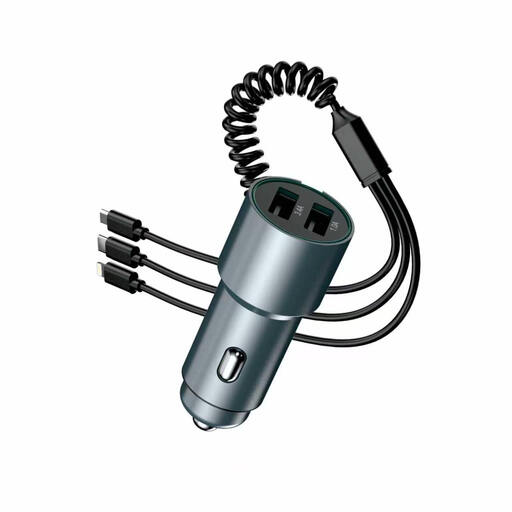
Why This Fits Their Persona: An all-in-one solution for the car. The integrated, retractable cable prevents cable clutter, while the high power and additional ports ensure that both the driver's and passenger's devices are charged quickly.
This **USB-C car charger** solves the problem of slow and unreliable 12V adapters. It provides a high, stable output that is sufficient even for demanding devices.
Integrated Cable: The 1.5m retractable cable keeps things tidy.
High Power: The display indicates a charging power of up to 100W.
We've compiled a complete, up-to-date list of products that fully meet these strict selection criteria and safety regulations.
What is a GaN charger and what are its advantages? A GaN charger uses gallium nitride, a semiconductor material that operates more efficiently than traditional silicon. This allows chargers to be built significantly smaller and lighter for the same power output. They also generate less waste heat, which increases the safety and lifespan of the device.
How many watts does my device need to fast charge? This varies by device. A current smartphone (e.g., iPhone, Samsung Galaxy) benefits from a charger with 20–45W. A tablet or a compact notebook (e.g., MacBook Air) typically requires 30–65W. High-performance laptops (e.g., MacBook Pro 16-inch) often need 96W or more for full-speed charging. When in doubt, check the device manufacturer's specifications.
Are all USB-C cables suitable for fast charging? No. Especially for charging power above 60W, a specially designed USB-C cable certified for 100W is required. These cables contain an E-Marker chip, which signals to the charger that it can safely transfer the high power. Using an unsuitable cable will limit the charging speed and can be unsafe.