
Lieferung heute & morgen

Qualitätsgarantie

Willkommens-Angebote freischalten: KOSTENLOSE Lieferung | Bis zu 80 % RABATT | Kostenlose 30-Tage-JoyPlus-Testphase
App herunterladen
Finding the right 100W USB-C charging cable can be complex. Modern devices like laptops, tablets, and smartphones increasingly rely on the USB-C standard for fast charging, but not every cable is designed for high power output. An unsuitable cable can throttle charging speeds or, in the worst case, fail to supply enough power to your devices.
As your Joybuy Product Recommendation Officer, my goal is to provide you with clear, objective information. This article will help you understand the technical specifications and make an informed decision based on your devices' needs.
To find the right cable for your needs, a few technical features are crucial. Here are three key points to consider.
A cable advertised as 100W must support the Power Delivery (PD) standard. This technology enables smart communication between the power adapter, cable, and device to negotiate the maximum safe charging power. A 100W Power Delivery cable contains a special E-Marker chip that signals to the charger that it can deliver up to 5 amps at 20 volts. To take full advantage of the speed, ensure that both your charger and your device (e.g., your laptop charging cable) also support 100W PD.
A USB-C to USB-C cable is not just for charging but also for data exchange. However, speeds vary significantly:
Check whether your use cases require a high data rate before choosing a model.
A cable's durability largely depends on its construction. A braided USB-C cable, usually made of nylon, offers better protection against kinks and abrasion than a standard plastic sheath. Reinforced connector housings and solid strain relief at the joints are also hallmarks of a high-quality cable. Length is another practical consideration. A 2m USB-C cable offers more flexibility at your desk, while shorter cables (around 1m) are more convenient for on-the-go use with a power bank.
Based on the criteria above, we have compiled a selection of cables that meet different needs.
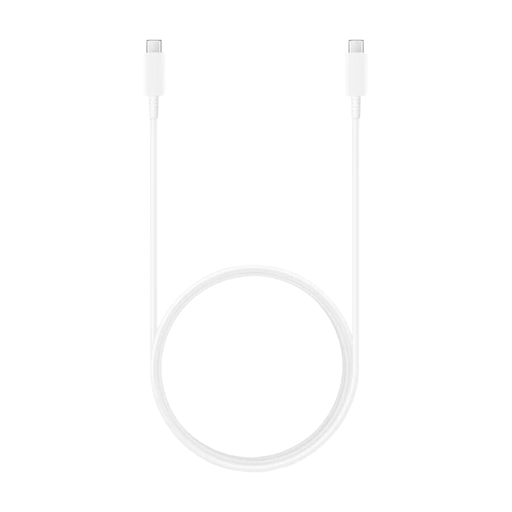
Why It Stands Out Designed as a genuine accessory, the Samsung EP-DX510 offers reliable charging performance for a wide range of devices. With its 1.8-meter length, it is especially convenient for use at a desk or when the power outlet is further away.
Pros
Who Is It For? This cable is a great choice for users of Samsung devices who want to benefit from the Super Fast Charging feature, as well as for anyone looking for a long and reliable fast charging USB-C cable for their notebook or tablet.
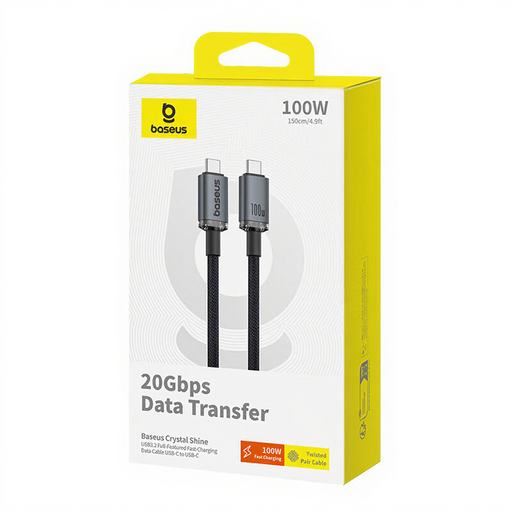
Why It Stands Out The Baseus Crystal Shine cable is an all-rounder for demanding users. It combines 100W charging power with an extremely high data transfer rate and the ability to transmit 4K video signals.
Pros
Who Is It For? Ideal for creative professionals, video editors, and anyone who regularly moves large amounts of data between devices or uses their notebook as a desktop replacement with a 4K monitor.
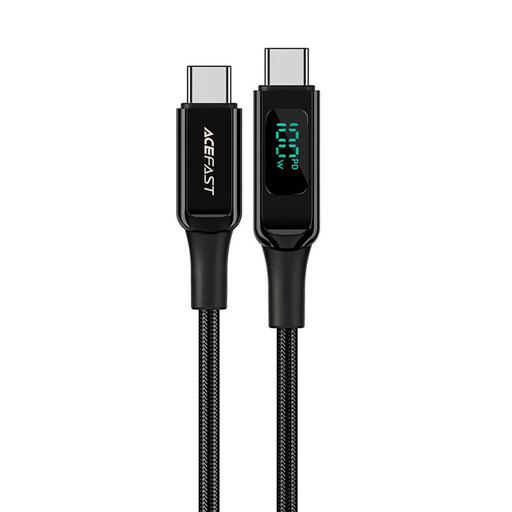
Why It Stands Out The ACEFAST cable stands out with a unique feature: a display integrated into the connector that shows the current charging power in watts in real time. This gives the user full transparency over the charging process.
Pros
Who Is It For? This cable is aimed at tech-savvy users who like to have control and precise information about their devices. It's perfect for anyone who wants to ensure their laptop charging cable actually delivers the promised performance.
The models presented here cover many, but not all, possible use cases. You might need a different length, a specific colour, or a cable with a right-angle connector.
Looking for a different option? Explore our full range of USB-C cables and find the perfect solution for your devices.
Can I use any 100W USB-C cable for my laptop? Generally, yes, as long as your laptop supports 100W charging via USB-C. It's important that the entire charging chain—the power adapter, cable, and laptop—is designed for this power output. A 100W cable connected to a 65W adapter will only charge the laptop at 65 watts. Check the specifications of your laptop and power adapter.
What is the difference between a 100W cable and a standard USB-C cable? The main difference is on the inside. A 100W Power Delivery cable has an E-Marker chip. This chip communicates with the charger and the device to ensure safe power transfer above 60 watts. Standard USB-C cables without this chip are typically limited to a maximum power of 60 watts (20V/3A).