
Lieferung heute & morgen

Qualitätsgarantie

Willkommens-Angebote freischalten: KOSTENLOSE Lieferung | Bis zu 80 % RABATT | Kostenlose 30-Tage-JoyPlus-Testphase
App herunterladen
An unstable Wi-Fi connection can severely disrupt home office productivity, interrupt video conferences, or ruin the online gaming experience. Modern laptops, especially Ultrabooks and MacBooks, also often lack a built-in LAN port. A USB Ethernet Adapter is a simple and effective solution. However, the market can be overwhelming, and not every model delivers on its promise.
As your Joybuy Product Recommendation Officer, I'll help you avoid the common pitfalls and make an informed decision. We'll focus on the facts so you can get a reliable and fast wired network connection for your device.
Many buyers rely on marketing promises that don't hold up in practice. Pay attention to these three points to avoid making a bad purchase:
To find the right USB network adapter, you should carefully check three technical features. These determine performance, compatibility, and future-proofing.
The speed you need depends directly on your use case.
The USB port is crucial for compatibility and the maximum achievable speed.
The chipset built into the USB to RJ45 adapter determines how well it harmonises with different operating systems. Models with chipsets from established manufacturers like Realtek or ASIX generally offer broad plug-and-play support for Windows, macOS, and common Linux systems. For special devices like the Nintendo Switch, it's advisable to explicitly check for compatibility stated by the manufacturer.
Here are some recommendations tailored to different user profiles that take the above criteria into account.
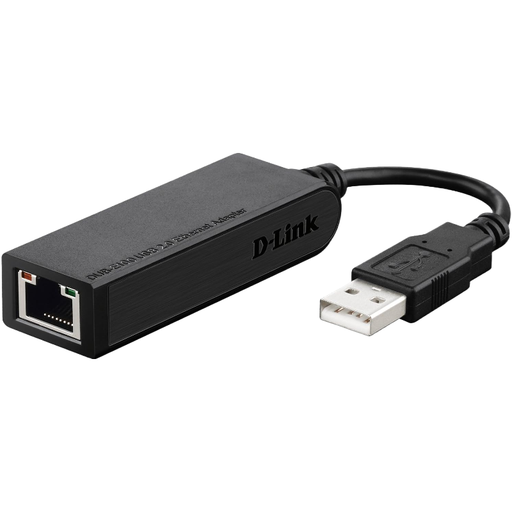
Why This Fits Their Persona: Ideal for users who need a stable, wired connection for home office, browsing, and standard streaming, and don't want to pay a premium for Gigabit speed they won't use. A pragmatic solution for laptops with a USB-A port.
This adapter doesn't promise inflated speeds. It is clearly positioned as a 100 Mbps solution and delivers exactly that—a reliable Fast Ethernet connection that is appropriate for the USB 2.0 standard.
Simple plug-and-play installation on most systems; very compact and lightweight design.
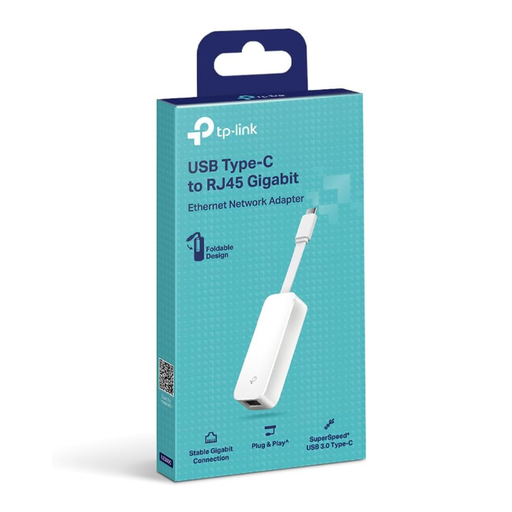
Why This Fits Their Persona: Solves the problem of missing LAN ports on modern, slim devices like MacBooks, Dell XPS, or Surface Laptops. The USB-C connector ensures a direct, stable connection without needing extra adapters.
This adapter is specifically designed as a USB-C to LAN solution, bypassing the pitfall of the wrong connector type. The USB 3.0 specification ensures that the advertised Gigabit speed can actually be achieved.
Full Gigabit speed; broad plug-and-play compatibility (Windows, macOS, iPadOS, Chrome OS); foldable, portable design.
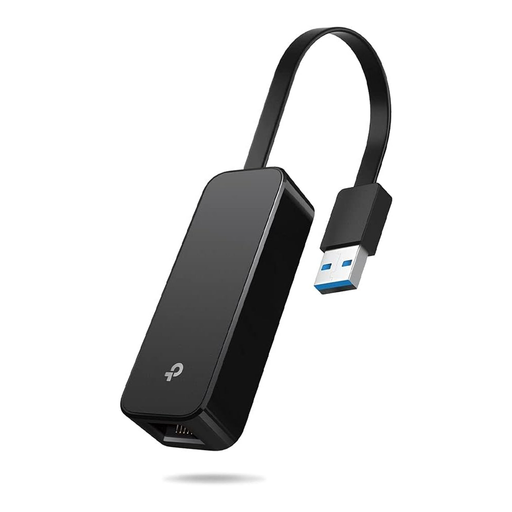
Why This Fits Their Persona: Perfect for gamers (especially on the Nintendo Switch) and power users who need a stable Gigabit connection with minimal latency for online games, 4K streaming, and fast downloads.
This adapter uses the USB 3.0 standard to avoid the Gigabit bottleneck and ensure the full 1000 Mbps bandwidth. Furthermore, its compatibility with the Nintendo Switch is explicitly stated, which eliminates the "plug-and-pray" factor.
Stable Gigabit performance via USB 3.0; plug-and-play compatibility with the Nintendo Switch; foldable design for portability.
We have compiled a complete, up-to-date list of products that fully meet these strict selection criteria and quality standards.
Not necessarily for pure internet use. However, a Gigabit adapter can still be useful with a slower internet connection if you frequently move large files within your home network, for example, from your laptop to a network-attached storage (NAS) device. Additionally, a Gigabit Ethernet adapter is a future-proof investment.
For most modern operating systems like Windows 10/11 and macOS, the process is very simple. Plug the adapter into a free USB port and connect it to your router with a LAN cable. The system usually recognises the adapter automatically and sets up the connection. For older systems or special devices, it may be necessary to download and install a driver from the manufacturer's website.
An adapter cannot increase the speed provided by your internet service provider. However, it can establish a more stable and often faster connection than a weak or congested Wi-Fi signal. This allows you to better utilise the full speed of your internet plan and reduce issues like latency spikes or connection drops.