
Lieferung heute & morgen

Qualitätsgarantie

Willkommens-Angebote freischalten: KOSTENLOSE Lieferung | Bis zu 80 % RABATT | Kostenlose 30-Tage-JoyPlus-Testphase
App herunterladen
Finding the right USB-C fast charger can quickly become overwhelming. The market is flooded with terms like PD, GaN, PPS, and a wide range of wattage ratings. Many users invest in a new power adapter, only to find their smartphone or laptop doesn't charge any faster than before. This is often due to common but easily avoidable misconceptions.
Before you make a purchase, you should know the three most common pitfalls that lead to disappointment and unnecessary spending:
This guide will help you navigate these issues and find a charger that is perfectly tailored to your needs.
To make an informed decision, it's crucial to understand the technical specifications that truly matter. Focus on the following three core parameters to ensure your new USB-C power adapter delivers on its promises.
The most critical distinction is between the advertised total wattage and the maximum power a single port can deliver.
Charging protocols are the language that chargers and devices use to negotiate the optimal charging speed. Without the right protocol, fast charging won't work.
GaN technology is one of the most significant advancements in modern chargers. Gallium nitride is a semiconductor material that is superior to silicon in many ways.
Instead of making a one-size-fits-all recommendation, we've selected products that are tailored to specific use cases.
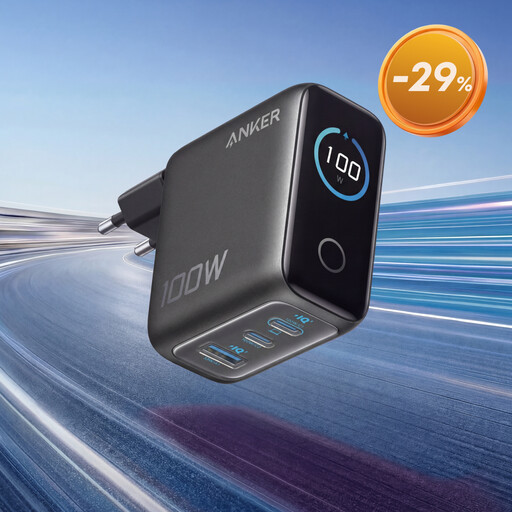
Why This Fits Their Persona: Ideal for users who need to power a laptop (e.g., MacBook Pro), a smartphone, and headphones simultaneously. The real-time display for monitoring power and temperature is a practical feature for tech-savvy users.
This Anker charger avoids the "total wattage" trap by clearly delivering a maximum of 100W from a single USB-C port. It also supports PD 3.0 and PPS for maximum compatibility.
High single-port output for laptops; smart display for power monitoring; compact GaN design.
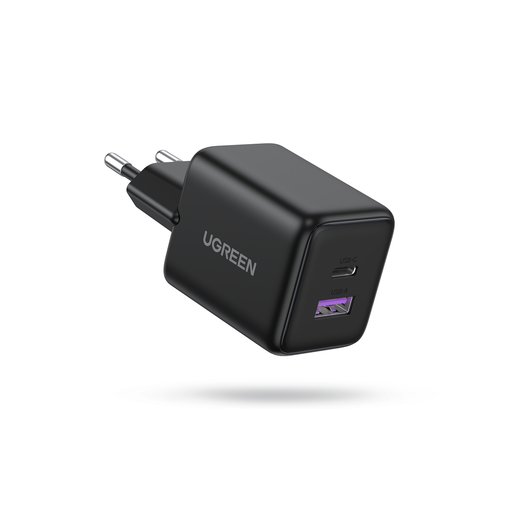
Why This Fits Their Persona: Perfect for the daily charging of a smartphone and another device like headphones. The combination of USB-C and USB-A offers flexibility for both old and new devices in a very compact form factor.
This UGREEN charger is straightforward. It delivers a clearly defined 30W, avoiding confusion about power distribution. Its GaN technology ensures it stays small and cool despite its power.
Very compact GaN design; flexible port options (USB-C and USB-A); sufficient power for fast-charging smartphones.
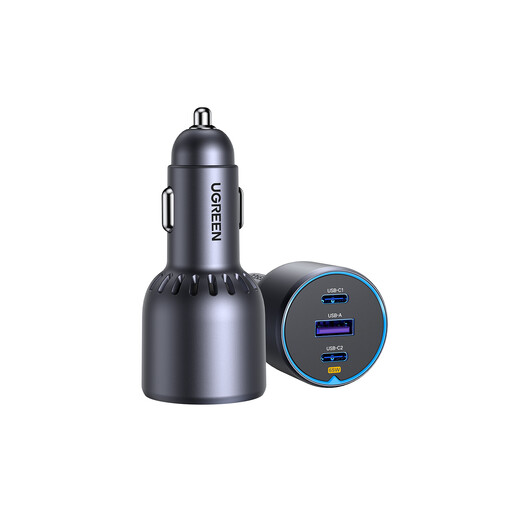
Why This Fits Their Persona: This car charger is specifically designed for in-vehicle use. It allows for fast charging of up to three devices on the go—ideal for commuters, families, and field professionals.
It solves the problem of slow or underpowered car adapters. With up to 65W from a single USB-C port, it's powerful enough to even charge a laptop in the car, eliminating performance compromises on the road.
High charging power for the car's 12V socket; three ports for maximum flexibility; sturdy build for a secure fit.
We have compiled a complete, up-to-date list of products that fully meet these strict selection criteria and all relevant safety regulations.
Not necessarily for maximum speed. For an iPhone charger, look for Power Delivery (PD) support. For "Super Fast Charging" on newer Samsung models, the Programmable Power Supply (PPS) protocol is also required. A charger without the right protocol will still charge your device, but much more slowly.
GaN stands for Gallium Nitride. It's an advanced semiconductor material that is superior to traditional silicon. A GaN charger is smaller, more energy-efficient, and generates less waste heat at the same power output. This makes it the preferred technology for powerful and compact wall chargers.
Yes, it is completely safe. Modern chargers with standards like USB Power Delivery are smart. The charger and your smartphone communicate to determine the exact amount of power needed. A 100W charger will only deliver 20W to an iPhone that requires 20W. There is no risk of overcharging or damage.