
Lieferung heute & morgen

Qualitätsgarantie

Willkommens-Angebote freischalten: KOSTENLOSE Lieferung | Bis zu 80 % RABATT | Kostenlose 30-Tage-JoyPlus-Testphase
App herunterladen
A USB-C fast charger should power your smartphone, tablet or laptop reliably. In practice, unclear wattage ratings, missing protocols and an awkward port layout can all lead to the wrong purchase. It’s worth checking the specifications carefully, especially if you travel for work or use several devices at one desk.
A 100 W charger usually delivers that much power through a single USB-C port only. When you connect several devices, the total power is shared between them. For example, when you use two USB-C ports at the same time on the EcoFlow 3-in-1 Charger USB C 100W, the power is split 70 W + 30 W. With all three ports in use, the product specifications state that power is shared as 70 W + 12 W + 12 W.
If you want to charge a laptop and two other devices, check not only the total output but also how power is distributed when multiple ports are in use.
The label ‘fast charger’ on its own doesn’t tell you much. Many current devices require USB Power Delivery (PD) and, in some cases, PPS. Depending on the model, Samsung devices may need specific Samsung fast-charging protocols. An iPhone fast charger should support USB PD, while laptops often require a higher power profile.
Your USB-C charging cable also needs to be suitable for the power output. A 240 W USB-C charging cable may be rated for high PD output, but it won’t automatically increase the power supplied by the charger. The actual charging speed is always limited by the weakest link: the charger, the cable or the device.
A GaN charger can be more compact than many conventional chargers while delivering comparable power. Even so, you should check its safety features, input range and operating conditions. Important protections include overvoltage, overcurrent, short-circuit and overheating protection. Don’t cover the charger while it’s in use, and only use it indoors in dry conditions unless the instructions state otherwise.
According to the product specifications, the Samsung Galaxy A17 5G supports charging at 10 to 25 W over USB PD. A 65 W or 100 W USB-C charger is therefore more powerful than it needs; the smartphone will only draw the power it supports. Use a compatible, certified cable and follow the relevant manufacturer’s guidance.
A 3-port fast charger is handy if you want to charge your smartphone, headphones and tablet or laptop at the same time. Check whether it has USB-C and USB-A ports, and which protocols each one supports. USB-A can be useful for older cables and accessories, while USB-C is more commonly used for PD fast charging on modern laptops and tablets.
According to the product specifications, the Movespeed cable supports 240 W and up to 6 A, is 1.2 m long and transfers data at up to 480 Mbit/s. Its built-in E-Marker chip helps identify higher power profiles. However, the cable will only support fast charging if the charger and device also support the relevant profile.
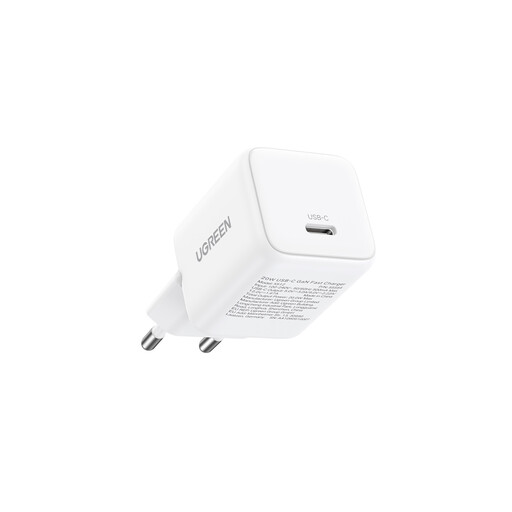
Why it suits this profile: This compact single-port charger is designed for smartphones and similar USB-C devices, and supports protocols including PD 3.0 and QC 3.0.
Its maximum output of 20 W and single USB-C port are clearly specified, so there’s no uncertainty about power being shared between multiple ports.
Maximum USB-C output of 20 W, 100–240 V input voltage and support for several charging protocols.
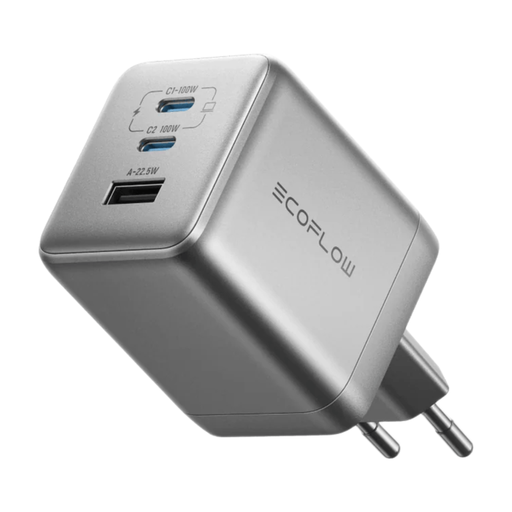
Why it suits this profile: Two USB-C ports and one USB-A port let you charge a laptop, smartphone and accessories. The retractable plug makes it easy to pack away when travelling.
The power split is clearly stated for two or three active ports, so you won’t mistakenly expect 100 W from every port.
100 W total output, PPS/PD 3.0, a 2C1A port layout and a two-year warranty, according to the product specifications.
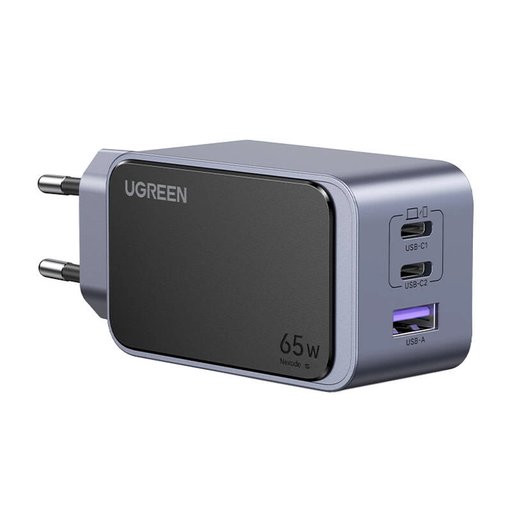
Why it suits this profile: Three ports let you charge several devices at once at the office, at home or on the go. Its 65 W output also suits compatible MacBook Air models.
The specifications state a maximum total output of 65 W and support for several protocols, including PD, PPS and QC. This makes the overall power limit clear.
Three ports, GaN II technology and protection against overcurrent, overvoltage, overheating and short circuits, according to the product description.
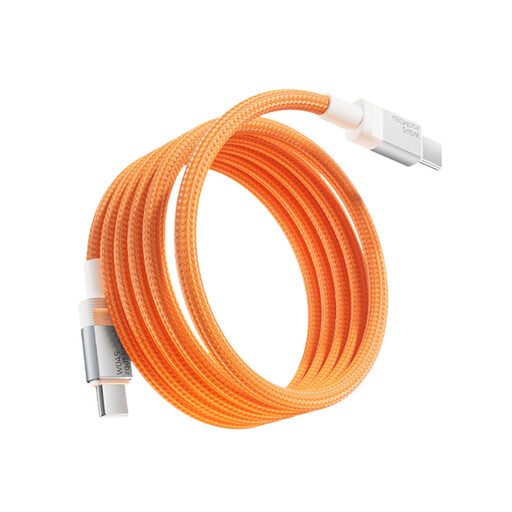
Why it suits this profile: This 1.2 m USB-C to USB-C cable is designed for devices ranging from smartphones to laptops, and supports both charging and data transfer.
Its stated 240 W capacity and E-Marker chip make it suitable for use with compatible PD chargers. The cable’s rating is clearly distinguished from the charger’s output.
Maximum charging power of 240 W, 6 A, data transfer at 480 Mbit/s, plus an aluminium casing and nylon braiding, according to the product specifications.
We’ve put together a complete, regularly updated list of products that meet these strict selection criteria and fully comply with the safety regulations in force in the EU.
For many smartphones, 20 to 25 W is enough. Tablets and compact laptops often benefit from 45 to 65 W. A 100 W USB-C charger can be useful for more powerful laptops or several devices. Always check your device’s charging requirements and how power is shared between multiple ports.
A compatible charger won’t automatically deliver 100 W to every device. The device and charging protocol determine how much power it draws. Use a certified USB-C cable and follow the manufacturer’s guidance. According to the product specifications, the Samsung Galaxy A17 5G is designed for 10 to 25 W over USB PD.
Its lifespan depends on how it’s used, how much heat it generates, how it’s handled and how it’s stored. Don’t cover a charger, expose it to moisture or continue using it if it shows visible damage. If it gets unusually hot or you notice smoke or an unusual smell, unplug it from the mains and replace it.