
Lieferung heute & morgen

Qualitätsgarantie

Willkommens-Angebote freischalten: KOSTENLOSE Lieferung | Bis zu 80 % RABATT | Kostenlose 30-Tage-JoyPlus-Testphase
App herunterladen
A USB cable may seem like a simple accessory at first glance. In practice, however, the connector type, charging protocol and data standard determine whether your smartphone, tablet, laptop or peripheral device works as intended. If you focus only on a high wattage rating or eye-catching product description, you could easily end up with a cable that charges your device but transfers data slowly or fails to deliver the expected performance with your existing power supply.
Specifications such as 100W USB-C cable or 240W USB-C cable describe the cable's possible power capacity. The actual charging power also depends on the power supply, the device and the supported protocol. A smartphone that only draws a certain amount of power will not automatically charge faster with a 240W cable.
For USB-C devices, a PD charging cable is a sensible choice if both the charger and device support USB Power Delivery. At higher power levels, the cable should have an E-Marker chip. This tells compatible devices which current and power levels the cable supports.
Many USB cables charge devices and transfer data at the same time. That does not necessarily mean they are particularly fast for large files. USB 2.0 typically reaches up to 480 Mbit/s. This may be sufficient for printers, keyboards, smartphones or occasional synchronisation.
If you use external SSDs, docking stations or large video files, you should check the specific data rate. According to its product specifications, a Thunderbolt 4 cable can support up to 40 Gbit/s, provided that both connected devices and the software being used support this standard.
Before buying, check the connector combination at both ends:
A cable rated at 2 A, 3 A or 5 A is not automatically suitable for every type of charging. For USB-C PD applications, the voltage, current and charging protocol are crucial. A 100W USB-C cable rated at 20 V and 5 A requires a suitable power supply and a compatible device.
For everyday smartphone and tablet use, a cable with a moderate power rating is often sufficient. For high-performance laptops or monitors, a 100W or 240W cable may be a sensible choice. These values should be listed in the product's technical specifications, not just in the heading.
Pay attention to the specific specification:
A cable with an LED display can show charging power, voltage or current. This display is useful for monitoring, but it does not replace a compatibility check.
For a desk, 1 to 1.2 m is often practical. Two to three metres provide greater freedom of movement, but with certain standards they can affect signal quality or ease of use. For longer cables, the manufacturer should clearly state the data rate.
A braided USB cable may be more resistant to tangling and external abrasion. Even so, the points where the connector meets the cable remain vulnerable. Reinforced connector areas, a flexible outer sheath and careful storage can reduce mechanical strain. Sharp bends, pulling on the cable and moisture should always be avoided.
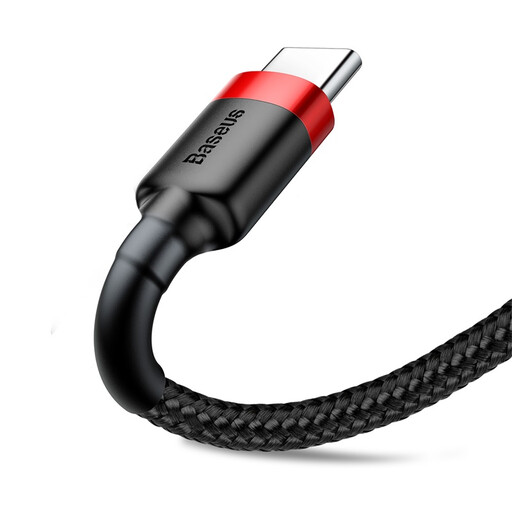
Why this product suits this profile: This USB-A to USB-C cable is suitable for older chargers, computers and power banks. At 2 m long, it offers plenty of reach for use at home or in the office.
The specifications state 3 A, QC support and USB 2.0 with up to 480 Mbit/s, rather than making only a general claim about “fast charging”.
2 m length, nylon braiding, aluminium connectors and a hook-and-loop strap for storage.
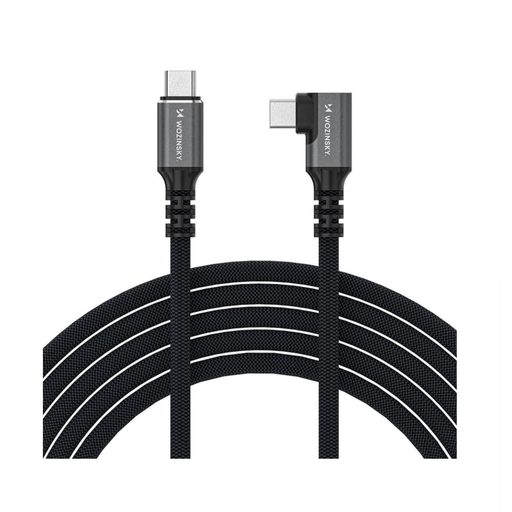
Why this product suits this profile: This USB-C to USB-C cable is designed for users with compatible laptops, monitors, docking stations or external SSDs.
The specifications state Thunderbolt 4, up to 40 Gbit/s and 240 W PD. The connected devices must also be compatible for these functions to work.
1.5 m length, 90-degree connectors, nylon braiding, plus support for video output up to 4K and 8K.
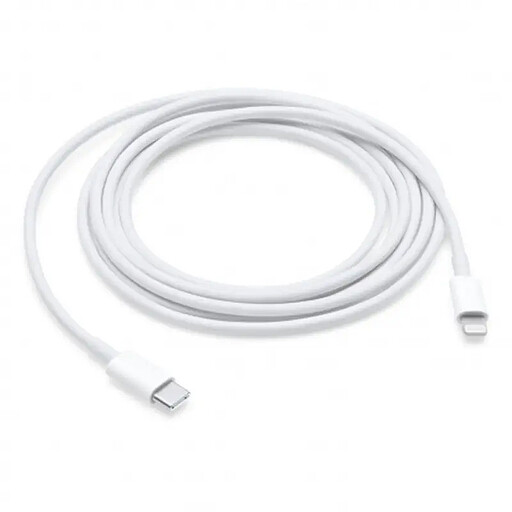
Why this product suits this profile: This Lightning cable connects an iPhone, iPad or iPod with a Lightning port to a USB-C or Thunderbolt 3 port.
The connector configuration is clearly stated: USB-C to Lightning. This prevents it from being confused with USB-C to USB-C cables.
2 m length, plus charging and synchronisation with compatible Apple devices and USB-C power supplies.
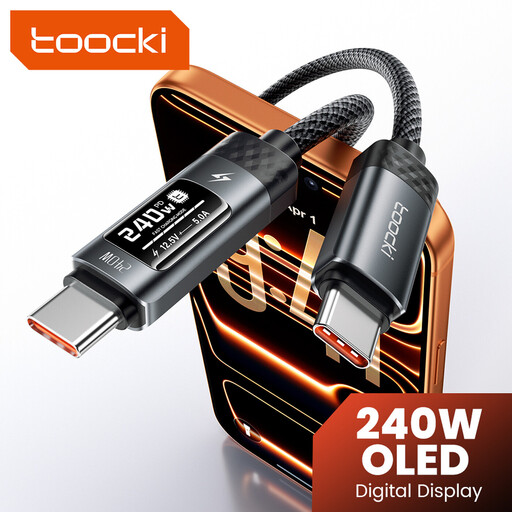
Why this product suits this profile: This cable is suitable for users who want to monitor the current charging status of USB-C smartphones, tablets, consoles or laptops.
The product data lists an E-Marker, PD 3.1, up to 240 W and a data rate of up to 480 Mbit/s. The display makes the charging parameters visible, but does not automatically increase the data rate.
1 m length, OLED display for power, voltage and current, plus reinforced nylon braiding.
We have put together a complete, regularly updated list of products that fully meet these strict selection criteria and the safety regulations applicable in the EU.
That depends on the device and power supply. For modern USB-C devices, a USB-C to USB-C cable with suitable PD support is a sensible choice. Older chargers often require a USB-A to USB-C cable. The key factors are the power, current and charging protocol specified for the cable, power supply and device.
The lifespan depends heavily on bending, pulling, moisture and the strain placed on the connector. A braided outer sheath and reinforced strain relief can reduce external wear. The cable should be loosely coiled and you should always hold the connector when disconnecting it.
No. Some USB-C cables are designed primarily for charging or only support USB 2.0. Check the stated data rate before buying. For printers and basic synchronisation, 480 Mbit/s is often sufficient; for external SSDs, monitors and docking stations, higher standards such as USB4 or Thunderbolt 4 are relevant.