
Lieferung heute & morgen

Qualitätsgarantie

Willkommens-Angebote freischalten: KOSTENLOSE Lieferung | Bis zu 80 % RABATT | Kostenlose 30-Tage-JoyPlus-Testphase
App herunterladen
A modern household or small office/home office (SOHO) has a growing number of devices that require a stable, wired internet connection: from PCs and gaming consoles to smart TVs and NAS systems. However, the LAN ports on a router are often insufficient. A 5-port network switch is a straightforward and effective solution for expanding your wired network.
This article serves as a guide. It explains the key criteria for selecting a suitable switch and presents several models for different use cases.
The decision for a network switch depends on your individual needs. The following points will help you make an informed choice.
Speed is a crucial factor and determines how quickly data is transferred within your local network.
For most home users and small offices, ease of use is essential.
Based on the criteria mentioned, we have compiled a selection of TP-Link switches for various requirement profiles.
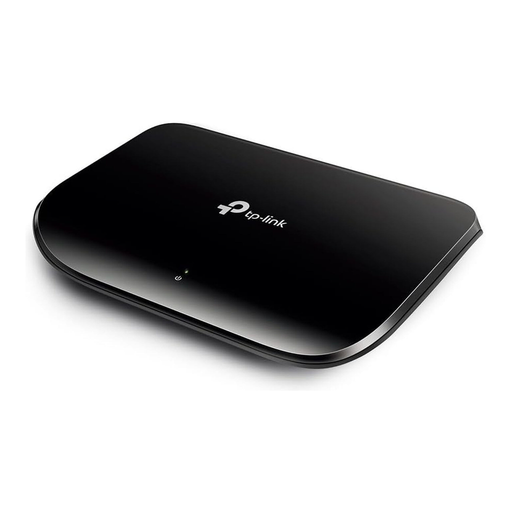
Why it stands out: The TP-Link TL-SG1005D is a well-balanced solution for most users. It combines the Gigabit speed necessary for modern networks with energy-efficient operation and simple handling.
Pros:
Who is it for? This model is recommended for home and SOHO users who need a reliable and fast network expansion for streaming, gaming, or working from home without breaking the bank.
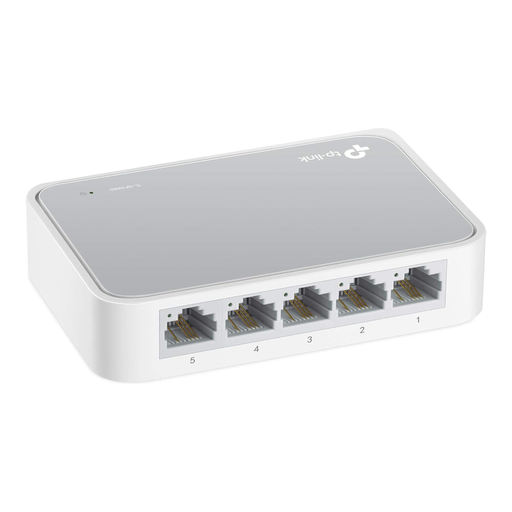
Why it stands out: The TP-Link TL-SF1005D focuses on the core function: expanding LAN ports at a very affordable price. It is a simple and functional solution for basic network requirements.
Pros:
Who is it for? Users whose main goal is to add extra LAN ports for devices with low data traffic (e.g., printers, older consoles, or for simple web browsing) while staying on a tight budget.
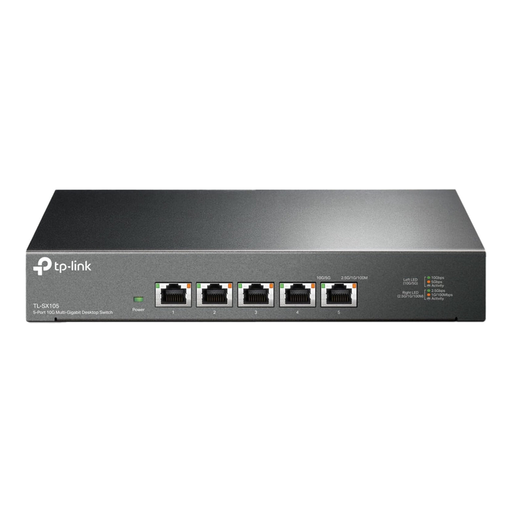
Why it stands out: The TP-Link TL-SX105 is designed for users who don't want to compromise on speed. With five 10-Gigabit ports, it offers tremendous performance for data-intensive environments, making it a future-proof investment.
Pros:
Who is it for? This 10G switch is aimed at content creators, NAS system owners, gamers, and small businesses that regularly move very large amounts of data and want to fully leverage the performance of modern hardware and fast internet connections.
The models presented here are a selection of common 5-port solutions. If you need more ports or are looking for switches with specific features like Power over Ethernet (PoE), you can find more options in our main category.
Discover our entire range of network switches and find the right solution for your needs.
A hub is an outdated technology that sends data packets to all connected devices, which slows down the network. A switch is more intelligent and forwards data specifically to the intended recipient device, significantly increasing efficiency. A router connects different networks (e.g., your home network to the internet) and is responsible for assigning IP addresses. A switch operates within an existing network created by a router.
A switch does not slow down the speed provided by your internet service provider. It distributes the connection among the connected devices. The maximum speed within your local network is determined by the switch. A Gigabit switch can transfer data between your devices at up to 1 Gbps. However, if you connect a Fast Ethernet switch (100 Mbps) to a Gigabit internet connection (e.g., 500 Mbps), the switch will become a bottleneck and limit the throughput for the devices connected to it to 100 Mbps.
Installing an unmanaged switch is very simple and follows the plug-and-play principle: