
Lieferung heute & morgen

Qualitätsgarantie

Willkommens-Angebote freischalten: KOSTENLOSE Lieferung | Bis zu 80 % RABATT | Kostenlose 30-Tage-JoyPlus-Testphase
App herunterladen
The search for the right Android Tablet can quickly become overwhelming. Manufacturers advertise impressive specs and features, but not all of them live up to their promises. As a Joybuy Product Recommendation Officer, I see every day which features truly matter and where the most common pitfalls lie. This guide will help you separate marketing hype from genuine performance and make an informed decision.
Before we dive into the important specifications, let's look at three common marketing tactics that often lead to disappointment.
To find the right device for you, focus on these three objective criteria. They are the primary determinants of your future tablet's performance and utility.
The heart of any tablet is its processor (CPU). Octa-core processors are standard today, but there are major differences. Chipsets like the MediaTek Helio G99 or the Unisoc T606 provide a solid foundation for everyday tasks and light gaming. For a high-performance Gaming Tablet or for use as a work device for university, more powerful processors and, most importantly, sufficient physical RAM (at least 6 GB or 8 GB) are recommended. This ensures fast loading times and seamless switching between apps.
Display size is a matter of personal preference. An 11-inch tablet offers a good compromise between portability and enough screen real estate for movies or work. However, what's more important are:
Consider where you'll be using your tablet. Is a Wi-Fi connection at home or in the office enough? Then a Wi-Fi-only model will suffice. Look for current standards like 5G Wi-Fi (Wi-Fi 5 or 6) for a stable and fast connection.
If you want to be online on the go, you'll need an Android tablet with a SIM card slot. These models support 4G LTE or even 5G, making you independent of public Wi-Fi networks.
Here are some recommendations tailored to specific user groups that take the above criteria into account.
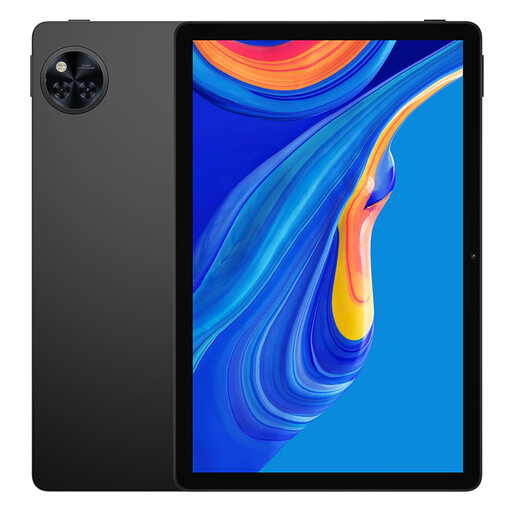
Why This Fits Their Persona: This tablet is a solid choice for everyday tasks like streaming, browsing, and online learning. It offers a large 11-inch display and long battery life without breaking the bank, making it ideal for families and as an affordable entry-level tablet.
It features Widevine L1 certification for HD streaming and a clearly specified 8580 mAh battery capacity. The RAM is transparently listed as 4 GB of physical memory, which is sufficient for its target audience.
Large 11-inch display with a 90 Hz refresh rate for smooth visuals. Supports storage expansion up to 2 TB.
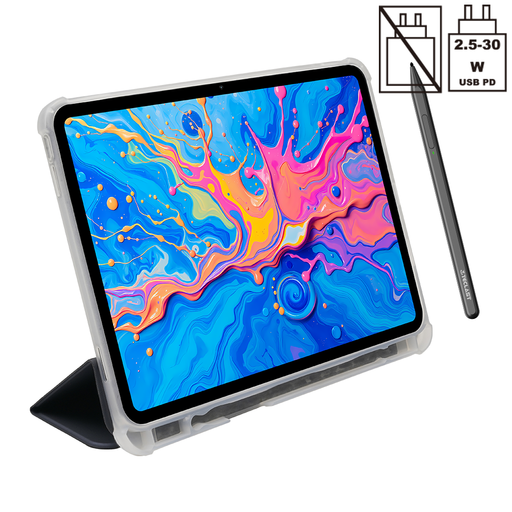
Why This Fits Their Persona: Ideal as a tablet for university and creative projects. The large 2K display and included pressure-sensitive stylus make it a powerful tool for note-taking, drawing, and editing documents.
It relies on a solid Helio G99 processor and 8 GB of physical RAM, ensuring good performance for multitasking. The battery is generously sized and clearly specified at 10,000 mAh.
Includes a tablet with a stylus (4096 pressure levels) for precise input. The large 12.7-inch 2K display offers plenty of high-resolution workspace.
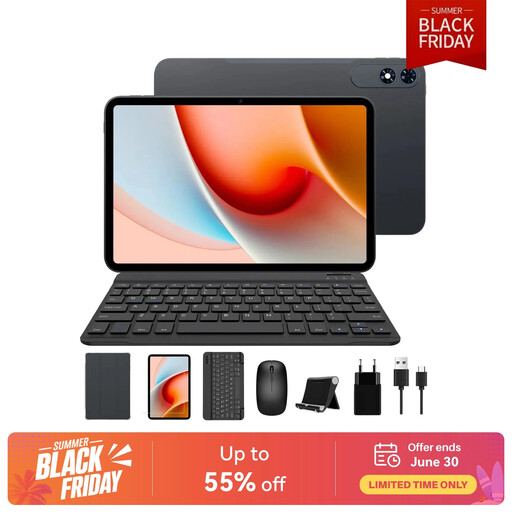
Why This Fits Their Persona: This package is designed for users looking for a tablet with a keyboard and mouse as a laptop replacement. The huge 13.4-inch display and large battery enable productive work from anywhere.
It offers an all-in-one package, saving you the hassle of finding compatible accessories. The specs are clear: a 10,000 mAh battery, 8 GB of physical RAM, and a 2K display with a 120 Hz refresh rate.
Complete package with a case, mouse, and keyboard. Very large 13.4-inch display with a smooth 120 Hz refresh rate and 5G Wi-Fi for fast connectivity.
We've compiled a full, up-to-date list of products that fully meet these strict selection criteria and German safety regulations.
Battery life depends heavily on usage. A tablet with a capacity between 8,000 and 10,000 mAh typically allows for about 7 to 10 hours of video playback or web browsing on Wi-Fi at medium brightness. This time can decrease with demanding games or when using mobile data (4G/5G).
No, that's not guaranteed. To stream protected content in HD quality on platforms like Netflix or Disney+, the tablet must have Widevine L1 certification. Devices with the lower L3 level can only play this content in standard definition (SD). Look specifically for "Widevine L1" in the product specifications.
For basic tasks like reading lecture notes, online research, and taking notes, a budget tablet can be sufficient. However, if you plan to use more demanding software for graphic design, video editing, or programming, a model with a more powerful processor, more physical RAM (at least 8 GB), and a high-resolution display—ideally a tablet with a stylus—is a wiser investment.