
Same-day & Next-day Delivery

Quality Guaranteed

Unlock Your Welcome Offers: FREE Delivery | Up to 80% OFF | Free 30-day JoyPlus trial
Download the APP
Anyone who travels frequently knows the problem: the screen on your smartphone, Nintendo Switch 2, or Steam Deck is often too small for a truly immersive experience. At home, you might want to enjoy a movie or series without occupying the TV or disturbing others. AR glasses, also known as video glasses or XR glasses, offer a practical solution. They function as a personal, portable monitor that projects a huge image directly in front of your eyes—ideal for gaming, movies, and productivity.
As your Joybuy Product Recommendation Officer, I have summarised the latest developments in the market for you. This article explains the most important criteria for purchasing AR glasses and presents a selection of models suitable for various applications. The goal is to provide you with an objective basis for your purchasing decision.
The selection of smart glasses is constantly growing. To find the right model, a few technical aspects are crucial.
The heart of any pair of video glasses is the display. Most current models use Micro-OLED displays, known for their high contrast and deep blacks. Pay attention to the following parameters:
AR glasses are only as useful as the devices they can connect to. The most common connection is USB-C with DisplayPort Alternate Mode. Before buying, check if your source devices support this standard.
Since smart glasses are worn for extended periods, weight and ergonomics are critical. A low weight (ideally under 80 grams) and good weight distribution prevent pressure points. Adjustable nose pads and flexible temples allow for a custom fit to your face shape. For glasses wearers, it's important to check if the model offers diopter adjustment or has space for prescription lens inserts.
Here is a selection of models that stand out for their specific features and technical specifications.
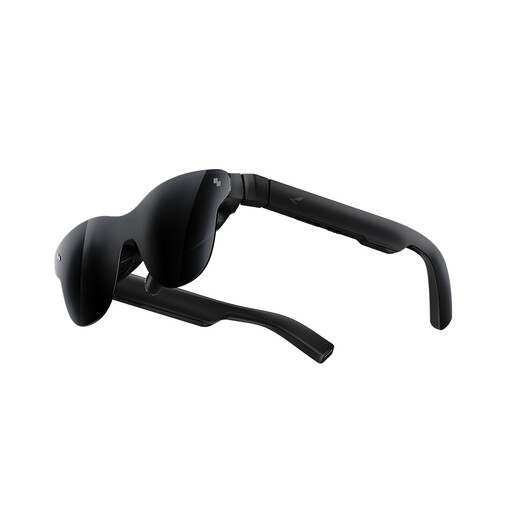
Why It Stands Out: According to the manufacturer, the RayNeo Air 4 Pro is the first pair of AR glasses with HDR10 support. A special chip also enables the real-time upscaling of standard SDR content to HDR, resulting in exceptionally vibrant colour reproduction.
Advantages:
Who It's For: This model is a great choice for film and series enthusiasts who value excellent image quality with high colour fidelity and HDR effects. Gamers looking for AR glasses for iPhone or Android will also benefit from the high refresh rate.
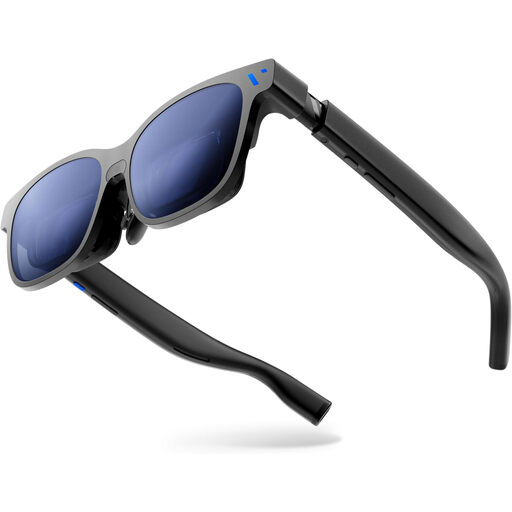
Why It Stands Out: The VITURE Beast XR is distinguished by its very high brightness of 1250 nits and a large 58-degree field of view. A special feature is the hardware-integrated 3DoF function, which allows the screen to be fixed in space without requiring software on the source device.
Advantages:
Who It's For: The VITURE Beast XR is aimed at users who need maximum immersion and an exceptionally bright picture, for example, for use outdoors or while travelling. The integrated 3DoF function also makes it appealing for productivity users and gamers who prefer a stable screen position.
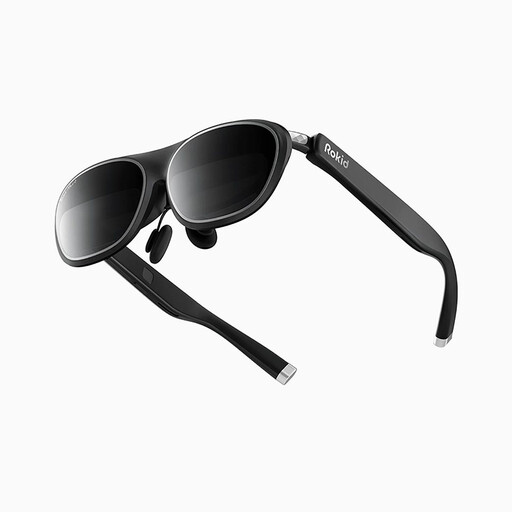
Why It Stands Out: The key feature of the Rokid Max 2 is its integrated diopter adjustment. Nearsighted users can adjust the prescription directly on the glasses from 0 to -6.0 diopters, allowing them to be used without additional corrective lenses.
Advantages:
Who It's For: The Rokid Max 2 is an excellent option for nearsighted glasses wearers seeking a straightforward and comfortable solution without the hassle of lens inserts. Its low weight and high refresh rate make it versatile gaming glasses.
The models presented here are just a snapshot of the available possibilities. The market for AR technology is evolving rapidly, offering a growing variety of devices for different needs and budgets.
If you want to compare more models or discover a wider selection of Smart Glasses and video glasses, visit our AR Smartglasses category.
Augmented Reality (AR) augments the real world with digital information. AR glasses project an image into your field of view while you can still perceive your surroundings. They function like a transparent, portable monitor. Virtual Reality (VR), on the other hand, transports you into a completely artificial, digital world, visually isolating you from your real environment. The models discussed here are primarily designed as video glasses and fall into an intermediate category often referred to as XR (Extended Reality).
Yes, many models can be used as AR glasses for PS5. Since the PS5 does not have a USB-C video output, you will typically need a special HDMI-to-USB-C adapter. This not only converts the video signal but also provides the necessary power for the glasses. It is important to check the manufacturer's compatibility notes and the required accessories before purchasing.
For the core function as an external display, an app is usually not required. If your smartphone, laptop, or console supports video output via USB-C (DisplayPort Alt Mode), the glasses will work via plug-and-play. However, for advanced features such as spatial tracking (3DoF/6DoF), using multiple virtual screens, or 2D-to-3D conversion, proprietary software or an app from the manufacturer may be necessary.