
Lieferung heute & morgen

Qualitätsgarantie

Willkommens-Angebote freischalten: KOSTENLOSE Lieferung | Bis zu 80 % RABATT | Kostenlose 30-Tage-JoyPlus-Testphase
App herunterladen
An AR headset can turn a smartphone, laptop or handheld console into a private virtual large-screen display. However, the product promises often differ significantly from real-world use: a stated screen diagonal usually describes a virtual image, not a physical screen. Likewise, high brightness figures alone tell you little about readability, wearing comfort or compatibility.
The most important pitfalls when buying AR and XR glasses typically arise in three areas:
For films, series and games, resolution, refresh rate, brightness, contrast and field of view all matter together. A Sony Micro-OLED display is cited, for example, as part of the imaging technology in the VITURE Pro 2. According to the product description, this model offers a virtual 146-inch display, 1080p, up to 120 Hz and a peak brightness of 1600 nits.
HDR10 or Dolby Vision can display compatible content with an extended contrast and colour range. However, this feature only works if the source device, operating system and the content itself all support the relevant playback. An AR headset for films should therefore not be chosen based on the HDR logo alone.
The field of view, or FOV for short, affects how large the image feels subjectively. A larger FOV can cover more of your surroundings in games and on a virtual large screen, but it is not automatically more comfortable for every face shape. The fit and the distance of your eyes from the lenses remain crucial.
Before buying, you should check the specific device combination:
An AR headset for iPhone and Android is not automatically compatible with every model. Even with an AR headset for Steam Deck, the handheld's USB-C port must support video output. With iPhones, adapters or additional accessories may be necessary depending on the generation.
3DoF tracking detects rotational head movements and can hold the virtual image in a fixed position in space or follow your movements. It does not replace full 6DoF spatial tracking and normally does not capture free movement of your entire body in the room.
For longer sessions, weight, nose pads, temples, dioptre adjustment and heat generation are all relevant. Product specifications such as 62, 63, 68 or 78 grams help with pre-selection, but do not replace checking the individual fit.
These glasses are not suitable as protective eyewear. Immersive features should not be used while driving, cycling, crossing roads or operating machinery. If you experience headaches, dizziness, visual fatigue or any other discomfort, take a break; if symptoms persist, stop using them. You should remain aware of ambient sounds and your immediate surroundings.
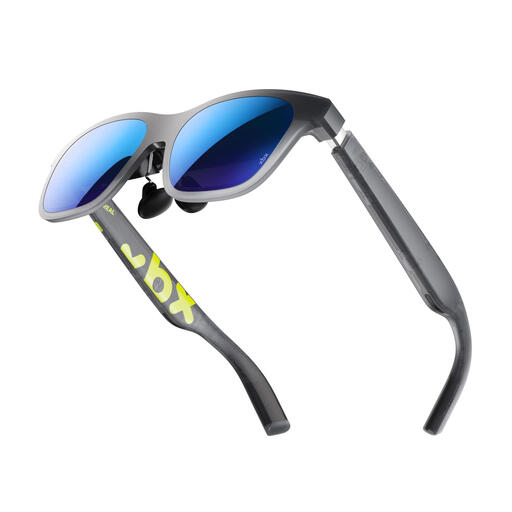
Why this product suits the profile: This video headset is designed for a large mobile picture for films and gaming, and lists USB-C-DP compatibility for iPhone, iPad, Android, Steam Deck, ROG and PC.
The specifications name specific connection types and supported devices rather than just promising "universal compatibility" in general terms.
According to the product description: 62 g weight, 147-inch display and 1600 nits with HDR10.
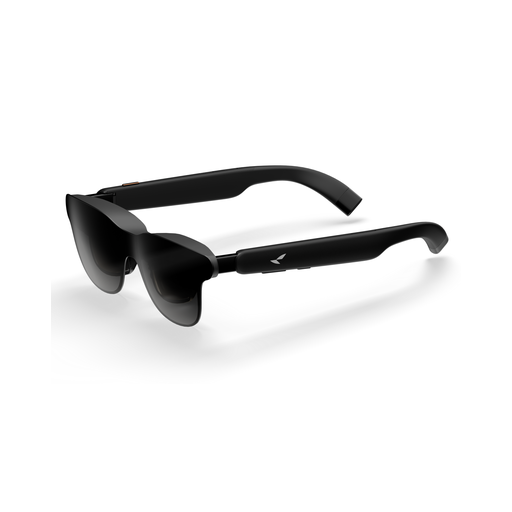
Why this product suits the profile: This model is aimed at users who prefer an integrated combination of image processing, spatial display and an open audio system.
The product description separates the Vision-4000 display chip from the Zone-360 3DoF chip, making the technical architecture clear.
According to the manufacturer: up to 201 inches, Dolby Vision support, 3DoF tracking and 68 g weight.
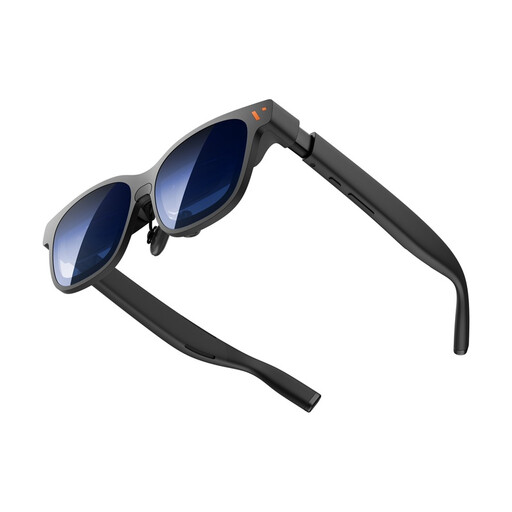
Why this product suits the profile: For commuters, students and remote workers, dioptre adjustment, 120 Hz display and use with iOS, Android, macOS and Windows are all relevant.
The integrated adjustment from 0 to -5.0 dpt can reduce the need for additional corrective inserts; individual suitability should be checked beforehand.
Sony Micro-OLED display, 146 inches, 120 Hz, 63 g and SpaceWalker support for multiple virtual screens.
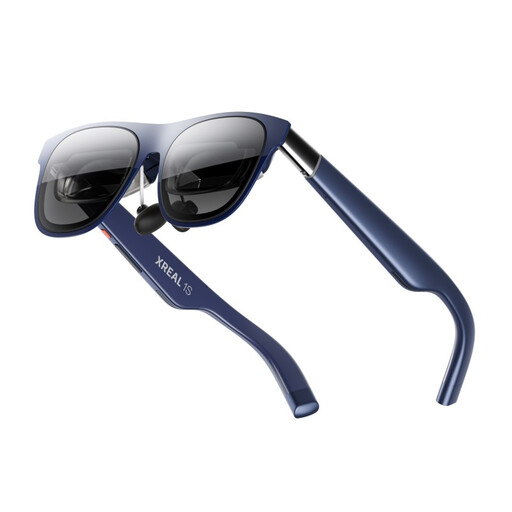
Why this product suits the profile: The combination of a 52° field of view, native 3DoF and REAL 3D is interesting for users who want to view games and compatible 3D content with a fixed virtual image.
The technical specifications explicitly mention 3DoF and USB-C-DP, so the functions cannot be confused with a standard screen connection.
According to the product description: up to 500 inches virtual display, 52° FOV and compatibility with USB-C-DP devices including Steam Deck and ROG Ally.
We have put together a complete, regularly updated list of products that fully meet these strict selection criteria and the safety regulations in force in the EU.
Only with suitable devices. The key factor is whether the USB-C port supports video output via DisplayPort. With iPhones that lack a suitable port, a compatible adapter or special accessory may be required. Before buying, you should check the model, operating system and any additional equipment needed.
Many models can be connected to the Steam Deck, provided video output over USB-C is supported. 3DoF features are relevant for a steadier virtual image. However, the actual frame rate depends on the game, the console and the glasses. An AR headset does not replace the handheld's own processing power.
This depends on fit, brightness, volume and individual tolerance. Regular breaks are advisable, especially during longer film or gaming sessions. The glasses should not be used in traffic, on the street or during activities where you need to be fully aware of your surroundings.