
Lieferung heute & morgen

Qualitätsgarantie

Willkommens-Angebote freischalten: KOSTENLOSE Lieferung | Bis zu 80 % RABATT | Kostenlose 30-Tage-JoyPlus-Testphase
App herunterladen
The idea is tempting: a private cinema on the go, a giant virtual screen for gaming on your Steam Deck, or a portable multi-monitor setup for your laptop. AR glasses (Augmented Reality glasses), often called XR glasses or video glasses, promise just that. But the market is confusing and full of technical pitfalls that can quickly lead to an expensive mistake.
Many buyers only discover after unboxing that the advertised features aren't compatible with their devices, or that the comfort becomes unbearable after 30 minutes. This guide will help you understand the key criteria and make an informed decision based on facts, not marketing promises.
Before we dive into the technical details, let's highlight the most common issues that lead to disappointment.
To avoid these pitfalls, focus on the following three core parameters. These are the primary determinants of the quality and usability of your future smart glasses.
The quality of the virtual screen is the heart of any pair of video glasses. Look for these metrics:
Effortless connection is crucial. The most important standard to look for is USB-C with DisplayPort (DP) Alt Mode.
These two factors determine how immersive the experience is and how long you can wear the glasses comfortably.
Based on the criteria above, we have identified a few models for specific use cases.
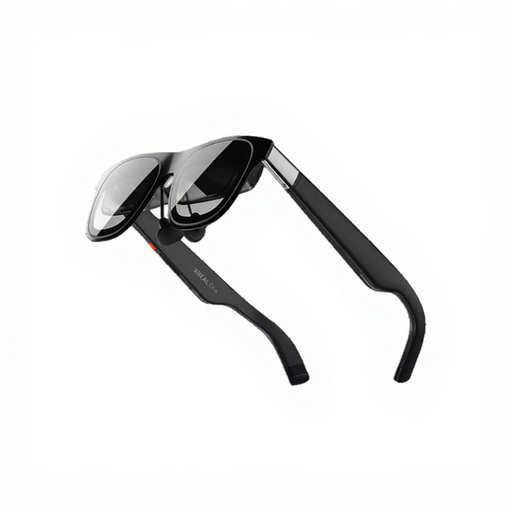
Why This Fits Their Persona: Ideal for users who want a large, fluid picture for their Steam Deck, ROG Ally, or smartphone. The combination of a 120 Hz refresh rate and Full HD resolution per eye delivers an immersive experience for gaming and movies, without being tied to a stationary monitor.
The product is clearly positioned as a portable display, avoiding overblown AR promises. Its connectivity via USB-C DP is clearly communicated, which minimises compatibility issues.
120 Hz Micro-OLED Display: Ensures extremely smooth in-game motion.
Lightweight Design (84g): Allows for comfortable use over extended periods.
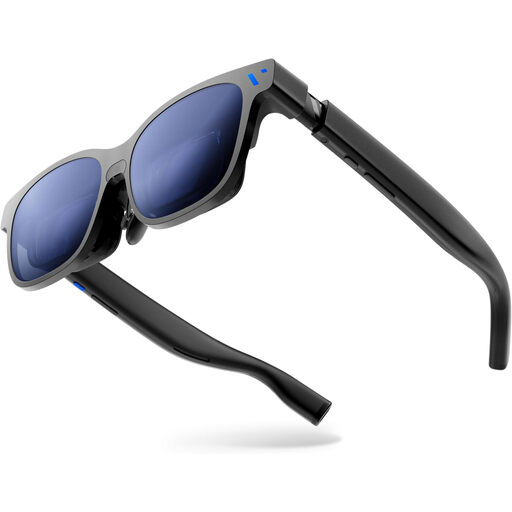
Why This Fits Their Persona: Perfect for professionals who need a large, private screen for working on the go. The high brightness and electrochromic dimming allow for work in various lighting conditions, while the integrated 3DoF tracking lets you pin the screen in space.
It directly addresses the comfort issue with a low weight (88g) and adjustable ergonomics. The integrated smart features, like dimming, work without additional software and solve a practical problem.
Integrated 3DoF & Dimming: Allows you to pin the screen and adjust transparency without external software.
Large Field of View (58°): Creates a very large virtual workspace.
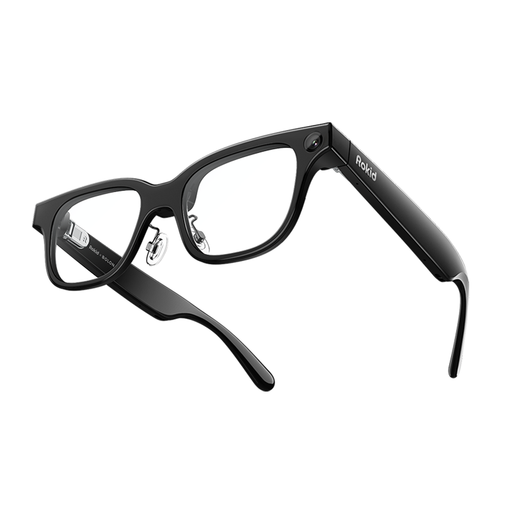
Why This Fits Their Persona: For tech enthusiasts who want more than just a display. This model integrates AI assistants like ChatGPT and Gemini, offering features like real-time translation and navigation prompts directly in your field of view. It's a tool designed to make daily life smarter.
It sets clear expectations by focusing on AI features and smart assistance rather than high-end gaming performance. The ultra-light design (49g) makes it more suitable for all-day use than heavier video glasses.
Integrated AI Assistants: Offers direct access to generative AI for information and translations.
Extremely Lightweight (49g): Feels more like a normal pair of glasses and is designed for all-day use.
We have compiled a complete, real-time updated list of products that fully meet these strict selection criteria and all relevant safety regulations.
Yes, most AR and video glasses currently on the market are not standalone devices. They function as an external display and require a connection to a host device (e.g., smartphone, laptop, game console) via a USB-C cable that provides both the video signal and power. Some models, like those from Rokid, offer optional accessories such as the "Station"—a type of portable Android TV box—to use the glasses without a smartphone.
That depends on the model. Some glasses, like the Rokid Max 2, feature built-in diopter adjustment, allowing you to compensate for nearsightedness up to a certain value (-6.0 D) directly on the device. For other models, or if you have astigmatism, you will typically need to wear contact lenses or order special prescription lens inserts from the manufacturer.
The experience is comparable to sitting in a private cinema, a few metres away from a large screen. With 3DoF glasses, the screen is fixed in the centre of your field of view—when you turn your head, the screen moves with you. This creates an immersive and private viewing experience that blocks out ambient light and distractions. It's not a holographic projection floating in the room, but a personal display directly in front of your eyes.