
Lieferung heute & morgen

Qualitätsgarantie

Willkommens-Angebote freischalten: KOSTENLOSE Lieferung | Bis zu 80 % RABATT | Kostenlose 30-Tage-JoyPlus-Testphase
App herunterladen
AR glasses, XR glasses and smart glasses promise a large virtual screen without a television or monitor. In practice, however, satisfaction depends less on marketing claims than on connectivity, optics and comfort. So, whether you are looking for video glasses for travelling, AR glasses for gaming or a private cinema display, you should check a few technical details before buying.
Figures such as “201 inches” or “267 inches” describe a virtual image viewed from a specific distance. On their own, they say little about how large the image will actually appear within your field of vision. This is determined by the Field of View (FOV). A higher FOV can create a more expansive image for films and games, but it does not automatically mean you need to sit closer or have a higher resolution.
Many models use USB-C, but also require DisplayPort Alt Mode or a compatible docking solution. A USB-C port on your smartphone therefore does not guarantee that the glasses can output a video signal. With iPhone, Android, Mac, PC, Steam Deck, PlayStation or Nintendo Switch, you should check the specific device combination. HDMI consoles may require adapters.
AR glasses sit directly on your nose and ears for extended periods. Weight, nose pads, adjustable arms and the option to adjust the dioptres affect the experience more than a single brightness figure. If you wear glasses, you should also check whether prescription adjustment, an insert or compatible accessory is supported. Manufacturer claims about visual comfort are not a guarantee of medical effectiveness.
A Micro-OLED display can deliver high contrast in a compact design. However, resolution per eye is just as important for sharp subtitles, desktop text and games. A refresh rate of 120 Hz can make fast-moving images appear smoother, provided the connected device and content support this output.
Brightness should also be viewed realistically. Values in nits usually refer to the display’s maximum brightness. A dark environment may be enough for a more comfortable image, while effective dimming or a transparent mode can be useful when you are out and about.
Before buying, we recommend this quick check:
AR glasses for iPhone and Android are not automatically compatible with every model. Even with AR glasses for Steam Deck and Switch, adapters, docking stations or different USB-C standards may be relevant.
For longer film or gaming sessions, a balanced weight and several nose-pad positions are useful. Models with integrated dioptre adjustment may be more practical for certain short-sighted users. Astigmatism and long-sightedness may be subject to different restrictions depending on the model.
Immersive functions should not be used while driving, cycling, crossing roads or operating machinery. You should take regular breaks and stop using the glasses if you experience headaches, dizziness or visual fatigue. AR glasses are not safety glasses.
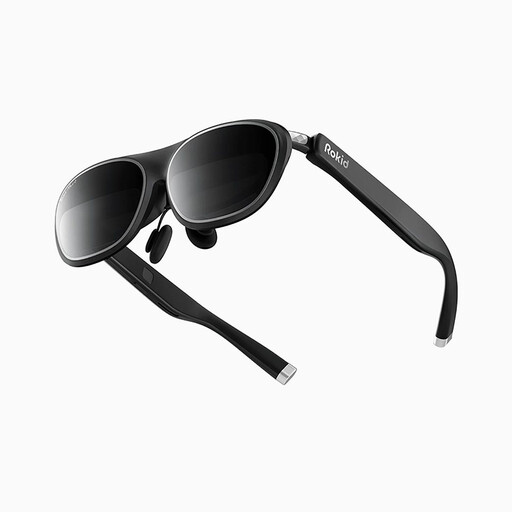
Why this product suits the profile: These glasses are aimed at users looking for a portable display for films and gaming across multiple devices. According to the product details, they support Android, PC, Switch, Steam Deck, PS4/PS5 and Xbox Series X/S, among others.
The specifications name specific device categories rather than simply claiming general smartphone compatibility. The integrated adjustment of up to 600 dioptres is relevant for many short-sighted users; according to the description, other forms of vision correction are not supported.
50° FOV, 120 Hz, a Micro-OLED display and a weight of 75 g. According to the product details, the glasses do not require their own battery.
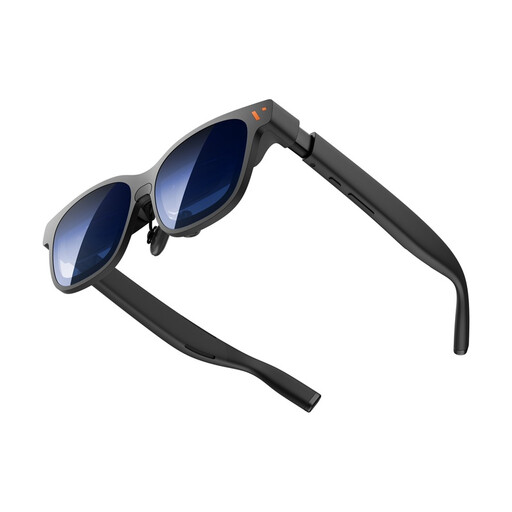
Why this product suits the profile: This model is designed for streaming, work and gaming. The Sony Micro-OLED display and integrated vision adjustment are particularly appealing to users who want text and subtitles to appear clearly.
The description explicitly mentions USB-C devices with video output and highlights possible additional solutions for certain consoles or older devices. This makes it easier to assess the connection requirements in advance.
146-inch display, 120 Hz, 1600 nits according to the product details, a weight of 63 g and dioptre adjustment from 0 to -5.0 D.
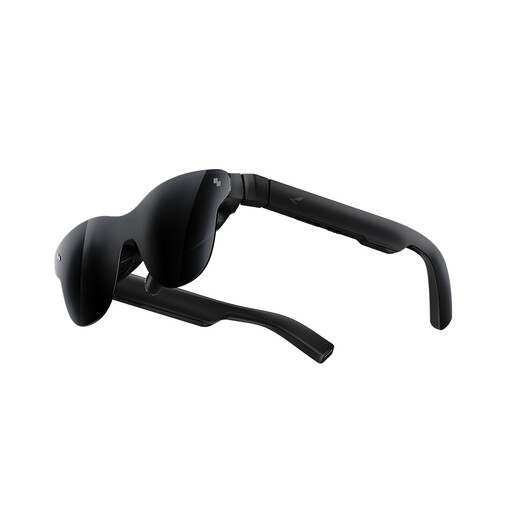
Why this product suits the profile: For film fans and gamers looking for 3D content, HDR and broad device support, this model combines several useful features in one pair of video glasses.
The product details specifically list iPhone, Android, Switch 2, Mac, Steam Deck and PS4/PS5. To create a suitable setup, you should still check whether a USB-C adapter or additional accessories are required.
HDR10, 120 Hz, a 201-inch virtual cinema display according to the product description, 3D support and a weight of 76 g.
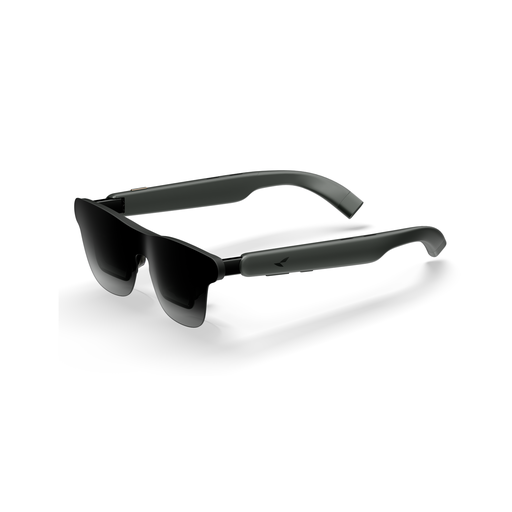
Why this product suits the profile: The combination of a large virtual cinema screen, 3DoF chip and integrated speaker system is aimed at travellers and streaming users who prefer a personal display while on the move.
The product description identifies 3DoF tracking and Dolby Vision support as specific technical features. Before buying, you should check whether your device provides the required video output.
59° FOV, a stated virtual 267-inch display, Dolby Vision, 3DoF and a weight of 78 g.
We have put together a complete, regularly updated list of products that fully meet these strict selection criteria and the safety regulations applicable in the EU.
This depends on the smartphone in question, its USB-C port and the supported video signal. iPhones may require adapters or a suitable dock. Before buying, you should compare the model, operating system and accessory requirements with the manufacturer’s specifications.
Many models are designed for films and gaming, but comfort should still be assessed individually. Weight, nose pads, image brightness and regular breaks are all important. Stop using the glasses if you feel uncomfortable.
The glasses themselves usually do not involve regular costs. Possible additional expenses include adapters, docks, apps, replacement cables or optional audio and carrying accessories. The power consumption of the connected smartphone or handheld may also increase during longer sessions.