
Lieferung heute & morgen

Qualitätsgarantie

Willkommens-Angebote freischalten: KOSTENLOSE Lieferung | Bis zu 80 % RABATT | Kostenlose 30-Tage-JoyPlus-Testphase
App herunterladen
A mobile printer can print boarding passes, invoices, study notes, photos or labels while you’re out and about. However, compact devices can vary considerably in their printing technology, paper size, app support and running costs. If you focus only on a small casing or the word ‘wireless’, you could end up buying a device that isn’t right for your needs.
A mini printer with thermal or Zink technology doesn’t need conventional cartridges. That means no ink or toner to replace, but you’ll still have running costs for specialist paper, thermal paper or self-adhesive Zink photo paper.
Before you buy, check:
An ink-free printer isn’t necessarily free to run. What matters is the cost per print, not just the purchase price.
A Bluetooth printer usually works without a Wi-Fi router. That’s handy on the train, in a lecture theatre or when travelling. However, you’ll often need an app from the manufacturer. Before you buy, check that the app is compatible with your smartphone and find out what features it requires.
Pay particular attention to:
A wireless printer is only practical for everyday use if it works with the devices used by everyone who’s going to print.
Many photo printers use sizes such as 50 × 76 millimetres. They’re suitable for small keepsake photos, stickers or creative projects, but not for contracts, invoices or A4 documents.
If you’re looking for a mobile printer for when you’re out and about, decide what you’ll use it for first:
A Zink photo printer uses heat-activated colour crystals in the paper. It doesn’t need cartridges or ribbons. Prints are often small and can be self-adhesive, depending on the type of paper. However, this technology isn’t always the right choice for important documents.
Thermal document printers also work without conventional ink. They usually produce monochrome prints and are suitable for things like invoices, lists, tickets or short pieces of text. Check that the thermal paper is sufficiently resistant to ageing and light for your needs.
Paper size has a greater impact on how useful a printer is than its casing. A 2-inch or 3-inch photo printer is easy to carry, but it won’t replace a printer for larger documents. Also check the maximum paper capacity and whether compatible media are readily available.
If you’re using self-adhesive paper, check whether the adhesive is already built in or needs to be applied separately. For labels, study cards and stickers, it’s also worth considering how well the paper sticks to different surfaces.
For mobile use, weight, dimensions and battery capacity are key. A device that can print more per charge may be more practical for business travellers or students than a particularly small model with a short battery life.
Other things to consider:
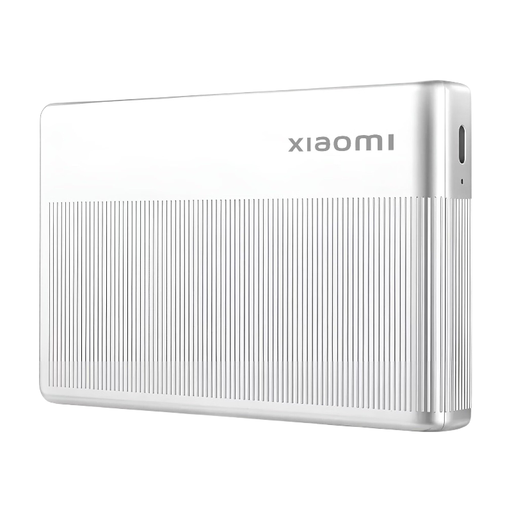
Why this product suits this type of user: This lightweight photo printer is designed for anyone who wants to print small photos or self-adhesive keepsakes straight from their smartphone.
Zink technology doesn’t need ink cartridges or ribbons. The 2×3-inch format makes its intended use clear: small photos, not documents it isn’t designed to print.
Weighs 180 g, connects via Bluetooth and supports iOS and Android through the Xiaomi Home app. It uses self-adhesive 50×76-mm paper.
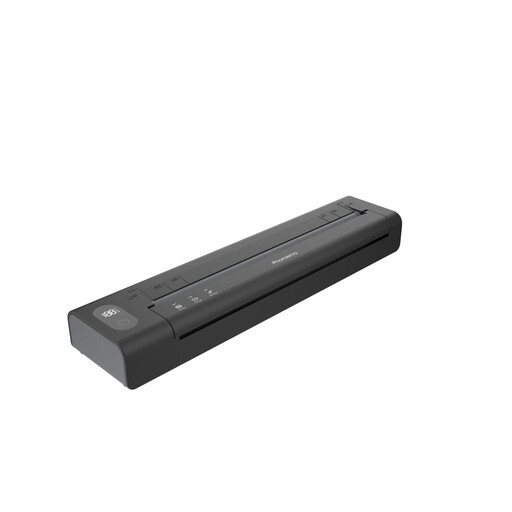
Why this product suits this type of user: This model is designed for printing documents on the go, such as contracts, invoices, boarding passes and freight documents, making it suitable for business travellers and journalists.
The product details clearly describe it as ink-free and specify that it’s designed for printing documents. Even so, check that the paper size is right for your documents before you buy.
Weighs 600 g, connects via Bluetooth through the Phomemo app and has a battery rated for up to 150 sheets per charge, according to the product details. Compatibility with iOS and Android is also listed.
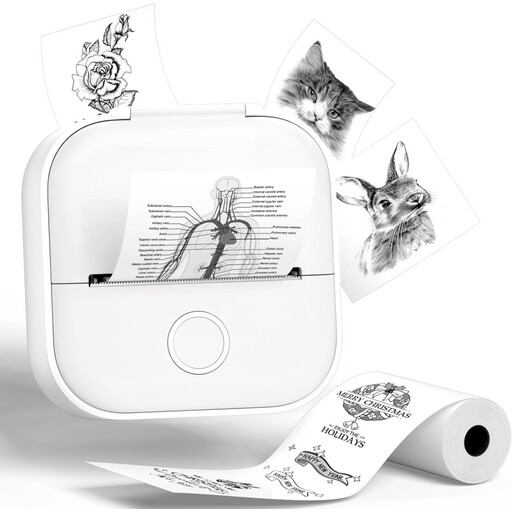
Why this product suits this type of user: This mini printer is designed for study notes, short labels and stickers, making it an interesting option for school pupils aged 12 and over, students and creative users.
Its name makes clear that it’s designed for printing notes and stickers. Before ordering, though, check the paper width, app features and availability of consumables.
A compact design for short prints, with a clear focus on study notes and stickers. Check the product page for the full technical specifications before you buy.
We’ve put together a complete, regularly updated list of products that meet these strict selection criteria and fully comply with the safety regulations in force in the EU.
Before buying a mobile printer, compare the following:
Depending on the model, an ink-free printer uses thermal paper or Zink paper. Heat creates text, black-and-white images or colour images directly on the print medium. There are no cartridges or toner to replace, but specialist paper remains an ongoing cost.
Many Bluetooth printers support both operating systems, but you’ll need the right app from the manufacturer. Before you buy, check that your smartphone is compatible, find out what the app requires and make sure it has the features you need for printing photos, documents or labels.
Battery life depends on battery capacity, printing technology, paper size and how you use the printer. Some models specify how many sheets they can print per charge. Treat this as a guide and compare it with how much you expect to print.