
Lieferung heute & morgen

Qualitätsgarantie

Willkommens-Angebote freischalten: KOSTENLOSE Lieferung | Bis zu 80 % RABATT | Kostenlose 30-Tage-JoyPlus-Testphase
App herunterladen
Choosing the right filament is crucial to the success of your 3D printing projects. The wrong material can lead to clogged nozzles, poor layer adhesion, or messy surfaces. This article serves as a guide to help you select the most suitable PLA filament. We will outline objective criteria and present a selection of products suited for various applications, from simple prototypes to aesthetically demanding models.
To make an informed decision, you should consider several technical characteristics. These parameters directly impact the print quality and the reliability of the printing process.
The most common diameter for 3D printer filament for hobbyists is 1.75mm. However, what's crucial is not just the nominal diameter, but the manufacturing tolerance. A tight tolerance, such as ±0.02 mm, ensures a consistent material flow through the printer's nozzle. This reduces the risk of clogging and uneven extrusion, which directly translates to higher print quality and fewer failed prints. Therefore, always check the manufacturer's specifications for diameter tolerance.
PLA (Polylactide) is particularly ideal for beginners due to its ease of use. It is characterised by low warping during cooling, which means it can be processed well even without a heated print bed. Furthermore, it is biodegradable as it is made from renewable resources like corn starch.
In addition to standard PLA, there are variants with specific properties:
The standard size for filament rolls is the 1kg spool. A neat and tight winding is a hallmark of quality that should not be underestimated. A poorly wound spool can cause the filament to tangle, interrupting the printing process.
Based on the criteria mentioned above, we have compiled a selection of PLA filaments that are suitable for different requirements.
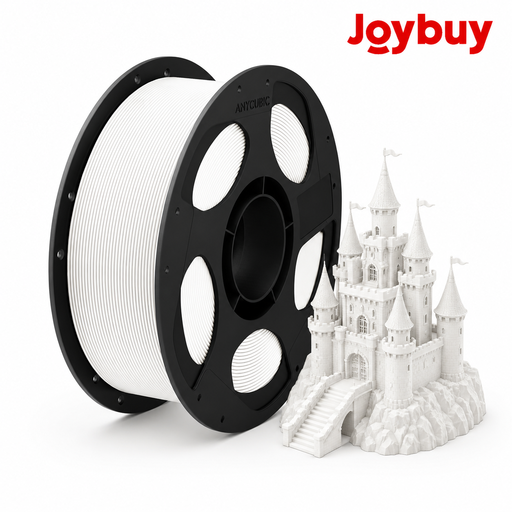
Why it stands out: This filament from Anycubic PLA is a reliable standard material that is distinguished by its high dimensional accuracy. The tight diameter tolerance of just ±0.02 mm specified by the manufacturer ensures very consistent extrusion.
Advantages:
Who it's for: Users looking for a dependable and easy-to-use everyday filament for prototypes, functional models, and general printing tasks. Especially recommended for beginners.
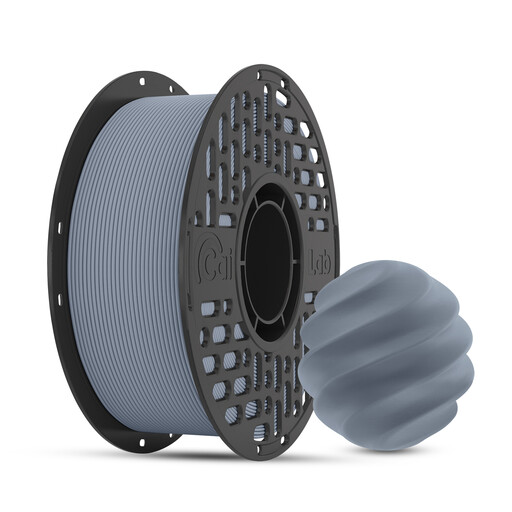
Why it stands out: The matte PLA from CAILAB is designed for a high-quality, non-glossy finish. The special texture effectively conceals visible layer lines and gives printed objects an artistic, almost ceramic-like appearance.
Advantages:
Who it's for: Creatives and makers who place a high value on the aesthetics of their prints and want to achieve a professional, tactile finish for design objects, figurines, or architectural models.
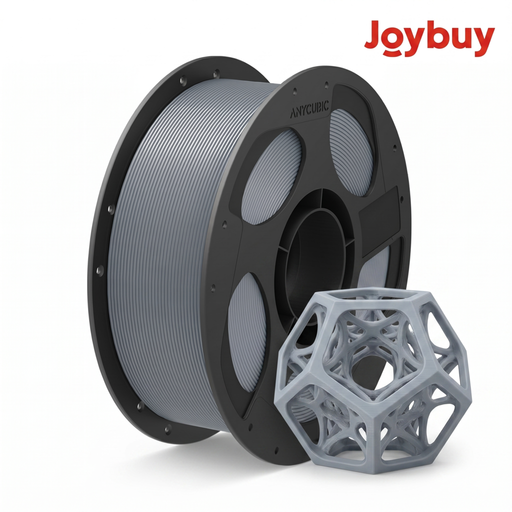
Why it stands out: This variant combines the proven reliability of Anycubic PLA with a unique, textured silver finish. Similar to matte filament, the texture helps to hide layer lines while giving objects a subtle metallic look.
Advantages:
Who it's for: Users who appreciate the reliability of a standard PLA but want a special look for their projects without having to resort to complex print settings.
The selection presented here covers common use cases. However, if you need a different colour, a special finish, or another material for your next project, you will find a wider range of options in our main category.
? Explore our entire range of 3D Printing PLA Filament here
1. How should PLA filament be stored correctly? PLA is hygroscopic, meaning it absorbs moisture from the air. Moist filament leads to poor print quality (e.g., bubbling, brittle material). Therefore, store your filament spools in a cool, dry place, ideally in a resealable bag with the included desiccant (silica gel).
2. What is the difference between PLA and PLA+? PLA+ (sometimes called "Tough PLA") is a modified version of standard PLA. Manufacturers add additives to improve certain properties such as impact resistance, temperature resistance, or flexibility. The exact properties can vary by brand. PLA+ is often less brittle than standard PLA but may require slightly different printing temperatures.
3. Why isn't my PLA filament sticking to the print bed? Poor first-layer adhesion is a common problem. Possible causes include: