
Lieferung heute & morgen

Qualitätsgarantie

Willkommens-Angebote freischalten: KOSTENLOSE Lieferung | Bis zu 80 % RABATT | Kostenlose 30-Tage-JoyPlus-Testphase
App herunterladen
A portable monitor 14 inch expands your laptop's workspace without taking up much room in your rucksack. Home office professionals, students, digital nomads and gamers use a mobile monitor for multitasking, streaming or playing. But compact dimensions alone don't tell you much about how it performs in everyday use.
Depending on the device, a USB-C port may only carry power or data. For video output, your laptop, tablet or smartphone's USB-C port needs to support the so-called DisplayPort Alt Mode. If it doesn't, you'll need an HDMI port and an additional power supply, depending on the model.
So check before you buy:
A 14 inch Full HD monitor with 1920 × 1080 pixels offers a clearly defined resolution. However, that alone doesn't tell you about brightness, contrast or response time. For office tasks, 60 Hz is usually sufficient. If you're planning to use a portable gaming monitor, you should also pay attention to the connection type, response time and your console's output parameters.
With a PS5, Xbox or Nintendo Switch, the connection is typically via HDMI. Depending on your setup, a separate power supply may be needed. So a claimed compatibility doesn't replace checking the specific cables and power requirements.
A portable monitor needs to be carried around regularly. Alongside weight, look out for:
A very slim casing isn't automatically impractical. What matters is whether the screen sits steadily on a flat surface and can be adequately protected when you're on the move.
For most laptops, office applications and streaming content, 1920 × 1080 pixels, i.e. Full HD, is a sensible starting point. An IPS panel can offer wide viewing angles. That's handy if the screen isn't positioned exactly in front of you. Glossy surfaces can display colours with good contrast, but they reflect more light from windows or ceiling lights.
A versatile USB-C monitor should ideally have a full-featured USB-C input. An additional HDMI port boosts compatibility with older laptops, PCs and games consoles. With HDMI, the video signal is transmitted, while power may need to be supplied separately depending on the model.
For a laptop screen extension, you should also check whether your operating system supports the display mode you want. Windows typically offers 'Extend' and 'Duplicate' modes. With a monitor for Mac and Windows, the connection via USB-C or HDMI may need to be set up differently.
A mobile monitor gets some of its power via USB-C. At high brightness or when using HDMI, an additional power adapter may be needed. Check the voltage and power ratings, as well as what's included in the box. A device weighing between 540 and 600 grams is usually good for regular travel; a model around one kilogram may offer extra features like touch control or a stand in return.
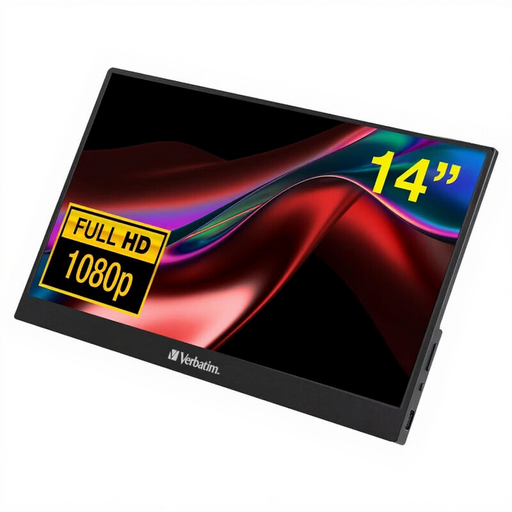
Why this product fits the profile: This model combines 14 inches, Full HD and multiple connection options with a stated weight of 540 g. That makes it suitable for users who want a straightforward additional display for their laptop, tablet or console.
HDMI, USB and USB-C are listed. Still, you should check before buying whether your device supports the right video output and when the power adapter is needed.
1920 × 1080 pixels, 6 ms response time, aluminium casing and tilt adjustment; a neoprene case is included for transport.
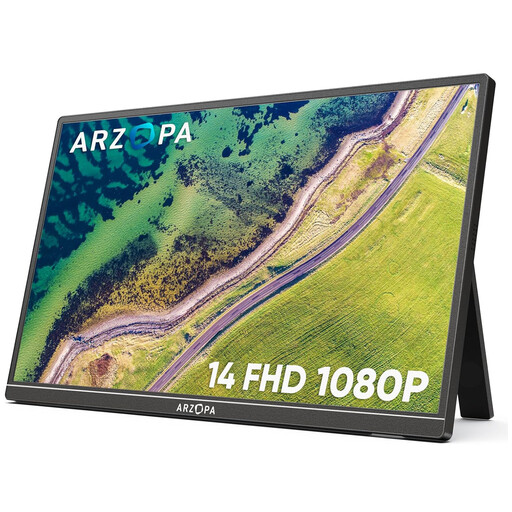
Why this product fits the profile: This 14-inch monitor uses an IPS panel, Full HD and 60 Hz. The stated 178-degree viewing angle and 600 g weight are relevant for flexible setups in the office, while travelling or at a desk.
The connection options include two USB-C ports and one HDMI port. For USB-C video transmission, your source device's compatibility remains crucial.
IPS panel, 1920 × 1080 pixels, 60 Hz, built-in speakers and support for laptop, PC, Mac as well as PS3, PS4 and PS5 according to the product specifications.
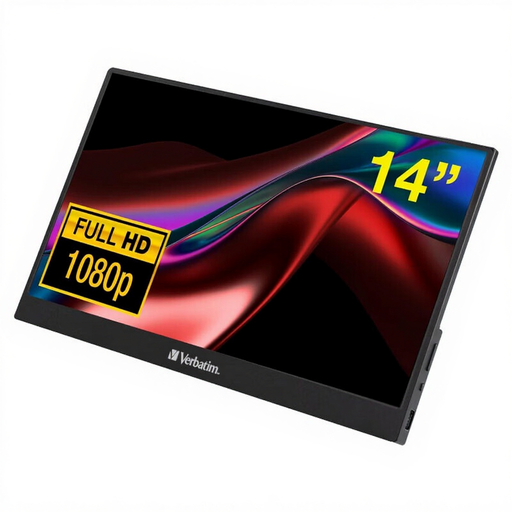
Why this product fits the profile: The touchscreen is aimed at users who need direct input alongside an additional display. At 989 g it's heavier than ultra-light models, but it comes with several cables and an aluminium casing.
The box contents include USB-C, HDMI and USB-A cables, plus a power adapter. For touch functions, your operating system and connected device also need to support touch input.
Full HD, 60 Hz, 6 ms response time, 1200:1 contrast ratio, touch control and tilt adjustment; a neoprene case is included.
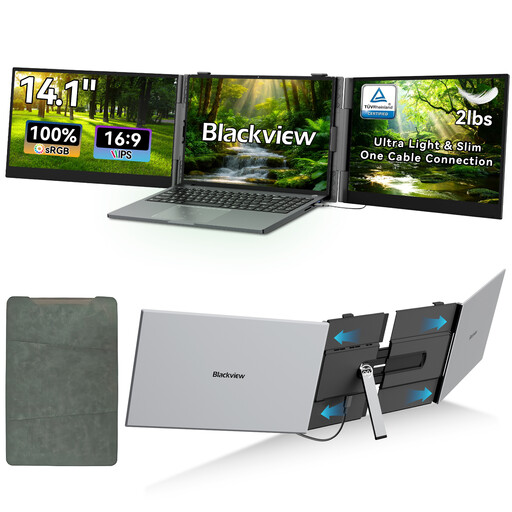
Why this product fits the profile: As a 14-inch laptop extension, this model is designed for users who want to work with two or three displays while travelling. It's compatible with laptops from 13 to 17.3 inches.
The range of USB-C, USB-A and HDMI connections reduces compatibility issues. Before buying, you'll need to check your laptop size, port positions and power requirements.
1920 × 1080 pixels, built-in speakers, HDMI cable, USB-C cable and USB-C to USB-A adapter according to the product description; a two-year warranty is stated.
We've put together a full, regularly updated list of products that fully meet these strict selection criteria and the safety regulations in force in the EU.
For a stable connection, place the monitor on a firm, level surface. Then connect the appropriate cable and select 'Extend' in your display settings if you want the second screen to give you extra workspace. With HDMI connections, the power supply is often connected separately.
Avoid transporting the monitor without a protective cover, and don't put pressure on the display surface. Liquids, extreme heat and attempting your own repairs can damage the screen and electronics. Clean the device according to the manufacturer's instructions with a soft cloth, and don't use harsh cleaning products.
No. Compatibility depends on the available ports and video output. USB-C must support video transmission. Alternatively, you can use HDMI, although an additional power source may be needed.
Many models have HDMI and are listed as compatible with games consoles. Before buying, check the cables you'll need, the power supply and the resolution output by the console. With the Nintendo Switch, an external power supply may be necessary depending on the model and docking solution.
A portable monitor mainly uses electricity while it's running. The exact amount depends on the power consumption, how long you use it and your electricity tariff. Figures like 12 W or 20 V refer to technical product data and shouldn't be taken as the actual consumption in every usage scenario.