
Lieferung heute & morgen

Qualitätsgarantie

Willkommens-Angebote freischalten: KOSTENLOSE Lieferung | Bis zu 80 % RABATT | Kostenlose 30-Tage-JoyPlus-Testphase
App herunterladen
Anyone who frequently works on the go or from a home office knows the challenge: a single laptop screen often doesn't provide enough space to use multiple applications efficiently. A portable monitor with a 15-inch display expands your digital workspace without sacrificing mobility. It serves as a practical second screen for your laptop, boosting productivity whether you're on a train, in a café, or at your desk at home.
This guide introduces a selection of models and explains the key criteria to consider when choosing a mobile screen. Our goal is to provide you with an informed basis for your decision.
Before you decide on a model, there are several technical aspects to consider. These features determine how well the device will integrate into your daily workflow.
Connectivity is crucial for hassle-free use. Most modern portable monitors rely on two standards:
A model that offers both connection types is particularly flexible and future-proof.
For a second monitor for your home office or on the go, image quality is a key factor.
An on-the-go monitor must be lightweight and compact. Pay attention to the weight and dimensions to ensure the device fits comfortably in your laptop bag or backpack. An integrated protective cover that also functions as a stand is a practical feature. Some models also have a built-in, adjustable kickstand or VESA mounting holes for attachment to a monitor arm, which improves workplace ergonomics.
Here is a selection of models that are well-suited for various use cases due to their features and functionality.
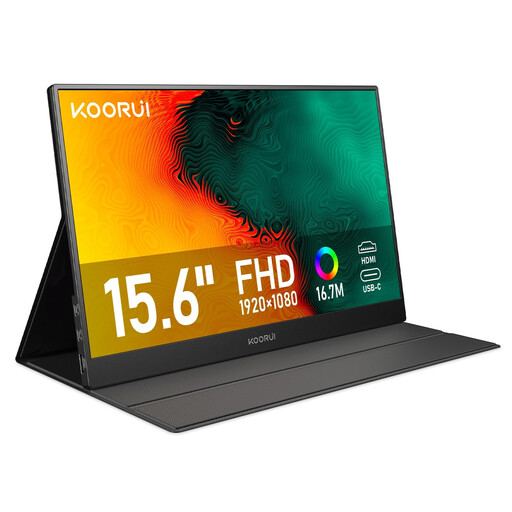
The KOORUI portable monitor is a versatile device well-suited for office applications and general use.
What makes it stand out: The 15.6-inch display with Full HD resolution and IPS technology delivers sharp images with accurate colours. Weighing 1.64 kg and featuring a slim design, it's built for mobile use. Connectivity via Mini-HDMI and USB-C makes it compatible with a wide range of devices, from laptops and PCs to gaming consoles.
Advantages:
Who is this model for? This model is an excellent choice for professionals, students, and business travellers looking for a straightforward and reliable dual-screen solution for everyday tasks.
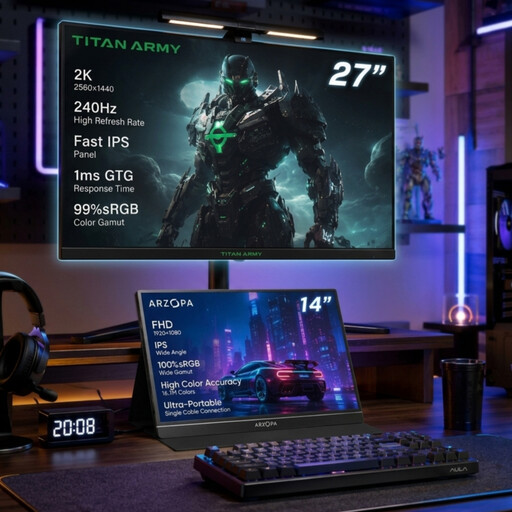
This bundle is aimed at users who need both a powerful stationary workstation and a mobile solution. It combines a large gaming monitor with a compact, portable screen.
What makes it stand out: The combination of a 27-inch QHD 240Hz monitor and a lightweight 14-inch FHD monitor creates a complete ecosystem. The portable gaming monitor from ARZOPA serves as the perfect companion for keeping an eye on Discord, streaming tools, or other applications while the main action unfolds on the large screen. The ARZOPA monitor weighs only about 0.5 kg and connects via a single USB-C cable.
Advantages:
Who is this model for? Ideal for gamers, content creators, and power users who want a no-compromise solution for their stationary setup but also need a second screen for on-the-go use.
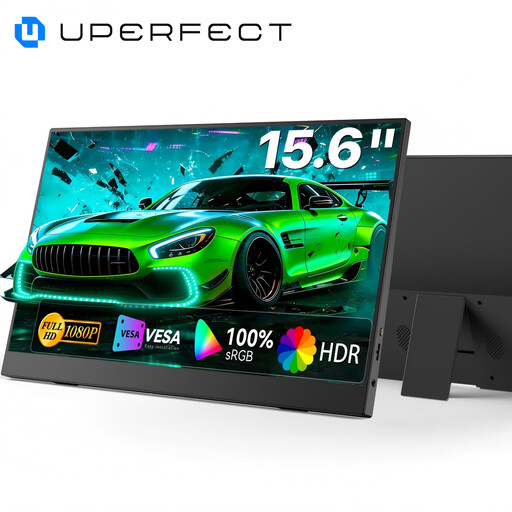
The UPERFECT monitor places a special focus on image quality and flexible setup options.
What makes it stand out: According to the manufacturer, this 15.6-inch model covers 100% of the sRGB colour gamut, making it an attractive option for creative tasks like photo editing. Another key feature is the built-in, adjustable kickstand, which allows for stable and ergonomic positioning without an extra case. Furthermore, the monitor is VESA-compatible, so it can be mounted on a wall or desk mount.
Advantages:
Who is this model for? This device is particularly suitable for users who value high colour accuracy, such as amateur photographers or designers. Users planning a fixed yet flexible integration into their home office setup will also benefit from the built-in kickstand and VESA option.
If the models presented here don't quite meet your needs, or if you're looking for different sizes and specific accessories, you can find more products.
Discover more monitors and electronics
The most common method is to connect it via a USB-C cable, provided your laptop has a compatible port with DisplayPort support. This single cable transmits video, audio, and power. Alternatively, you can connect the monitor using a Mini-HDMI cable for the video signal and a separate USB cable for power.
That depends on the connection type. When connected via a fully functional USB-C port, the monitor is powered directly by the laptop. When using HDMI, an additional power source is usually required. This can be a free USB port on your laptop or a power bank.
Yes, most portable monitors can be connected via their HDMI port to game consoles like the PlayStation 5, Xbox Series X/S, or a docked Nintendo Switch. In this case, the monitor must be powered separately. Some models also support a direct connection to devices like the Steam Deck via USB-C.