
Lieferung heute & morgen

Qualitätsgarantie

Willkommens-Angebote freischalten: KOSTENLOSE Lieferung | Bis zu 80 % RABATT | Kostenlose 30-Tage-JoyPlus-Testphase
App herunterladen
Switching to smart lighting promises comfort and ambiance at the touch of a button. A smart Wi-Fi LED bulb can be controlled via app or voice, adjust its brightness, and even change colours. But the market is saturated with options, and not every product delivers on its promises. Before you invest, it's crucial to understand the common pitfalls that often lead to frustration and unnecessary expenses.
As your Joybuy Product Recommendation Officer, I'll help you understand technical specifications and make an informed decision that perfectly suits your needs.
Many buyers focus on price or light colours, overlooking crucial technical details. Here are three common problems you should avoid:
To avoid a bad purchase, you should carefully examine three technical aspects. These determine compatibility, functionality, and longevity.
The type of connection is crucial for the performance and scalability of your system.
The smartest technology is useless if the bulb doesn't fit into your lamp.
The flexibility of the light is the main advantage of a smart bulb.
Here are some recommendations tailored to specific user profiles that account for the pitfalls mentioned.
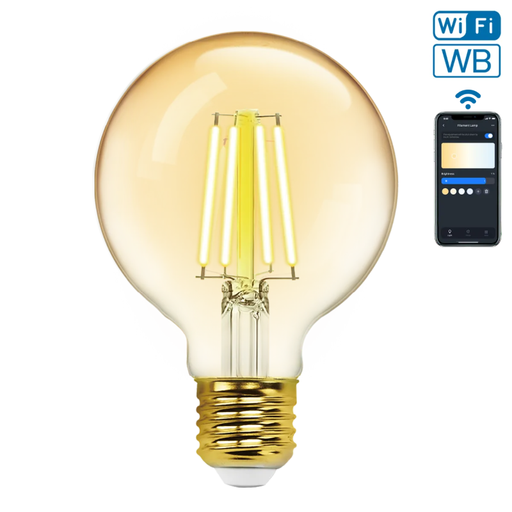
Why This Fits Their Persona: Ideal for users who prioritise aesthetics. The large G80 globe shape, amber-tinted glass, and visible LED filaments make it a design object, perfect for open pendant lights or industrial-style interiors.
Connects directly to the router via Wi-Fi, requiring no separate hub. Dimming is controlled exclusively via app or voice, which prevents conflicts with wall dimmers.
Combines vintage aesthetics with modern CCT technology (2700K–6500K). Pairing is supported by Bluetooth, which simplifies the setup process.
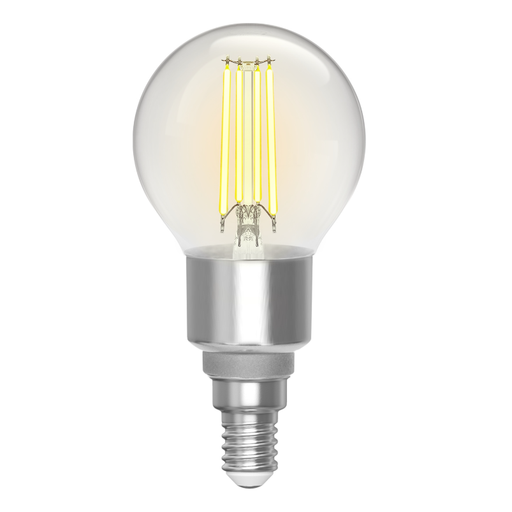
Why This Fits Their Persona: Perfect for getting started with smart lighting. The small E14 socket fits many bedside or decorative lamps. The setup is simple and requires no prior knowledge or additional hardware.
The direct Wi-Fi connection makes a hub unnecessary. Its dual-mode technology (Wi-Fi + Bluetooth) ensures automatic and fast detection in the app, thus bypassing the 2.4 GHz problem.
Offers the full range of functions (RGB colours and CCT white tones) in a compact G45 form factor for the common E14 socket.
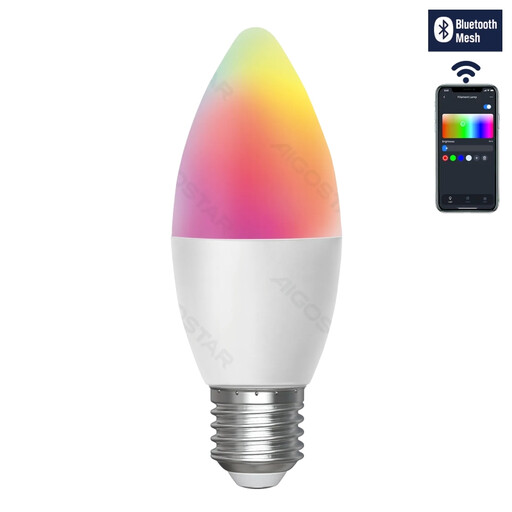
Why This Fits Their Persona: For users who plan to equip their entire home or multiple rooms with smart lighting. The Bluetooth Mesh technology is designed for scalability and allows for stable control of up to 200 devices.
A mesh network is more robust than many individual Wi-Fi connections that could strain the router. It is less susceptible to range issues in larger apartments or houses.
High scalability and stability for large installations. Lower latency when controlling groups of lamps simultaneously. Full RGB and CCT functionality.
We have compiled a complete, up-to-date list of products that fully meet these strict selection criteria and European safety standards.
Yes. The physical light switch still functions as the main power switch. For the smart features (app control, schedules, voice commands) to be available, the switch must remain permanently on. If you turn it off, the bulb loses power and behaves like a conventional light bulb—it's simply off.
The power consumption in standby mode—when the bulb is turned off via the app but is waiting for commands—is very low. Most models consume less than 0.5 watts, according to manufacturer specifications. Calculated over a full year, this results in electricity costs that are typically in the low single-digit dollar/euro range and are therefore negligible.
No. Many modern smart Wi-Fi LED bulbs do not require additional hardware and connect directly to your Wi-Fi router. A bridge or hub is mainly required for systems that use other wireless standards like Zigbee or Z-Wave, or for specific brand ecosystems that mandate a central controller. Check the product description for terms like "hub-free" or "direct Wi-Fi connection".