
Lieferung heute & morgen

Qualitätsgarantie

Willkommens-Angebote freischalten: KOSTENLOSE Lieferung | Bis zu 80 % RABATT | Kostenlose 30-Tage-JoyPlus-Testphase
App herunterladen
You've decided to mount your TV on the wall. It makes the room look tidier, keeps the screen safe from roaming children or pets, and can optimise the viewing experience. But the search for the right mount can quickly become a maze of technical specs and marketing promises. The wrong choice not only leads to frustration during installation but, in the worst-case scenario, an insecure mount for your expensive device.
Before you make a purchase, you should know the three most common pitfalls that lead to unnecessary expense and disappointment:
To avoid these mistakes, focus on three objective core parameters. These define the compatibility, safety, and functionality of your future TV wall mount.
The most important technical specification is the VESA standard. This standard defines the spacing of the threaded holes on the back of your TV, measured in millimetres (width x height). For example, a VESA 400x400 wall mount fits a TV with a hole pattern of 40 cm x 40 cm. Check this value in your TV's manual or measure it yourself before choosing a mount.
At the same time, the maximum load capacity of the mount is crucial. This specification (in kg) must always be higher than the actual weight of your TV. Plan for a safety margin here, especially if you use an extendable TV wall mount and move the device frequently.
The functionality of a mount is determined by its axes of movement. There are clear differences here:
Not every mount is suitable for every wall. Most products come with mounting hardware for solid concrete or brick walls. For installation on stud walls (e.g., with wooden studs behind drywall), you will need special screws and must precisely locate the load-bearing studs. Mounting directly into the drywall panel alone is not stable and poses a significant safety risk.
Based on these objective criteria, we have identified a few models that represent a considered choice for specific user profiles and requirements in modern households.
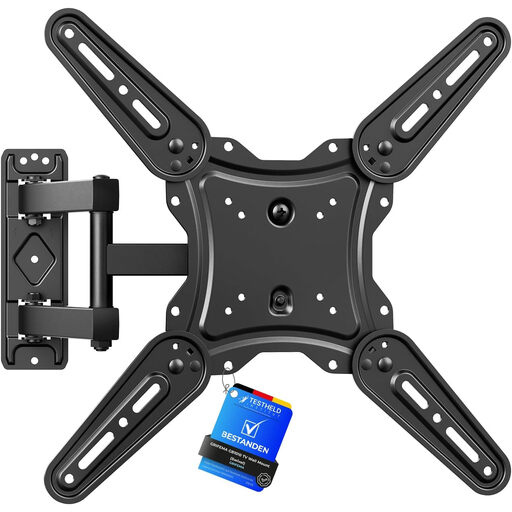
Why this model is a great fit: Ideal for living rooms where the viewing angle often changes. Thanks to its full range of motion, the TV can be effortlessly aligned between the couch, armchair, and dining area. Compatibility also includes a mount for curved TVs.
Addresses the pitfall of mismatched expectations by being a full-motion mount that covers all three axes of movement (swivel, tilt, extend). Clear VESA specifications (75x75 to 400x400 mm) prevent compatibility issues.
A high swivel range of ±90° and an extendable arm (up to 425 mm) offer maximum flexibility, even in rooms with awkward layouts.
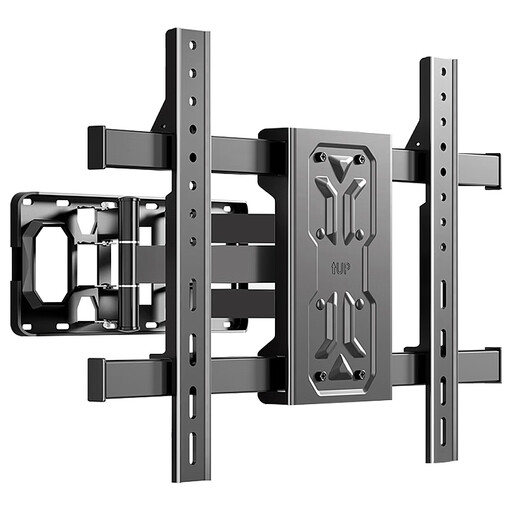
Why this model is a great fit: A great choice for users looking for a 65-inch TV wall mount or wanting to securely mount an older, heavier model. The high load capacity provides a reassuring safety margin.
The explicit mention of suitability for concrete, brick, and stud walls directly addresses the pitfall of wall compatibility. The high load capacity of 45 kg prevents the mount from being overloaded.
Supports a weight of up to 45 kg and, with an extension of up to 340 mm, provides enough space for cable management and cooling behind large devices.
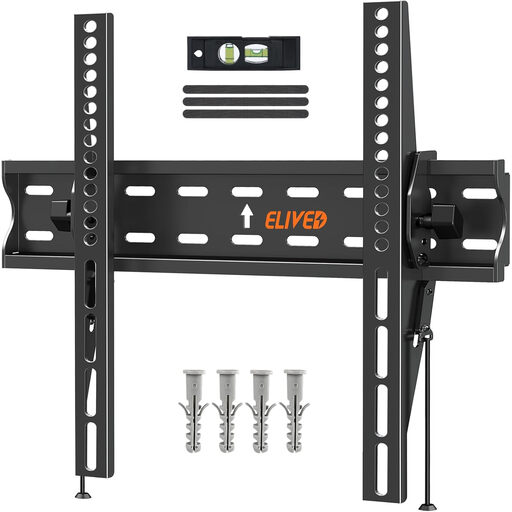
Why this model is a great fit: Perfect for bedrooms or living areas with a fixed seating position where glare from windows or lights is the main issue. The extremely low profile ensures a minimalist look.
Its clear positioning as a tilt-only mount avoids purchases based on false expectations of a swivel function. The high load capacity of 45 kg also offers a high degree of safety.
Tool-free tilt function (0° to -8°) for easy glare reduction and a very small wall clearance of just 38 mm for a discreet installation.
We have compiled a complete, up-to-date list of products that meet these strict selection criteria and relevant safety requirements.
Direct installation into the drywall panel alone is not safe and is not recommended. The panels are not designed to support the weight of a TV. Instead, you must anchor the mount securely into the wood or metal studs behind it. Use a stud finder to determine their position. If you are unsure or have a very heavy device, consulting a professional is advisable.
VESA is a standardised specification for the spacing of the four mounting holes on the back of a TV, measured in millimetres (e.g., 400 x 400 mm). You can find this information in your TV's user manual, on the manufacturer's product page online, or by measuring the horizontal and vertical distance between the holes yourself with a tape measure.
This depends entirely on your room and your viewing habits.