
Lieferung heute & morgen

Qualitätsgarantie

Willkommens-Angebote freischalten: KOSTENLOSE Lieferung | Bis zu 80 % RABATT | Kostenlose 30-Tage-JoyPlus-Testphase
App herunterladen
A USB-C cable 240W might sound like a straightforward purchase decision. In practice, however, the wattage only tells part of the story. A cable can support 240W for charging but be limited to USB 2.0 for data transfer. Similarly, a USB-C connector alone isn't enough to drive a monitor at 4K or 8K.
If you're looking for a USB-C to USB-C cable for your laptop, MacBook, docking station, monitor or external SSD, it's worth checking the technical specifications carefully. The following criteria will help you separate marketing claims from genuinely relevant features.
A cable rated at 240W may be designed for high charging power. However, the actual power delivered always depends on the entire system: the power adapter, cable and device must all support the same requirements. A smartphone that only accepts 30W won't charge any faster just because a 240W cable is connected.
For 240W, you typically need USB Power Delivery 3.1, 48V and 5A, along with a suitable power adapter and a compatible device. If any of these conditions aren't met, the power will be limited accordingly.
USB-C primarily describes the shape of the connector. Different standards can sit behind it. A simple charging cable, for example, may only offer USB 2.0 speeds, whereas a USB-C cable 40 Gbit/s for fast SSDs and docking stations is based on USB4 or Thunderbolt 4.
Before you buy, it should be clearly stated whether the cable is intended for charging only or also for data transfer. The label "240W fast-charging cable" alone tells you nothing about the transfer rate.
For connecting a laptop to a monitor, details such as DisplayPort Alt Mode, Thunderbolt 4 or USB4 are what matter. A 240W cable without proper video signal support may be unsuitable for a 4K or 8K display. Additionally, the USB-C ports on both devices must support the desired video output.
With a USB-C PD 3.1 cable, the maximum power should be clearly stated. An E-Marker chip can tell the charger what current and voltage the cable supports. However, this doesn't replace checking the power adapter and the device itself.
For laptops with a powerful USB-C charger, 240W provides a technical reserve. For tablets and smartphones, a lower power rating is often sufficient. The cable can still be useful if you want to connect several devices using a single USB-C standard.
The data rate should be chosen to match your intended use:
The advertised speed is only achievable if both connected devices and the ports you're using support the relevant standard.
A laptop charging cable USB-C at 1 m is good for compact desk setups. 1.5 to 2 m gives you more freedom of movement at your workstation, but can take up more space when stored. A nylon braided jacket, reinforced strain relief and a sturdy connector housing can reduce mechanical wear and tear in daily use.
A USB-C cable with an angled connector is useful when the port is on the side, space is tight, or you don't want the cable sticking straight out. However, the angle doesn't replace careful handling: pulling or kinking the cable sharply can cause damage, even with a robust USB-C cable.
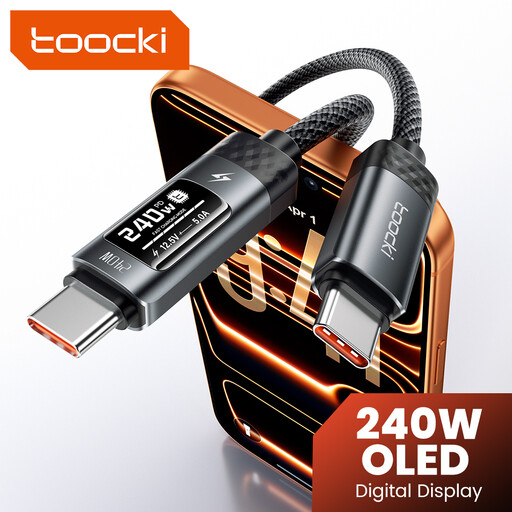
Why this product fits the profile: The stated 240W charging power and compact length make it suitable for users looking for a single USB-C-to-USB-C cable for everyday compatible devices.
The product name states the charging power directly. For data and video requirements, you should check the specifications before purchase.
USB-C-to-USB-C design and 240W rating for compatible chargers and devices.
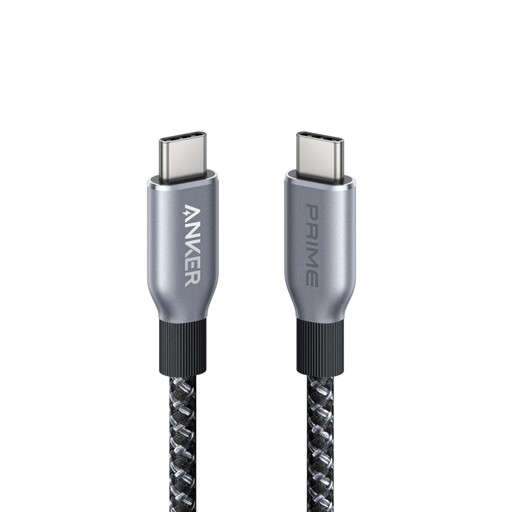
Why this product fits the profile: The braided outer jacket, USB-IF-certified USB 2.0 design and stated durability of over 300,000 bends appeal to users who care about mechanical build quality.
The data rate is stated as 480 Mbit/s. This makes it clear that the cable is intended for charging, not for fast SSD or monitor connections.
240W charging power, braided jacket and 90 cm length; no screen mirroring according to the product specification.
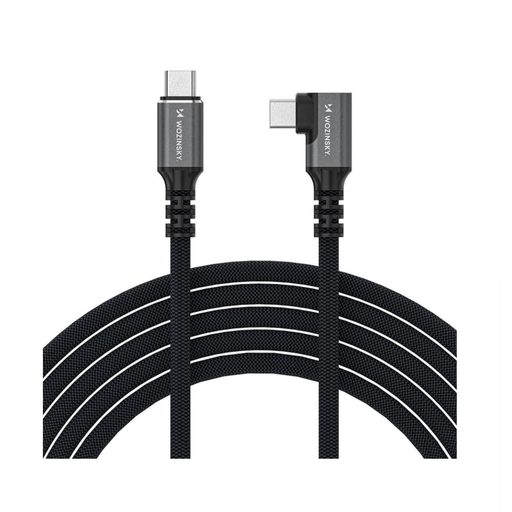
Why this product fits the profile: The 90-degree connector makes it easier to use with a laptop, docking station or monitor in tight workspaces. The product specifications mention Thunderbolt 4, USB4, up to 40 Gbit/s and 4K and 8K output.
Charging power, data rate and video formats are listed separately. This makes it easier to match the cable's capabilities with your SSD, monitor or dock requirements.
Up to 40 Gbit/s, up to 240W, 90-degree connector, aluminium housing and nylon braided jacket.
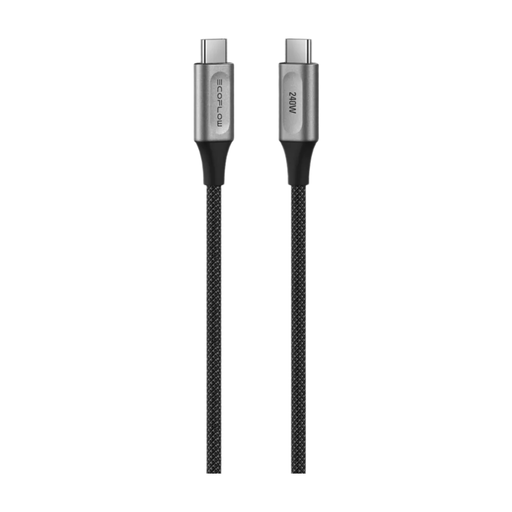
Why this product fits the profile: The length, silicone cable tie and reinforced connectors are practical for travel, home office and changing charging spots.
The specifications explicitly state USB 2.0 data transfer. If you're planning to use an external SSD or need video output, this lets you choose a different cable before you buy.
Up to 240W, 1.83 m length, E-Marker chip, nylon braided jacket and included cable tie.
We've put together a full, regularly updated list of products that fully meet these strict selection criteria and the safety regulations in force in the EU.
No. The charging speed is limited by the device, the power adapter and the cable working together. A 240W cable can also be used with devices that only need 60W or less. However, it won't increase their technically intended charging power.
No. For that, the cable and devices must support the appropriate video signal transmission. Look for details such as Thunderbolt 4, USB4, DisplayPort Alt Mode as well as specific resolutions and refresh rates.
The lifespan depends on bending, pulling, moisture and how often it's plugged in and unplugged. A braided jacket and sturdy strain relief can improve mechanical durability. If the insulation frays, the connectors become loose or the cable heats up unusually, it should no longer be used.